Digital DJ Tips3>

Learn How To DJ With Digital DJ Gear

Controller Clinic #4: Best Upgrade From Mixtrack Pro For Club DJing?

Mixtrack Pro

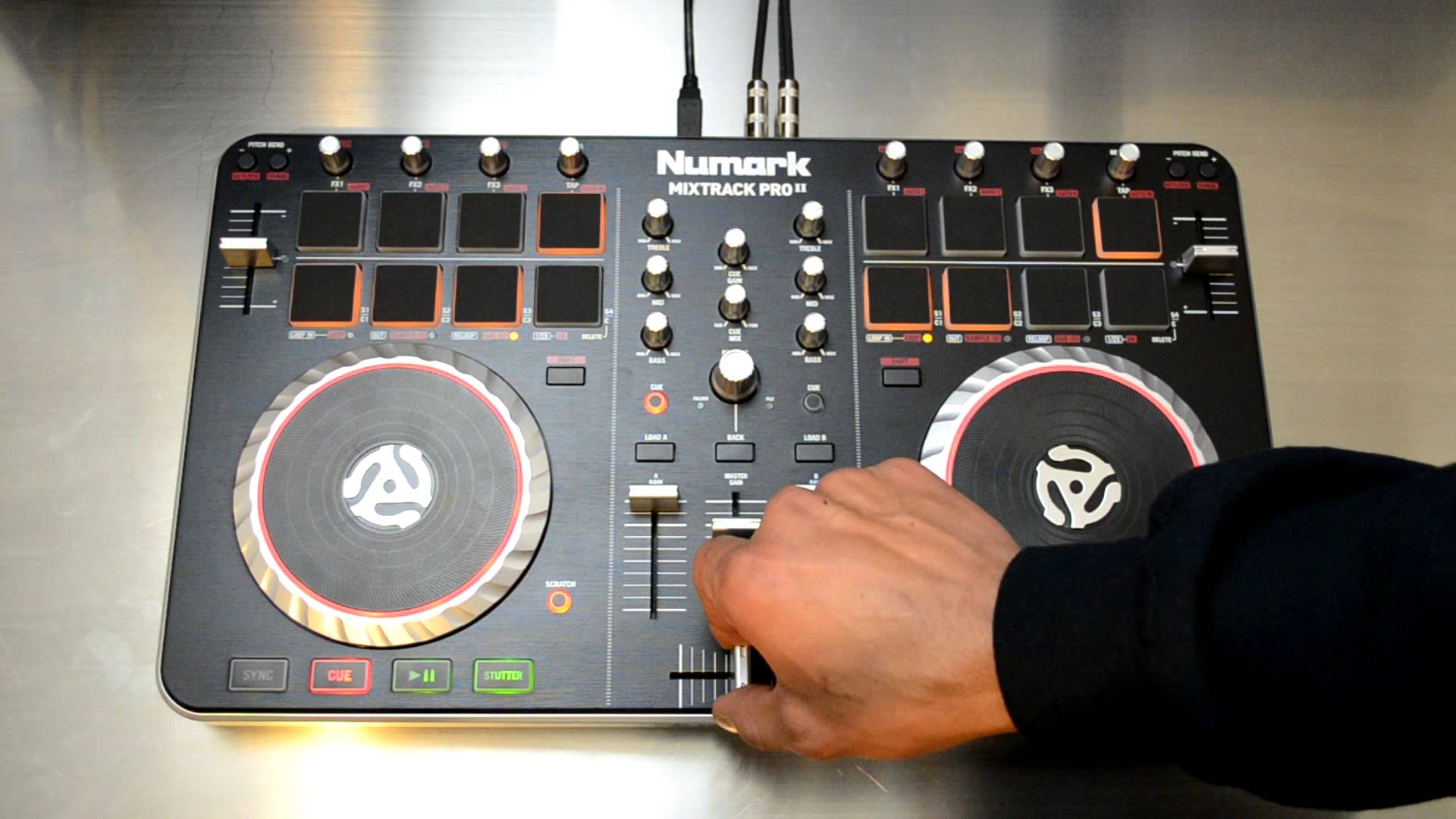
Numark Mixtrack Pro: It's the best value controller at its price point, but our reader is looking for a change.

Reader Frazer writes: “I’m an aspiring DJ and I’m becoming quite recognised in my local area through posting mixes on Facebook and having a weekly radio show with another (well known) DJ.

“I have the opportunity to play the most popular weekend venue in my area (a pub with a nightclub dancefloor upstairs) within the next few weeks and I was wondering what would be the best controller to get for under £200? I have the Numark Mixtrack Pro but I feel it’s much too flimsy, plasticky and big. I would prefer something smaller and sturdier.”


“I was looking at the Hercules RMX but I don’t like the fact that it can only have loops or effects not both. The Reloop Mixage is catching my eye also but its outputs and available connections aren’t good. Please could you help me on this? I’m getting pretty desperate! (By the way, I mix house music and all variations of it.)

Digital DJ Tips says:

I’m a bit perplexed as to why you want to replace your Mixtrack Pro. It’s easily the best value controller at that price point.

If you want to upgrade, then upgrade! Get something that’s a step up…

The Reloop Mixage is smaller, better built and a good replacement, and has sufficient outputs for club DJing (ie plugging straight into a mixer). I’d avoid the RMX, as it’s getting on a bit and the jogs are poor. If size is an issue, many DJs happily use a Traktor Kontrol X1 with a small audio interface like an Audio 2, and forfeit jogwheels entirely.

However, if you want to upgrade, then I’d say you should make it noticeable! Get something that’s a real step up. Otherwise stick with what you’ve got – in my view, there’s nothing so wrong with the Mixtrack Pro that means you have to replace it with something else for around the same price.

What’s your advice for Frazer? Do you DJ in a club with a Mixtrack Pro? Or is there something you think is better for the price? Please share your thoughts in the comments.

Now go to:
Review & Video: Reloop Mixage DJ Controller
Are Slimline DJ Controllers The Way Forward?
Your Questions: Will My Entry-level Kit Sound Rubbish in a Large Venue?

Want to escape the bedroom and play in public - fast?
Our 1000s-selling How To Digital DJ Fast video course shows you how.

Learn to DJ Free - email course plus bonus PDF book
Sign up for our weekly email course for beginners now...

Trouble choosing a controller? Visit the web's #1 guide!
DJ Controllers: The Ultimate Buyer’s Guide 2013.

Tags: , ,


Creative Commons LicenseThis work is licensed under a Creative Commons Attribution-NonCommercial-NoDerivs 3.0 Unported License.

33 Responses to “Controller Clinic #4: Best Upgrade From Mixtrack Pro For Club DJing?”
  1. oliv says:

    Honestly matey, most controllers at that price range are approximatly the same with focus on basic mixin and a bit of control over effects an loops but usually not enough to mix very creatively. Instead of buying another controller of the same price range save up for a while and get either a top range controller like the s4 or pioneer t1 or get a programmable midi pad like the akai ones to which you can assign many effects. If you buy another controller of the same price range it wont change anything whilst if you truly upgrade to the next level theres a whole new world of creative mixing possibilities.

    [ link ]
  2. Ian says:

    Really can’t find anything better for that budget either. Save money for one that can really make the difference.

    Still, if you really want to spend those £200, buying a Kontrol X1 would be a good addition.

    [ link ]
  3. Dj Vynz says:

    im using numark mixtrack pro, everything is good for me im using trakor 2 100% no delay except one thing the crossfader anyone here having prob with cfader? and know how to fix it ? cuz the cfader is moving itself… the numark supportteam s*cks! no response with the problem…

    [ link ]
    • Juan says:

      Just blow some air in it… a few strong blows with your mouth and it should be okay. Happened to me and happens to all cheap faders eventually.

      [ link ]
    • Daniel Morse says:

      Like mentioned above, but I’d go one better and buy a can of compressed air from somewhere like Maplins. That stuff is so handy generally and usually fixes most audio crackling on mixers as well as sticky/unreliable controls.

      [ link ]
      • ToS says:

        If air does not help then there is contact spray, WD40.
        Also, you can de-solder that sucker and put something else there.

        [ link ]
  4. LewisLace says:

    I agree with the last comment. “Upgrading” to a controller that is on the same level and costs less than the product you already have seems like a waste of energy. Puts you a great amount of steps back since you are on your way to maybe receiving a great residency in the near future. Mixtrack Pro is literally the best low budget all in one, personally done hours of research and its features will give you the shortest learning curve when you step up to your top shelf 4 channel controllers. Keep on going strong with what you have.

    [ link ]
  5. paul says:

    Get a Reloop Mixage Controller Edition, a thing of real beauty, in limited edition white for 112 pounds from Juno. Then, with the change, get the matching Reloop Play DJ Audio Interface for 69 squid (Juno). You’ll have a gorgeous, sturdy, metal controller and a high quality interface. You’ll have contol over loops and one effect at a time (I think). Otherwise, do a proper upgrade (like Phil recommended) and buy a controller that you’ll have room to grow into, not just somehing that’ll get the job done today.

    [ link ]
    • Phil Morse says:

      Good tip! That definitely comes in as a bargain.

      [ link ]
      • paul says:

        Here’s another top tip – avoid Juno! I just had the most dismal online ordering experience with them. I never even had a bad experience before.

        [ link ]
  6. Stu K says:

    Seriously, save up, sell that thing and get a Kontrol S4 (or S2) – you won’t regret it!

    [ link ]
  7. djjc says:

    If you’re starting to play in serious venues,and using Traktor, then get an X1 and use the house mixer. Most decent venues will expect you to plug into their mixer that they can monitor. You’ll need and audio interface of course, but all these midi controllers with built in audio interfaces are a bit of a joke when you step up to serious clubs. Great for your bedroom or your mates party, but trying to fit one into an already busy DJ booth may prove problematic and won’t make you any friends from my experience.

    [ link ]
  8. McCoder says:

    I just bought a used Reloop Jockey 2 IE with 2yrs waranty for 116quid. I avoided the Mixtrack for the same reasons that you want to upgrade from it. But getting a Mixage, Jockey 2, or a RMX would be replacing, not upgrading i feel.

    Upgrading in my opinion would be getting something newish that support the features added in Traktor 2, like Reloop DJ3 , Traktor S2.

    Reloop recently released a mapping (and overlay) for use with Traktor and the Jockey 2 that adds sampletriggers and better 4ch support, but i still feel that upgrading would mean a controller that is more that a little better than what you allready have

    [ link ]
  9. MrSteve81 says:

    I say stick with what you know. If the mixtrack pro has helped to develop you your fan base, then show it a bit of loyalty and take it to the club. Also, you know how it works. Getting a new piece of equipment takes a little time to learn/remap.
    Maybe you could add something like the nano kontrol to control effects, like I did, with frees up knobs and buttons on your main controller for other things.
    Colour coding the unit so you don’t get confused in a live setting might be helpful. There’s nothing worse than messing up because of poorly marked equipment.
    You can pick 1 of those up for pocket change, especially if you go for a first generation unit.

    [ link ]
  10. thedjprestige says:

    X 1!

    [ link ]
  11. thedjprestige says:

    X1!

    [ link ]
  12. tekki_dj says:

    How about the Reloop Contour Interface edition?

    Cheap, has a nice soundcard builtin and takes care of a sweet touch sensitive jogwheel, faders, rotaries and buttons.

    Mate of mine used to have it, and I absolutely loved it.

    [ link ]
  13. Se7iiN says:

    I say just use the Mixtrack. As has already been said, if your going to replace it, do it with a REAL upgrade. A friend of mine spins every Friday with a Mixtrack (and DJ IO) and it works great. Save the money you have and that you get from the gig and do a big upgrade, something like the Denon MC-6000.

    [ link ]
  14. Cash says:

    I went from a Mixtrack Pro to a second hand VCI-100. Does involve sourcing an audio interface as well though

    [ link ]
  15. Why dont you just used the clubs decks and mixer and keep your Mixtrack pro and have it on the side to handle FX, cue points and whatever else you like to use.

    Its funny….most people think you need a big ass controller to dj in a club….when 9 times out of 10 the club itself supplies a mixer and decks.

    So with that in mind…you could just get an X1 and a soundcard and thats all you need?

    [ link ]
  16. DJ Gerard says:

    +1 me that you should stick to what you know and use. Last thing you need is a mistake because one controller behavior or your habits one one differ on the next.
    Also when you are ready, remember, a midi controller is just a midi controller. Learn where you would like all your knobs and faders and buttons to be as well as size. Find that controller that suits this. It will not cost much. Use your higher end of your budget to purchase quality sound card.
    Also it would help if you mentioned what DJ workstation you use too.
    Enjoy the gig.
    I use U-Mix Control Pro with Traktor. Depending where I am playing determines if I bring my AudioKontrol 1 sound card with me or not. I used to use a Vestax. I like the placement of the pitch bend buttons better on the U-mix as well as the NON plastic more rubber (like denon) push buttons. Its compact and in your price range if you want to check it out.
    If you are using Traktor I will be happy to send you my mappings.

    [ link ]
  17. fRiJeC says:

    To be honest, you should go for a Kontrol X1 and a Traktor Audio 6 for the situation you’re explaining there.

    For your podcast you don’t need to do mixing and I can imagine you’re using sync and the X1 is more than sufficient. And the Audio interface will keep you happy for years.

    Don’t buy it all at once, but get the most necessary first and don’t settle for lower quality because it has more features, cos you will need to replace it later on. You won’t with X1 and TA6…

    [ link ]
  18. WFTD says:

    I’ve switched to a Mixvibes U Mix Control Pro (£250) and I love it. Much better build quality than the Numark and it sounds great. It’s built like a tank and it’s great to use in a dj booth. The only thing i’d like it to have is a VU meter to see my levels.

    It’s a great budget controller

    [ link ]
  19. Daniel Figueroa aka D.boy says:

    I would go with the Traktor control S2 and spend an additional $5 to get Ean Golden’s S2 mapping. You will rock the club with this set up!

    [ link ]
  20. DJ MAOZ says:

    controllers are in all sizes and colors available, go head buy one here one there bla bla bla in the end you will probably regret wasting time and energy, if you have small hands go for smaller otherwise don’t, X1 is your best bet, i have next to my mixtrack mainly to use efx. Buy headphones, latptop stand, laptop cover, you get it, buy a soundcard like audio 4 or 6 to scratch on club or mix with cdj, x1, mixer that’s Club DJ. Why did you buy numark?

    [ link ]
  21. dj_spark says:

    I would say, run with what you know on the first event and see, from there, if you really need to upgrade.
    Unfortunately there is a learning curve for any new hardware, and this can be a trouble source into a first appearance.

    [ link ]
  22. Bry says:

    I DJ in a Club and have a Numark DJ Audio i/o and a X1 with Traktor Pro. It’s a great set up. I just upgraded to a NI Audio 6 and Traktor Scratch but haven’t had to chance to learn the CDJ’s yet. I Love my X1 though!!!

    [ link ]
  23. DubbLife says:

    Save up another $200 and then upgrade in THAT price range. Otherwise you may as well keep what you have since mix track pro is as good as it gets overall in that price range.

    [ link ]
  24. flyer says:

    A cheap upgrade I did to my Mixtrack pro was to to paint all the nobs black and then “rubberise” them with clear silicone glue.
    It looks better, easier to see the nobs and they get that “pro” feeling.

    [ link ]
  25. Daniel says:

    I have a question. Let’s say you buy Mixtrack Pro for home use and yopu get used to djing with it, without using the sync button, like real dj’s do. And one day, you have the opportunity to mix in a club on professional gear, like Pioneer DJM 800 or 1000 and CDJs 1000. How hard will the transition be? Can you rely on your experience with the Mixtrack Pro or will you have some issues in making the transition to pro gear?

    [ link ]
    • Phil Morse says:

      If you taught yourself to beatmatch manually with your Mixtrack Pro, the transition would be pretty easy.

      [ link ]
      • Daniel says:

        I was thinking of being an “all-in-one” controller and I was going for Numark Mixtrack Pro, but now I am not so sure. Should I wait for CMD-Studio-4A or should I still go for Mixtrack?

        I’m looking for something cheap that will help me practice my beatmatching skills so I can be prepared in case I manage to get some gigs on pro gear soon. Any advice?

        [ link ]
      • Phil Morse says:

        Go for the Mixtrack Pro. This won’t be out for at least 6 months.

        [ link ]

Leave a Reply

Enter your details:

Or connect with:


Be constructive, be polite. Full guidelines here. Asking a question? Use the forum instead. Comment that don't meet our posting standards won't be published.


New to Digital DJ Tips? | What DJ controller? | Learn to DJ | Testimonials and Feedback | Privacy Policy