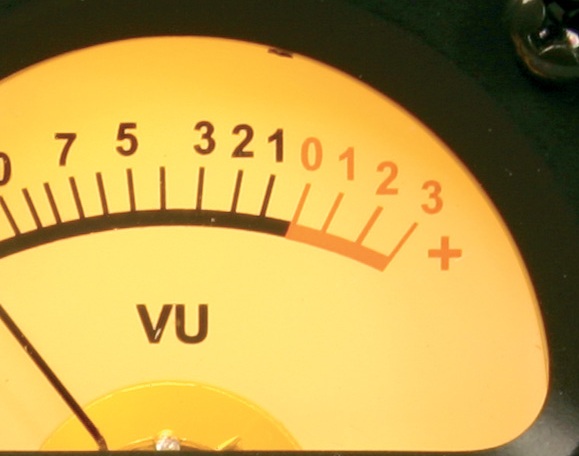
Keeping out of here is essential for great sound when DJing - but sometimes it's not quite that simple, as we find out today.
Digital DJ Tips reader Jeff in Florence, Italy, writes: “I’ve got myself a gig at this bar a couple nights a week. The problem is, last night while I showed them what I could do/tested my equipment on their system, I couldn’t get the volume to be quite what they wanted (their regular DJ could, even though in order to do so, he compromised the quality of the sound ie it was distorting the speakers).
“I think they really need a new amp/speakers, but they just want me to play louder. I’m using Traktor Pro 2, a Reloop Mixage (just like in your How To Digital DJ Fast video course) and a Dell Studio XP computer. I had the Reloop on full volume and for most of the songs (though it pained me to do so) also had them on full gain, and it still wouldn’t get as loud as the other guy’s stuff.
“I haven’t yet had a chance to experiment with the settings in Traktor; maybe there’s an audio output setting I can adjust? Any advice? I’m really hoping this works out to be a regular gig, but if I can’t play loud enough music…”
Digital DJ Tips says…
Go to your configuration panel (the cog top-right in Traktor) and to Mixer. Experiment with the Headroom control, and also try turning off autogain and adjusting gain on your controller manually. Disengage the limiter. All of this puts the onus on you to ensure you don’t drive stuff to distortion, but will allow you to get the most volume out of your system, even if you choose to push it too hard (as the other DJ seems to be).

Here's where you can mess around with your Traktor levels. Note that if you turn auto settings off, the onus is on you to avoid digital distortion, which really doesn't sound clever.
Unfortunately this kind thing is only too common, as PA systems in bars tend to be locked at lower volumes, because DJs can’t be trusted not to drive things too hard. It’s a vicious circle, because that then means you have to turn everything up at your end too loud to get a reasonably volume which can often distort the final result.
Finally, try using the Mixage on mains rather than USB power – this may boost the output level too.
Over to you. Do you play in a venue where the PA is too quiet, and you don’t seem to be able to get your controller to feed a loud enough signal into it? How did you get around the issue? Please share your thoughts and experiences in the comments.
Now go to:
Getting The Volume Right: A Practical Guide For DJs
How To Set Your Levels In Traktor Like A Pro
Controller Clinic #5: The VU Meters On My S4 Aren’t Good Enough!
Want to escape the bedroom and play in public - fast?
Our 1000s-selling How To Digital DJ Fast video course shows you how.
Learn to DJ Free - email course plus bonus PDF book
Sign up for our weekly email course for beginners now...
Trouble choosing a controller? Visit the web's #1 guide!
DJ Controllers: The Ultimate Buyer’s Guide 2013.
Tags: beginner digital dj tips, DJing in bars, gain staging, pa systems, setting volume
This work is licensed under a Creative Commons Attribution-NonCommercial-NoDerivs 3.0 Unported License.

i found the same problem with the traktor s2. adjusted the headroom option and it fixed the issue.
[ link ]Instead of driving the analog signal chain against the wall, id’d firt try compressing/limiting the hell out of it on your end if the software allows you to. It will take a lot of punch out of your music but it’s not quite as unpleasant as a distorting PA.
[ link ]I don’t understand your problem… Have they tried to turn the volume up on their amplifiers/mixer because I doubt the problem is in your equipment (regarding the volume, not the distortion)? I haven’t had this problem no matter where I was playing.
[ link ]Cheers.
Did you try running your signal directly out of your computer’s 1/8″ jack? I had a gig with my friends gear and that seemed to solve the problem. Just make sure to also route your monitor outs to your controller so your not mixing blindly. A second option would be running your gear into DI boxes and plugging into the PA’s mic inputs. Sometimes the preamps help to heat up the signal before it gets pushed out.
[ link ]I’ve found the same issue with a few controllers, I havnt personally used a Reloop but try comparing say a Novation twitch to a couple of CDJ’s its simply a joke! have you considered spending a couple of extra dollars on a Traktor Audio 2 soundcard, for the money they will match any pro gear!!
[ link ]it seems like the speakers are under-powered. i have the mixage myself and i also own a pioneer djm-900. when i first tried digital djing and connected the mixage to the clubs’ amplifier system it sounded just as good as the pioneers.
i haven’t even cranked the volume to 100% only about 60% and it filled the room. and, it’s a mega-club. so it is probably the speakers fault not the controller itself.
unless you are playing in an open field. that would make the mixage under-powered.
[ link ]From the way you talk about your set up you care about music and this is unlikely, but is mp3 quality causing an issue for you? I’ve not tried it, but it may be worth putting some tracks through Platinum Notes, which claims to get the most out of your music. Others will be able to comment better than I on whether Notes makes a difference here, or whether there are other more accessible programs doing this kind of thing…
[ link ]I’ve been having the same problem with my Traktor and Saphire 6 soundcard setup. Thanks for the tip!
[ link ]I had a similar problem… fixed that by daisy-chaining more speakers together. Had to push the amp less to get more sound.
[ link ]Phil, did you not run a feature on signal booster from a German company? Maybe this would help this guy?
[ link ]Yes Derek, we did, well remembered!…the Ouput Boosters by StereoMusik Systems, the review can be found here;
http://www.digitaldjtips.com/2012/05/review-stereomusik-systems-output-boosters/
[ link ]Could be a +4db, -10dB issue. (mixing pro and semi pro gear). Could be a limiter on the amps.
[ link ]The problem is with the house amplification. Your reader stated that the Regular DJ had to push his gear to distortion in order to play at an acceptable volume. If the speakers are self-powered, turn them up, otherwise, turn up the amplifier.
[ link ]In Traktor, if you get orange on the master LED and an occasional red while mixing/using FX then that’s about as loud as you want to get.
If you’ve got this right and if there is a house mixer involved, you can always match the volume, unless your sound card / controller is broken.
If the CD/Vinly is louder at the same mixer settings, this means that we’re talking about a decently loud recording. With such a recordings, if you turn the gain, EQ’s and master volume all the way up on the mixer, you will not get distorted music but genuine distortion mayhem. If that’s what you’re competing against, you should tell the bar manager you’re not coming back any more.
If your competition is a some-what distorted but loud orthodox DJ:
1) Boost the gain on the channel you’ve got your gear hooked up to.
2) Lower the orthodox DJ’s channel as you increase the master volume.
3) Boost the EQs on the channel you’ve got your gear hooked up to.
If there is absolutely no room for you to do (1)~(3), we’re talking about distortion madness or something wrong with your controller or software setting.
Good luck!
[ link ]I just wanted to add that my post isn’t of much help if there is no house mixer involved. If there is a house mixer but you connect your system directly to the house amplifier/speaker etc… try connecting your system through the mixer next time!
[ link ]I was in Florence last weak
[ link ]I can sell you a controller that goes to eleven. (If you’re interested, please contact me via my website above.)
[ link ]oops, here’s the link:
http://xkcd.com/670/
[ link ]Traktor has a master volume in the GLOBAL section. This is usually set pretty low… turn it all the way up to 0db (2 O’clock position)
use the Autogain and headroom or -6dB
The aim of any setup is to have the maximum volume of all the devices in the chain at 0dB.. until you get to the amplifier rack. The rest is up to the sound engineers settings.
IF YOU CLIP OR OVERLOAD THE OUTPUT FROM YOUR MIXER / CONTROLLER it will damage the speakers and probably the amplifiers too..
[ link ]so if someone pressures you to do this at a venue get it in writing that you are not responsible for damage or fire!
Agree on this, I had the exact same problem as the reader.
[ link ]What he needs to ensure is that the software master volume is set to 0db and that the volume on his hardware is set high enough to ensure that the output signal is strong enough. That should do it. He can also remove the headroom
i also noticed that some controllers offer better output if you use an external power pack with them… USB powered devices all offer very poor output levels
[ link ]Had the sme problem with my controller. Just bought a M-Audio AudioBuddy and voila problem solved. Now i can get 4-5 times louder than everybody else if i have to. At about 30% it’s as loud as a vinyl, so there’s a lot of headroom. Was about 100 euro when I bought it.
[ link ]I found I had a similar problem as I use a Vestax VCI 300 Mk1 and often travel around to beach bars and clubs here in Thailand. The equipment at the different venues are rarely ever in very good condition. I found running my tracks though Platinum notes really helped with the problem. having my gain set to 12 o’clock now gives me more output than full twist on the gain knob would give me prior to processing the tracks through platinum notes.
[ link ]Doesn’t help that the VCI-300 is known for its particularly low output…
[ link ]They need to make sure that they are turning up the correct volume. Controllers like the S2 and S4 have two volume controls. The one on the top just turn up the volume within Traktor. There is another on the back of the controller that actually turns up the volume of the sound card. Check to make sure that is at he right level.
A lot of DJ mixers have this also. I know that when I used to bring my own set-up to clubs I would be constantly fooling with the attenuator on the back of my DJM-600 to achieve the correct levels at the mixing desk.
[ link ]WOW…. all this advice and I didn’t see anyone address the real problem.
Admittedly, there are more than one way to handle this problem… but here’s my recommendation.
The Reloop Mixage has an RCA output. That’s designed to be plugged into a mixer which would then drive the signal chain. If you’re coming off that to the signal chain, you should convert the -10dB unbalanced output to a +4dB balanced output before feeding the rest of the chain. It’s a simple professional equipment vs. consumer equipment level issue.
If you use RCA -> 1/4″ TS unbalanced cables and go into an EbTech Line Level Shifter and then use 1/4″ TRS balanced -> XLR cable to feed the chain the result should address your problem.
Having previously used a mixer with RCA outputs to feed the XLR input on a PA system, I can tell you that you loose nearly a full 1/3 of the headroom on the system by switching from +4dB to -10dB. I went from one event where I was struggling to having plenty of headroom on the next. Keep in mind this is true even if you adjust the impedance on the output using an impedance matching transformer/adapter.
Anyway, hope this helps!
And here’s a link to the product I mentioned. Others make it as well, but this is the manufacturer I happen to own.
http://www.ebtechaudio.com/llsdes.html
[ link ]Provided I have set everything up correctly and its the place which is wrong – set up to compensate the deaf DJs who play in constant reds, I alway shout out to the guy in charge and STRICTLY DEMAND that he sets up HIS machines so that without even ONE led going red in the mixer (from my soundcard output) he gets the loudness he desires. From then on, while the night goes on I can step 1 or 2 leds into the reds to give that extra “oomph” without distoritn gthe hell out of my music.
[ link ]Its all in the way you ask though – be confident that its not YOUR fault if its not loud enough – I ALWAYS explain calmly but strictly that as a person who knows about sound I DEMAND the sound to be as loud as desired WITHOUT having a mixer full into reds. If they refuse to understand me, I refuse to go louder and thats that!
Personally I use Novation TWITCH, which has a very quiet soundcard (about twice less loud than the one on a regular CDJ) due to it’s being bus powered. I use Serato ITCH, so those TRAKTOR solutions aren’t for me. I managed to make it plugging the controller to the DJ mixer first. Or in other cases I turn the gain and the speakers’ level up, so the volume gets fine for me and the audience. Though thanks to the limiter in ITCH I experienced no distortion so far even at the highest volume set.
[ link ]I usually play with my vci 300 w/serato itch. 99% I plug my controller directly into the existing dj mixer (which 9/10 times is a Rane mixer for use with DVS systems(SSL). It works perfectly and sounds just like the existing clubs DVS/Technics setup.
I dont allow any output headroom via serato. Shocking, I know. But the fact is, it gives me peace of mind knowing that regardless of the loudness of any song I play, there will be a minimal chance of clipping due to serato trying to auto-level the decks. If I need a little more oompf/loudness, I just use the club mixer’s gain on the channel that Im plugged into.
During sound-check, I ALWAYS EQ my controller and software FIRST, then I EQ the club’s mixer, PA, etc. I dont touch any external hardware volume knobs until I have first optimized my controller’s volume and EQ. That way I know that I wont be playing in the “red” very much (which is USUALLY the safest way to play). If theres any distortion, I work from my controller first. If that doesnt fix it, I then work my way to the external hardware (club mixer, PA, etc).
This method may not work for everybody, but in general, if you start with your controller/software optimization and then work your way outward, you should get very good results. Good luck and keep spinning!
[ link ]Hi Jeff, glad to see another Digitaldjtips poweruser playing in my hometown! I’m from Florence too, and i play at raves and clubs since 2002 using Traktor and recently switched to Ipad+Meta.Dj too. I played last night at Crisco Club a 3 hours tech-house/techno set on Ipad to launch our montly party, and i’m soooooo satisfied with that. What’s the name of the club
? We could share some tricks.
[ link ]