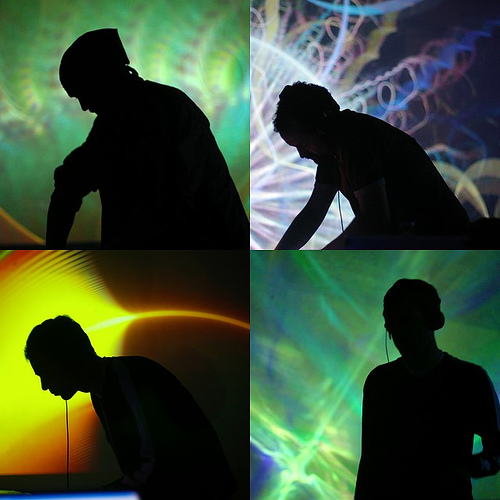
Getting some visuals going behind you can make your DJ performance more exciting, and if there’s a screen there already, why not? But today our reader asks: How?
“Digital DJ Tips forum reader EpicDJ writes: “OK, so next weekend friends and I are throwing a ‘Naughty School Girl’ back-to-school party at his condo. We are going to be setting me up in front of the LCD TV that is on the wall, and were thinking it would be cool to have some type of visuals going in the background on the TV, or even perhaps, a mirror of my screen via the Apple TV? I am running Lion and using Traktor Pro 2.5 on a MacBook Pro.
“Is there an app that I could use that would stream some type of visuals to the TV via Apple TV? Or would I be able to mirror my MacBook screen onto the TV with the Apple TV without losing my screen on the laptop? Or is there other software or solutions you can think of that could help us to get some kind of visuals from the computer to the screen?”
Digital DJ Tips says:
If you want to get serious about this stuff, take a look at our Getting Started In Video DJing series. But I suspect this is a one-off, in which case you’re looking for some kind of visual generator program or as you say, just the ability to get the LCD acting as a second screen to your Mac’s main screen so people can see what you’re doing.
Would you want people watching the tunes you consider playing but then choose not to?
(Maybe a bad idea, actually – would you want people watching the tunes you consider playing but then choose not to, for instance? Or seeing your collection and requesting stuff they see?)
I am sure there is something relatively easy to set up that would run alongside your DJ software and let you output some kind of cool graphics to that screen as you DJ, but I’ve never done this myself, so I’ll throw it open to our wise readers.
So, over to you: Have you ever provided visuals at a party with your Mac, as well as using it to DJ? What did you use, software-wise? Have you ever done it using Apple TV? Got any advice for EpicDJ? Please share your words in the comments.
Now go to:
Getting Started In Video DJing
Review & Video: Algoriddim’s Vjay For iPad
Video DJing: What Hardware To Use
Want to escape the bedroom and play in public - fast?
Our 1000s-selling How To Digital DJ Fast video course shows you how.
Learn to DJ Free - email course plus bonus PDF book
Sign up for our weekly email course for beginners now...
Trouble choosing a controller? Visit the web's #1 guide!
DJ Controllers: The Ultimate Buyer’s Guide 2013.
Tags: video djing, video projection
This work is licensed under a Creative Commons Attribution-NonCommercial-NoDerivs 3.0 Unported License.

You can try downloading visualizations of dancing silhouette from youtube or other sites, and some vids of club partying girs etc…
Then connect the mac to the TV via cable or other way (I’m not familiar with Apple’s TV streamer), divide the screen to two screens, one is the mac and one is the TV and drag the video software to run on the TV screen.
Hope it helps.
[ link ]G-force is the way to go (for me anyway) I used it at a house party last weekend. Just plug it in your hdmi input on your tv. I use a MacBook pro so I’ve got an adaptor for my Mac. It works pretty well for the “one off” visual. Hope it all goes well!
[ link ]You can use a visualiser, input you output (if you know what I mean) and your tunes will be visualised onscreen
http://www.soundspectrum.com/g-force/
[ link ]You can also get clips from people who specialise in this sort of thing, they just won’t be sound reactive
http://www.motionloops.com/
[ link ]Let me expand a bit on Paul’s answer, as I personally used this setup at a party earlier this year.
You will need:
- two computers (assuming laptops), one running your DJ set on Traktor (I’ll call this “DJ rig”), a second to run the visualizations (“AV rig”)
- video cable(s) to pipe video out from the AV rig to the video screen (I personally used an LCD projector)
- audio cables to pipe an audio signal from DJ rig to AV rig (more detail below)
- The paid Platinum version of either Aeon, G-Force, SoftSkies or WhiteCap from http://www.soundspectrum.com/
First off, you need the Platinum version of one (or more) of the SoundSpectrum visualizers, as only the Platinum version have the Standalone player that works with line-in audio. At $30 apiece it’s a minor investment.
Install and configure the Standalone player to create the visualization(s) and to use the line-in audio source.
Run a second audio cable from the DJ rig to the AV rig, that will specifically carry the output mix and not your cue channel or unmixed source tracks. What worked best for my setup was using the “Monitor” or “Booth” output from my mixer to the AV rig, which required an RCA-to-1/8″ TRS stereo adapter — IOW, fairly standard DJ kit bag stuff.
You’ll also want to disable any power saving features, screensavers, or anything else that might interrupt the AV rig’s video output, since that system will be running in fire-and-forget mode, as you likely won’t be touching it throughout your set. Although you can bind specific combinations of visualization to hotkeys for finer control of your AV flair.
[ link ]I just started to use Whitecap for visuals, it’s very simple and nice software. You can find it for both win/mac tho if you want to use it for streaming visuals then you need the platinum version which has a standalone that you can add to for example Camtwist.
http://www.soundspectrum.com
They have few different visual packages. I liked the whitecap one but it’s individual I guess.
[ link ]Is it me, or do these sound spectrum visuals look very similar(and I mean almost identical) to the milkdrop visual plugin from winamp?
[ link ]Yeah, I totally forgot about sound spectrum’s other offerings, white cap is also cool, downloading that and aeon now
[ link ]I’d also second the thought against mirroring your DJ screen, showing what you’re doing – no-one is remotely interested. If you put on a show with a controller, that’s fine; showing an operating system is something else entirely. I have a DJ working that operates near me that does have his screen up and it looks bloody ridiculous, like seeing thru the crack of the mechanics door while he fixes your beautiful car – boring and messy, you’re best to just see the results. (Then again, it also doesn’t help seeing what that this pub DJ is running for his ‘clientele’ – Winamp. Idiot. Safe to say, I’m ‘aware of him’, not know him as such…!)
[ link ]I’m not sure if you can do it with a Mac, but with Winamp on PC you can set it up to activate the Visualizer based on audio input from the mic in. So I send my audio out from my dj computer into my visualizer computer which is hooked up to a projector. For that I use the milkdrop Visualizer
[ link ]I’m trying to find the setting for this in Winamp right now.
[ link ]Found it. Have to type “linein://” in the open url field so it picks up the line input. Cool.
[ link ]Hi,
both already mentioned are aweful. Additionally I use sometimes Geiss Screensaver, an easy free visualisation tool:
http://www.geisswerks.com/geiss/
From my experience especially in smaller private partys and weddings they are a good opportunity to bring some moody atmosphere to the dancefloor without having a great lightshow. But you do have a projector to show all the fotos or storys from the guests, so why not using?
[ link ]Sorry for my english: G-Force and WhiteCap are great tools for visualisation!
But be aware of including the stand-alone (visualisation by using the mic) mode only in the Platinum version.
[ link ]Things you need for some basic beat-responsive visuals:
-A spare PC or Laptop runnung windows you can connect to the TV. (i woudn’t recommend using your DJing machine for that purpose)
-A spare line output (if all your controllers outputs are used, check your amplifiers for record outs etc. You don’t have to be concerned about audio quality here.)
-Software: Winamp, a plugin for line-in audio and some visualization plugin like Milkdrop or R2/R4 (i’m not up to date concerning recent plugins because i haven’t used winamp in years, but for this purpose it should still work great).
1. Connect your gear to the visual-PC’s line in.
[ link ]2. Connenct your vis-PC to the LCD Screen
3. Check the vis-PC’s input levels, they can fave a huge impact on the visual response.
4. Get the Software running.
I recently threw a party in which I set up visuals with my ipad and a projector. I used the app ProjectM and it ran flawlessly for 6 hrs. Here’s a link to a pic taken from that night. The dj in the pic is my buddy Fuze. http://www.facebook.com/photo.php?fbid=393891014011057&set=at.388279184572240.87833.100001704848638.632938610&type=1&theater
[ link ]Thanks for that. I used to run a seperate computer with mildrop for visuals. This an awesome replacement! Only thing missing is custom sprites and text. Great price too. Another cool app is touch viz for the ipad. Its more involved because actually have to mix the visual but you canload your own clips and add effects. I don’t think it has an auto mode like projectm but still worth a look. $9.99
[ link ]Get Serato with the video plug-in. Effects are built in. You only need the one laptop.
[ link ]I’ve used my PS3 & Netflix to stream some Japanese Anime behind me. My buddy kept an eye on it & just kept a bunch of videos going. It was cool. Fun for a house party. My friends seemed to like it.
[ link ]You could probably do something similar with school-themed movies.
Discobrick DJ is worth checking out too. The free demo is fully functional except for the fact that a text asking you to register the software pops up occasionally. It’s very reasonably priced though. To be honest, I’m not the biggest fan of most of its animations (some are pretty decent though) but it might be what you’re looking for.
http://www.discobrick.com/
[ link ]Thinking of something like this for my events the venue has a projector in. Would like some kind of software to able to project my logos and the dj’s names onto the backdrop as well as some simple visual effects
[ link ]If you haven’t thought of it already, get a web-cam, people love to see themselves on the big screen.
[ link ]in virtual dj you can get them as video effects. ive used them when a projector is available. you can choose to change effect everytime u crossfade songs or set a timer and it changes on its own. don’t know about traktor.
i dont understand why all these apps need to use two pcs. seems a little primitive to me. cant they pick up what’s going on with the soundcard and work on that?
or how about running a cable from the controller by splitting the outputs or use the second output if available to bring the signal back to the same laptop’s mic-in and run the app from there. havent tried it myself but a descent modern laptop that can handle games could easily run the dj sofware and the effects app i assume. provided of course theres no other crappy programs interfering.
[ link ]Just looked into soundspectrum. if run on the same rig looks like no cables required. my bad. sorry
[ link ]For the cheap and simple, Check out http://www.motionloops.com/
They do great pre-made DVD packages or you can build your own out of their 1000s of loops. These are the guys people like Ultra Festival use so you know you are buying hi quality visuals.
Of course you won’t have the visuals beat-sync’d if they’re off a DVD, but nobody has ever really noticed when we’ve done it.
[ link ]I was DJing at a club in town earlier this year, getting kinda paranoid at all the people staring me whilst playing, then realised they were watching the screen behind me
[ link ]Ha ha that’s a good story, been there too…
[ link ]Thanks for all the replies and for featuring my post. What we ended up doing was setting up a slide show with my buddies Mac Pro in another room and air playing that to his TV. We put a whole bunch of old school related pictures up like Jansport backpacks, Trapper Keepers, saved by the bell etc etc. It ended up working out great, but there are some AWESOME ideas in this thread! Thanks again!
[ link ]I use for this stuff: Arkaos VJ, an old midi-controller (you can plug anything to it that works with MIDI or just use the keyboard, mapping is easy) and a simple RCA-minijack cable to get the sound to line in on the built in soundcard (sound-activated stuff).
I can use Rec Out/Booth Out on the mixer or Booth Out on my controller without problems.
Its working on the same laptop (just get a cheap monitor in the booth and plug this as a second monitor and choose the beamer/TV/whatever as your fullscreen output for Arkaos VJ). For that you have to use a pretty nice laptop that has enough power to run VJ & DJ software without problems & use 2 external video outputs + internal display.
Or just get a cheap second laptop/ old PC and set this up for VJing.
Usually its perfect to get a nice show for a band or just play around while spinning some long songs.
And the easiest way to get some automated video stuff is just winamp.
[ link ]Make sure that winamp get your signal (stereomix option, booth/rec out), turn the visualisation on and use the second screen/beamer as video output for it. That can run on your DJ laptop without problems and you dont have to care about it. Perfect for small partys where you do everything and dont have the time to do the VJ stuff.
at my club we have a full video system. With a panasonic video mixer, using DVD’s and a connection to our laptop. We have so much video there is no way to put it all on hard drive!!! I highly recommend a video mixer so you can play multiple visuals. DOnt just play the same one all night long! We play pictures, go go dancers, wall paper visuals, etc. The most popular visual to put on our screens are pictures we have taken of parties at our club of various people!!!
[ link ]