
Digital DJ Tips3>

Learn How To DJ With Digital DJ Gear

Your Questions: How Can I Use My DJ Controller Wirelessly?

AirPlay

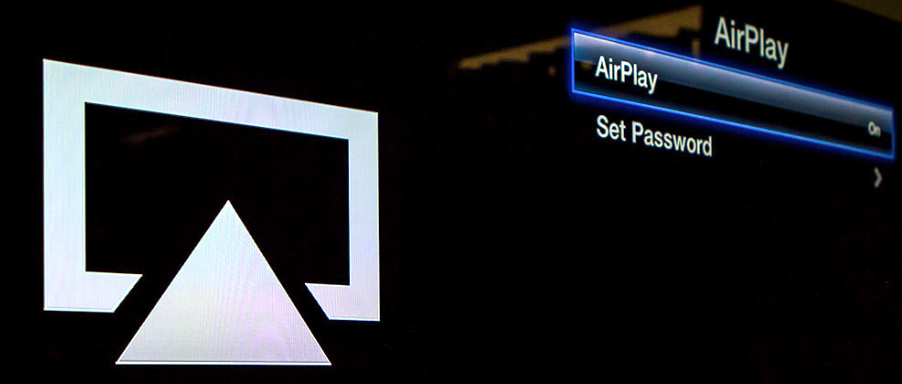
Apple’s AirPlay is a great way of streaming audio wirelessly around your home, but it’s too slow for DJ use.

Digital DJ Tips reader Dan writes: “I’d like a means to play music from my Traktor Kontrol S2 to my speakers wirelessly, eg a wireless transmitter that plugs into the RCA input on the back of the S2 and sends the audio to a wireless receiver connected to the back of the amp.

“I haven’t come across a set-up like this, was wondering if you plan to cover such devices. I’m sure others also have this need.”


Digital DJ Tips says:

This idea was big at NAMM 2013, but for sending Midi – ie signals to control software – rather than actual audio (the exception being the Pioneer XDJ-Aero, but that buffers audio before you need it). The trouble is latency: With Apple’s AirPlay, and to a certain extent with Bluetooth, there’s a “lag” so beatmatching across existing wireless systems is next to impossible.

This idea was big at NAMM 2013, but for sending Midi…

Short of using one of those tiny FM radio transmitters you can get for your car to play your MP3 player through your car radio (and your mates’ car radios behind you if you’re in a convoy off to a rave ;) ), I can’t think of any other way to wirelessly attach the output of a DJ controller to speakers.

So, over to you. Have you ever achieved this? How? Any ideas of how it could be done in the future? I’d love you to share your thoughts below.


Now go to:
NAMM 2013: Numark Orbit DJ Controller Video Talkthrough
NAMM 2013: QuNeo Rogue Video Talkthrough
5 Music Ideas for DJs On The Move

Want to escape the bedroom and play in public - fast?
Our 1000s-selling How To Digital DJ Fast video course shows you how.

Learn to DJ Free - email course plus bonus PDF book
Sign up for our weekly email course for beginners now...

Trouble choosing a controller? Visit the web's #1 guide!
DJ Controllers: The Ultimate Buyer’s Guide 2013.


Tags: , ,


Creative Commons LicenseThis work is licensed under a Creative Commons Attribution-NonCommercial-NoDerivs 3.0 Unported License.

25 Responses to “Your Questions: How Can I Use My DJ Controller Wirelessly?”
  1. Irvin Cee says:

    They exist but I’m pretty sure you will sufer quality and stability issues.

    You maybe could check those body packs for isntruments they use in professional pa systems.

    But thats a whole other price range.

    [ link ]
  2. Chuck "DJ Vintage" van Eekelen says:

    Once upon a time … there was the Oona Transmita. It was two little boxes with 1/8″ in and output that would transmit your audio wirelessly using the 2.4GHz band (like regular WiFi).

    Apparently they got it working pretty good (impossible to have no latency, but it was close enough), but I don’t think they are around anymore.

    Other than that, most solutions start with the assumption that you want to stream from laptop or pc, so they have usb connected senders. No good for what you want.

    Probably gonna be a tough job finding a solution for this problem for all the reasons mentioned in the article.

    I have looked for something like that on a professional level too some years ago (needed to set up a pair of speakers across a football field), but came up empty handed. I remember there was a solution but crazy price and still lots of latency.

    Greetinx,
    C.

    [ link ]
  3. Chuck "DJ Vintage" van Eekelen says:

    http://www.ebay.com/itm/5-8Ghz-Sender-Audio-Video-AV-Wireless-Transmitter-Pat-630-/300776873922?pt=US_Audio_Video_Transmitters&hash=item4607b2dfc2

    Wonder if something like this would do the trick. Since it doesn’t use existing local networks (like Airplay) they may have cut the overhead back a lot and come to a working solution.

    Anybody every try one of these?

    Greetinx,
    C.

    [ link ]
    • dennis parrott says:

      I am a bit leery of this device since the specs do not indicate the actual frequency range that the device will transmit.

      So I work my butt off tracking down WAV files or FLAC files for my songs, play them only to find out that shoving through this device puts the clampers on the high end or rolls off the bass.

      No thanks. Just let me string a set of wires…

      [ link ]
      • Chuck "DJ Vintage" van Eekelen says:

        I am all for wires! I have no use for wireless as a DJ, only this once in the Olympic Stadium at a sound gig.

        Greetinx,
        C.

        [ link ]
  4. Stavros says:

    i tried something similar like the ebay item above but for video and audio. was more interested in the video but the quality was not so good so ended up running a long cable instead. Then again this is a different model so could be better, don’t know.

    I think the best to have good quality and low latency are the systems intstruments and vocalists use as mentioned above. but that is a higher price range and most are built with microphones in mind. would be much cheaper with good quality cables if it’s not for mobile use.

    [ link ]
  5. dj eddie cheba says:

    there is a way and it is with those body pack line6 g50, sure and there are a boat load out there but I just want to say you pay for what you get, if you spend the money you will get the range and the great sound that you are looking for
    I think line6 has the best solution and the best price for what you need and want

    peace ,love & happiness
    music is life
    DJ EDDDIE CHEBA

    [ link ]
  6. Stace says:

    The Sure PDX series of transmitters and receivers are pretty rock solid. I’ve used them in many venues for wireless audio. Also heard good things about the Sennheiser SK 100 G3.

    [ link ]
  7. Steve says:

    There is no option for xlr but if you don’t mind running in mono, mic packs and receivers will get it done

    [ link ]
    • dennis parrott says:

      run two mic packs? one for left and one for right?

      [ link ]
  8. Jefff Scott says:

    I put a DJ setup in a store one day for the club I work at, normally I have to run cables all over to there amps etc but the store I done that day gave me an AKG wireless transmitter with XLR inputs which was cool ran off batteries for hours but i’m sure there would be a mains transformer for it.

    Probably quite pricey though

    [ link ]
  9. DJ Forced Hand says:

    I think this post is misleading. The title is “How Can I Use My DJ Controller Wirelessly?” but it should be “How can I send music to my speakers wirelessly?” When I first read the title of your article I thought Oh, someone’s found a way top operate their controller over WiFi or Bluetooth. Which, I guess would be neat, but really not that useful.

    Anyway, back to the topic. “How to get what’s coming out the back of my controller to my speakers without wires in between.” I want to preface this with there are only a certain few times you would ever really want to do this because the cost and complexity way overshadow what functionality you get out of the wireless speaker system.

    If you insist on moving forward with this idea, you must understand you will be making the system more complex (which means more likely to fail) but you’ll also be balancing three options; Price, Security and Fidelity. No one has made a wireless system that sounds as good as a wired system without adding latency… so let’s start there with Quality. The problem with wireless systems is that you have to get whatever’s over here, over there using some other system than a direct connection… this means whatever you do won’t be as fast (because of the inherent; prep-to-send, send, receive, prep-to play process) as a wired system… you’re literally making the process harder by introducing complexity to your sound system which can be OK, but know it’s very likely to color your sound. I know Bose and Harmon-Kardon (and a few others) have systems that not only configures speakers wirelessly for your setup, but also plays wirelessly (they still need some source of power though, I haven’t found anything that transmits power and signal) This may be what you’re looking for, but it has a heavy price tag at multiple thousands of dollars for these solutions.

    So… here are the suggestions: FM Transmitter and receivers (Gizmodo has a good little article on this: http://gizmodo.com/5905695/stream-music-to-every-radio-in-a-housecheap )… just hook up the mixer outputs to the transmitter’s inputs, tune in to an unused frequency and hook up FM (radio) receivers on wherever you need sound (if you’re making this a wireless P.A. you might want to consider a receiver that has the ability to pan Left/Right… for discrete sound). There are very inexpensive units out there that sound OK, but I recommend going for a higher quality system because they sound a lot better. The upside to using this solution is that people with FM radio headphones can tune-in to your station so no loudspeakers are needed AT ALL. The Transmitter can cost somewhere around $300 and there are legal requirements for operating a transmitter, but this may be your best solution. The SF SILENT RAVE uses this kind of technology (or something very similar) and it’s a pretty clever… no radiated noise, so no noise pollution. The Downside of this is that FM Transmitters can be “Stomped on” by other transmitters with more power meaning all of the people listening to your show will experience “technical difficulties.” Sometimes it’s unintentional, sometimes people like to be masochistic.

    Which leads us to Encryption… You can add encryption into into the process of sending and receiving signal, and even though you have many more “clean frequencies” to operate within, you’re going to add more latency and probably reduce quality even more when you choose to use the security. There are WiFi and Bluetooth solutions for this problem (Belkin and Rocketfish have good, low-end solutions at around $30-$60 per receiver pod or from $50 on up for wireless speakers). Just as FM, WiFi and Bluetooth are still subject to interference, meaning you may hear static over your speakers/headphones even if people don’t hack your signal.

    So how do I avoid interference? Well… you can’t but you can try using shorter wavelength and optical solutions (remember that particles in the air are basically interference for optical). As far as I know, there are no commercial solutions for consumer-ready products, but you might have an electrically inclined friend who’s willing to help you solve your problem.

    So I come full circle and ask (now that you’re educated on the topic) “Why would you want to do this when you have the option to use wired speakers?”

    [ link ]
  10. discovideo says:

    “I’m sure sure others also have this need”…Sorry i don’t…Even…I don’t see the advantages of this setup. What do you gain? 20 seconds time for not plugging in a rca-cable?

    [ link ]
    • DJ Forced Hand says:

      No, really the only advantage I see is a decentralized method of distributing one cohesive sound as Radio Headphone Gatherings do. This has the upside of EVERYONE being in the “sweet spot” but has the downside of having to wear something (and take it off to talk to people) in your ear (and most likely over your head) when dancing. You’ll still have to plug some cabling into a transmitter if you’re in charge of running the event.

      [ link ]
  11. Andre says:

    Only for home use, I used to send thru a Rocketfish transmitter but i finally gave up and bought an Apple Airplay. When i want to send music wireless I play music from my wifi HD via my Iphone or Ipad. All my guests have access to my music with a password and can add a tune to the playlist. This makes evenings fun and everyone can listen to a song of their choice. On the other end, i have to admit that since i discovered the Songza app for Iphone i really like to be surprised by these playlists and discover new music while just taking care of my guests vs planning music seuqnce and choosing tracks. The Apple Airplay gets very nice for this once again since I can decide of the type of mood wirelessly while i am cooking and entertaining.

    [ link ]
  12. jombag says:

    I got solved the lag by using the sync button. :)

    [ link ]
    • DJ Forced Hand says:

      Oh Sync button… is there anything you can’t do?

      [ link ]
  13. Mxby7e says:

    I’ve worked with some “silent disco” events that either stream via the web with a 5-10 sec lag, or with a mass wireless headset system where there is a master transmitter that sends audio to 100 pairs of headphones. It takes a lot of cleaning and disinfecting in between events, but it works pretty well and allows you to have events in abstract settings. The first one I did was in a college library and the second was outside during a street fair. We never seemed to have outside rf interference

    [ link ]
  14. Xtian says:

    Just mix in your headphones without being distracted by the (latency) speakers. Just like playing at a club with no/dodgy monitors.

    [ link ]
    • Phil Morse says:

      I’ve done that enough times, in the old days you’d put an extra bit of forward nudge on your vinyl once you’d got it in time in your booth, which the the track out of time in the booth but in time on the dancefloor!

      [ link ]
  15. DJ JR says:

    I did something similar to what these guys do, after watching this video. They sell them already made up as well, I went with Line 6 and it works flawless

    http://youtu.be/5IjiBfnaACQ

    [ link ]
  16. johhny says:

    I use this
    http://audioengineusa.com/Store/Audioengine-W3
    out of my mixer I plug into this low enough latency that I can mix and decent range.

    [ link ]
    • sane says:

      THANK YOU!!!!

      i’ve been searching for something like this a long time for my home dj setup. been futzing with bluetooth adapters but they all have inherent, awful lag. not to mention sound quality. when no audio signal is being transmitted i get a constant hiss, like white noise.

      if the latency is truly less than 20ms, then i can live with that, the wireless distance i have to cover is only about 10-15 feet, so this will work PERFECTLY for my needs!!

      anything about this product that you don’t like, or other issues to be aware of?

      [ link ]
  17. Dj Dajmo says:

    The Audio Pro WFD200 does the job!
    Almost no delay, 15-20ms and cd quality. Tried and works.

    [ link ]
  18. Ray says:

    Won’t these work?

    http://altoproaudio.com/wireless

    [ link ]

Leave a Reply

Enter your details:

Or connect with:


Be constructive, be polite. Full guidelines here. Asking a question? Use the forum instead. Comment that don't meet our posting standards won't be published.


New to Digital DJ Tips? | What DJ controller? | Learn to DJ | Testimonials and Feedback | Privacy Policy