Your DJ controller software, whether Virtual DJ, Traktor, Serato Itch, MixVibes, djay, or whatever, is the first piece of software you will choose. But there is other software that it’s very useful to have, too. In this article we’ll look at that “extra” software.
You don’t actually need anything else. Your DJ controller software will be able to import and/or play music files from specific folders on your computer just as it finds them. However, there are many reasons why it is a good idea to use extra software:
- It lets you tag your music files properly, making them easier to find by genre, BPM, artist, year etc.
- It lets you prepare virtual “record boxes” (see Packing Tunes for Digital DJing)
- It lets you get them in the right format/s
- It allows you to keep your collection organised somewhere away from your DJ software
- It allows you to “fix” and improve music files
Ubiquitous old iTunes

The iTunes store, which not up there with the best dance download sites, is pretty decent, and right there in iTunes too
Many digital DJs rely on iTunes as their music library software of choice (I do). While not perfect, it is simple to use, syncs well with iPods and iPhones, and lets you prepare playlist folders that you can play straight from inside most DJ software.
It even allows you to set up “smart folders” that automatically put music that fits certain criteria into a folder for you. So if you have, say, a “house music” smart playlist, whenever you add any new house to your collection, iTunes adds it to this folder automatically for you.
This gets really useful when you start labelling tunes for various club nights; so all you have to do when a new tune arrives that you think “this would go down well in X club” is label the tune such (I use the “Grouping” tag in iTunes for this) and it will automatically appear in your smart playlist for that club night.
This gets really useful when you start labelling tunes for various club nights
The iTunes music store within iTunes is also good for adding tunes instantly to your collection, and to boot you can subscribe to your favourite podcasts from within iTunes too so there’s always a constant stream of new music for you to listen to.
My final favourite part is the iTunes DJ function, that just plays random records for you – great to put on in the background when you’re doing something else, as invariably a great tune jumps out that you’d forgotten about, that in turn triggers more tunes in your head; before you know it, you have a mini DJ set all prepared to play somewhere, out of nothing.
But I hate iTunes!
Many people do. It’s big, can be s-l-o-w, and is just a bit too much for some people. For Windows, one great program that’s fast, efficient and loved by many users with larger collections is MediaMonkey, which has a free version that is pretty much as good as the paid-for version.
For the Mac, iTunes is so much part of the system that there really aren’t any good alternatives out there, but it you’re a Mac user I suspect you’re in love with iTunes anyway.
Do I need any more software?
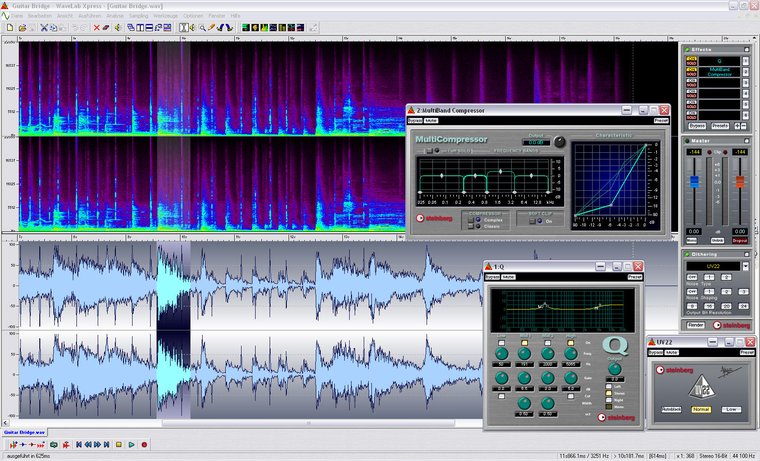
One other program that I have always had on my computers is some kind of sound editing software. This is used to load up an MP3 (or other format of music file) and edit it. You can cut silence off the beginning or end, make it louder, even re-EQ it and start re-editing it (for instance, if it is a rip of a scratched old record, clever functions can remove this for you). Plainly this is good stuff for serious digital DJs. (Incidentally, it’s also great for editing out mistakes in DJ mixes…)
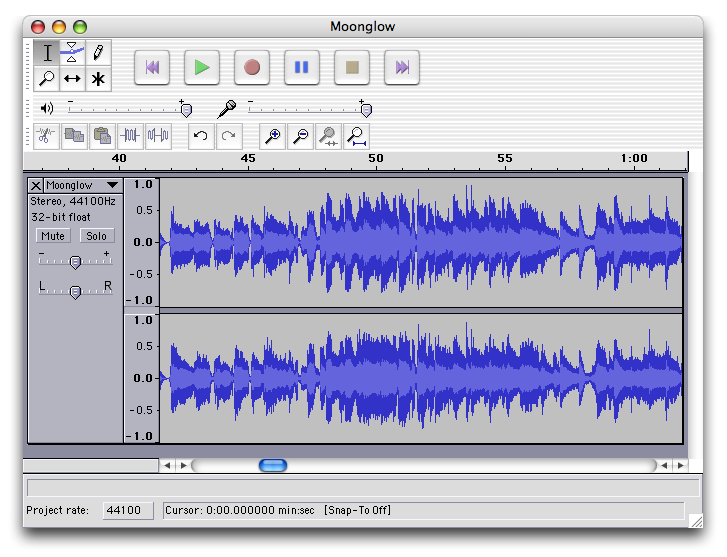
For many years I used Steinberg’s Wavelab, which has a wealth of functions and a price to reflect this. However, the open-source (ie free) alternative is Audacity, which while not as pretty as Wavelab, does an excellent job. It imports nearly all formats (the horrible WMA Windows media files notwithstanding) and exports in most formats too. (You need to install something called the LAME encoder to save MP3s, but this also is free.) As well as editing MP3s etc, with a program like this, if you hear a podcast with a tune of you simply must play in your DJ set, you can chop it up and get it ready for performance.
What else?
There are various other pieces of software you may consider – I have used ID3 tag editors (that allow you to automatically update the meta data on albums etc), which are useful as importing badly tagged files into iTunes can throw them all over the place in the collection and make them hard to file properly when you realse what has happened.
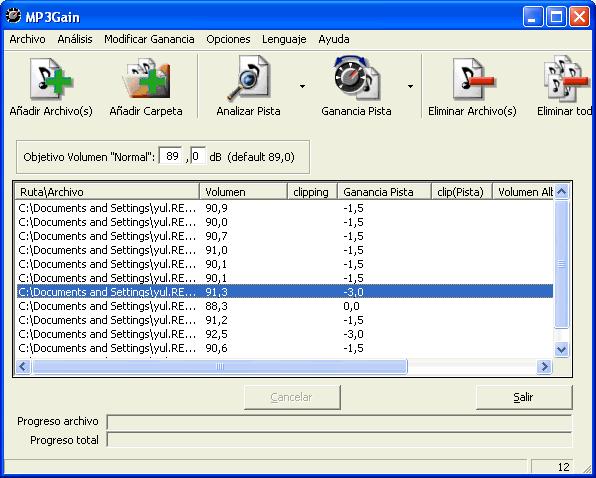
MP3Gain is a small Windows application that alters the volume of MP3s without degrading the quality.
I have also used MP3 gain software (that makes all MP3s the same volume, the best of which do so without any degradation in sound quality – great for alleviating the need to constantly hit the volume control on an iPod in shuffle mode).
But for 95% of your DJ needs, a sound editing program and a music library program as discussed above will do you fine.
Do you use alternatives to these programs? Is there a piece of software you simply couldn’t live without in your digital DJing? Are you confused about what software you really need to start digital DJing? Join in the discussion by leaving your comments and queries below.
Now go to:
Choosing a Digital DJing Controller
The Magic Mix for Successful Digital DJing?
Want to escape the bedroom and play in public - fast?
Our 1000s-selling How To Digital DJ Fast video course shows you how.
Learn to DJ Free - email course plus bonus PDF book
Sign up for our weekly email course for beginners now...
Trouble choosing a controller? Visit the web's #1 guide!
DJ Controllers: The Ultimate Buyer’s Guide 2013.
Tags: Audacity, digital DJing software, iTunes, Media Monkey, MP3 Gain, playlists, smart folders, smart playlists, Software, WaveLab
This work is licensed under a Creative Commons Attribution-NonCommercial-NoDerivs 3.0 Unported License.


Please also consider using my iPhone app for automatic bpm analysis:
http://itunes.apple.com/us/app/music-bpm-analyzer/id381756160?mt=8
See a description of the software here:
http://www.cubiccarrot.com/MusicAnalyzer/
Sven
[ link ]MP3 Direct cut FTW!
[ link ]http://mpesch3.de1.cc/mp3dc.html
MP3 Tag!!!
[ link ]No harmonic mixing software? I think Mixed In Key is an essential part of what I do. I’ve never had extensive musical training as a child and this piece of software helped me pick it up very quickly.
http://www.mixedinkey.com/
[ link ]We’re fans of Mixed in Key – see http://www.digitaldjtips.com/2010/08/mixed-in-key-review-part-1/
[ link ]I recommend Mixed in Key and Audacity to all DJs. By the way, Mixed in Key does not seem very accurate with hip-hop tracks. As a matter of fact, Traktor seems even worse to analyze BPM for hip hop tracks.
[ link ]I fail to understand why Audacity is really essential. You use it for re-edits, bootlegs and stuff like that?
[ link ]I think a simple wave editor can be useful for ripping vinyl (and subsequent normalisation/de-clicking etc), for editing the starts and ends of files, for adding intro and outro loops onto songs – anything where light audio editing is required.
[ link ]Could you recommend a good “wave editor” or something “for adding intro and outro loops onto songs – anything where light audio editing is required.”????
[ link ]Definitely check out Audacity – it’s free.
[ link ]Interesting….
Here is my Software list :-
Traktor 2 (DJ Software)
Mixed In Key (Music Key & BPM software)
Platinum Notes (Music normalising software)
Sony Soundforge (Editing software)
Ableton Live 8 (Music Production)
Reason 5 (Music Production)
iTunes (Music Library)
Beatler (Beatport app)
All of this is my essential ‘kit’ list
[ link ]i like wavosaur.
[ link ]everyonce in a while traktor will spit up a MP3 that i know played in itunes and i just drop it in wavosaur and convert it to WAV.
audacity is good too but slow. my first love in sound editing is SoundForge 6.0 this was the last release before Sony mucked up the program.
at one point i came across a java based program that auto-bpm tunes and set key signatures. i’ll have to find it again. it was slow, a memory hog, but worked if you let it run all night.
MusicBee is an alternative app to iTunes and MediaMonkey. Please add it to the list.
[ link ]You just did…
[ link ]My list of softwares (mac user) in the right order of use :
1) MP3 Scan and repair
2) MP3 gain (track and not album volume egalization)
3) Mixmeister free OR Rapid evolution (to analyse and export BPM to mp3 tags)
4) Rapid evolution which is free (to analyse and export key to mp3 tags)
5) Kid3 (free) OR The tagger (to organize mp3 library and rename)
1) Traktor (DJ software)
Generally speaking, I find two problems with softwares estimating BPM or keys :
1) They do not give the same results !
2) As mixing softwares, such as traktor, do sometimes the samle automatically when importing mp3 into their library, it might be confusing.
Any comment, other proposals ?
[ link ]Guillaume
I would always stick the the BPM analysis that comes with the DJ software that you use the most.
[ link ]So far i ve been mainly doing karaoke sessions. I always use breakaway audio enhancer. it runs in backround and normalizes and enhances (eq presets) any audio coming out of the soundcard on the fly. its really effective and makes a difference even with small speakers. In their website there is a dj version that i havent tried yet. It doesnt alter the music files. I wish they did a version that did alter the mp3s. I tried mp3 gain but didnt like it very much. It only adjusted the volume, wasnt as effective. Does anyone know of a really good normalizing/enhancing software that permamently modifies mp3s? Another one that i tried was mp3 doctor which ruins the mp3s and i could tell the difference even with laptop speakers.
[ link ]Thanks alot guys very useful info. I just downloaded MP3Gain and have a quick question What is the best “target MP3 gain value” mine is set by default to 89 DB now im wondering what happens if I increase it to the maximum which would be 99DB?
[ link ]You need to experiment, as you’ll find 89dB to be very quiet. I seem to recall getting good results at 94dB but it was a long time ago I used it.
[ link ]also a good file converter can be nice if you have wavs and want to turn them into aiffs.
[ link ]Lots of talk about wav editors – SoundForge, Audacity are really good – but no-one has mentioned the problem with editing and re-encoding to mp3 or other lossy compression.
Every time you encode to a ‘lossy’ codec such as mp3, you lose information. How far you compress the file determines how much you lose.
This loos of quality cannot be put back – when you decode and save it to a .wav, for instance, you merely have a .wav file with the same audible quality of the mp3 you started with and if you re-encode it to mp3, you are losing more quality even if you do so at 320k.
Think of it this way…
You have a pristine paper bag and want to make it smaller.
You have the option to fold it in half, or half again or even once more. To really make it small, you can scrunch it up really tight (a 128k encode).
Now, if you open up that bag, you will see creases – more creases where you folded more, with the most being if you scrunched it up.
If you now fold the paper again, you introdice more folds on top of the ones you did the first time.
You cannot get back that pristine condition once you have compressed.
mp3 Rule #1 – NEVER re-encode mp3s. Never work with previously compressed material.
Of course, go righht ahead if you’re working with lossless compression.
[ link ]