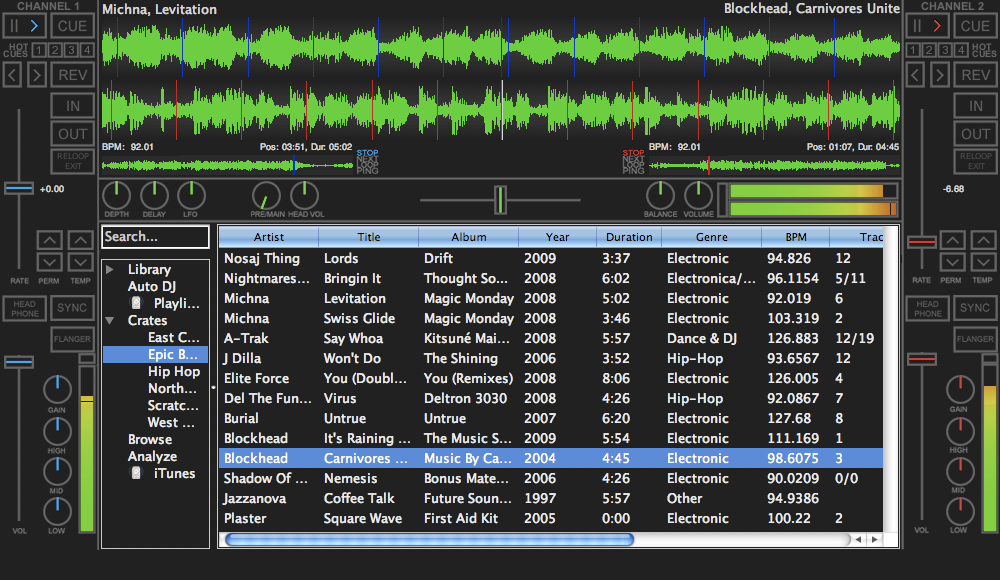
Which DJ software is downloaded over 1 million times a year, has been available for nearly 10 years, is jointly developed by over 30 developers and artists, and has just got an exciting new version release under its belt?
Traktor? Virtual DJ? PCDJ, maybe? Deckadance? Mixvibes? Nope. It’s actually the best kept secret of open-source DJing, Mixxx, which has now reached v1.8. And Mixxx 1.8, if the penny hasn’t dropped yet, is also entirely free of charge. Zilch. Nothing. So is it a contender to the big paid-for packages? Let’s find out…
Decent versions of all the top packages will set you back a couple of hundred big ones…
The first thing to note in any comparison is just how expensive DJ software is. Decent versions of all the top packages will set you back a couple of hundred big ones, and this can do the job for free. For that reason alone it has to be worth serious consideration.
Do the new features make Mixxx a contender?
Mixxx had, until now, lacked a few features which for me at least meant it didn’t really get its foot in the door. But nearly all of those quibbles have been addressed in this new release, including:
- Full looping capability
- 32 hot cues (with most skins supporting 4)
- iTunes library and playlist access
- Crates
- Bulk analyse
- User-arrangeable / hideable columns in the library
- Midi mappings for Hercules DJ Controllers, DJ TechTools MIDI Fighter, Reloop Digital Jockey 2, Stanton SCS.3d & SCS.3m, M-Audio Xponent, Behringer BCD3000, Vestax VCI-100, MixMan DM2
- Support for multiple Midi devices
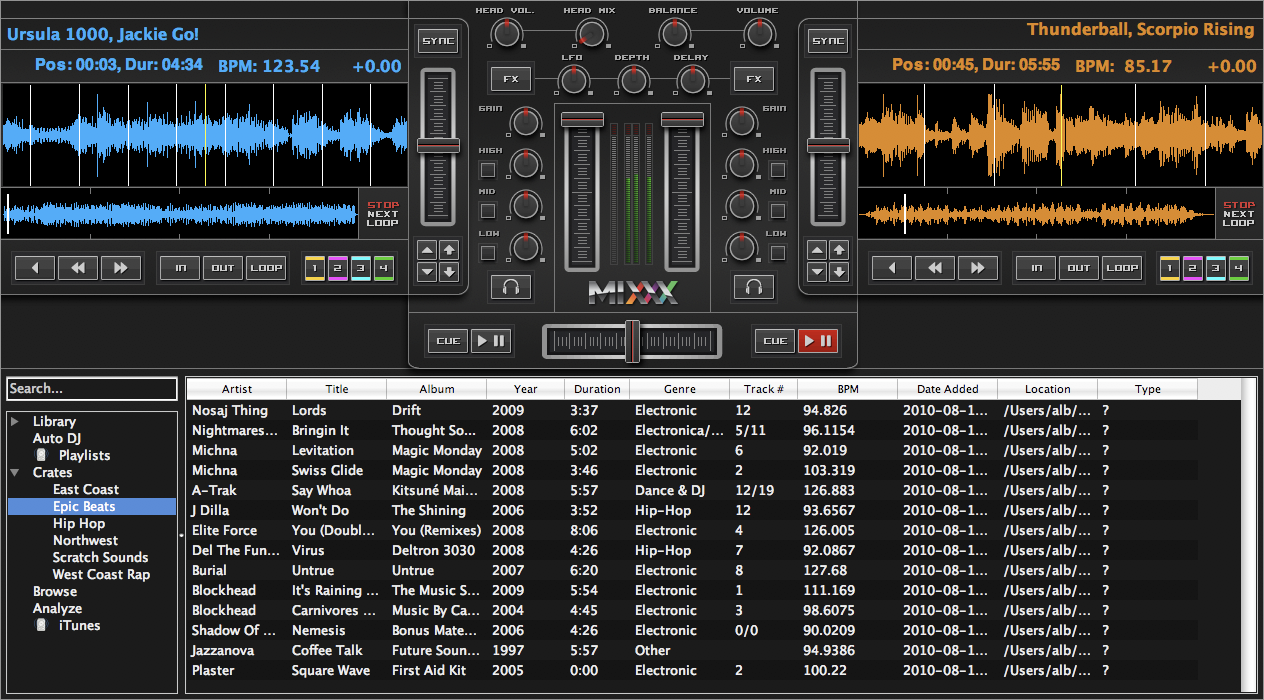
A variety of skins are available to suit your taste - this one is very Traktor-esque, don't you think?
While it’s undeniably still lacking some of the polish of commercial packages (then again, Traktor doesn’t exactly have the shiniest of interfaces), Mixxx looks like it’s really arrived at the party this time.
What’s more, there are PC, Mac and Linux versions available, meaning that it is certainly the most universal DJ program out there.
So, all good on paper – but what about the reality? We’ll have a full review of the software and an interview with the founders after we’ve put it through its paces, but meanwhile, why not download and install it to see if you feel it’s up there with the big boys? You can get it from the Mixxx website.
Don’t forget to come back and tell us what you made of Mixxx. Is it ready for the big time or are there still features you need before considering a free alternative to one of the big packages? Comments are open…

Now go to:
Digital DJing on a Shoestring
5 Reasons Why Digital DJing Beats Vinyl
Want to escape the bedroom and play in public - fast?
Our 1000s-selling How To Digital DJ Fast video course shows you how.
Learn to DJ Free - email course plus bonus PDF book
Sign up for our weekly email course for beginners now...
Trouble choosing a controller? Visit the web's #1 guide!
DJ Controllers: The Ultimate Buyer’s Guide 2013.
Tags: free, mixx, mixx 1.8, mixxx, mixxx 1.8, open source
This work is licensed under a Creative Commons Attribution-NonCommercial-NoDerivs 3.0 Unported License.


Mixxx is actually the first digital dj software I use to use and had it map out with no problem with my Maudio controllers for live performances. New features are promising.
[ link ]There are lots of good questions there. I am preparing an interview with the Mixxx boys and will ask some of these for you and report back.
[ link ]Every few months I download a new version of Mixxx and I get disappointed. It is mostly small stuff and those separate the mixxx from commercial software (free but weirdly unpolished).
Some basic functions are lacking. Graphical engine (waveform) needs to be optimized, it would grind my 1.8GHz CPU to system halt. There are some user-selectable options required, like scratch mode (function name from traktor) on the waveform (and may I say that current mode is unergonomic).
How about multiple outputs (not just one main and one for cue).
I may list all of the shortcomings but I forgot many and like it would make a change.
[ link ](PS: I usually do not read followup comments)
Mixxx feels much simpler and easier to use than something like Virtual DJ, but it has a few problems and is lacking a few features. It’s only real effect, for one, is flanger. I saw no way to add new effects easily.
The other major problem, which ToS mentioned, is that the waveform seems to work poorly. It looks like it would be a nice quality waveform, if it worked.
When I try to run it on my laptop with a Core i5 processor and 8 gigs of DDR3 RAM, and an Nvidia 335M graphics card, it flickers like crazy. However, when I disable the graphics card and use it on the IntelR integrated graphics chip, it appears to work much better (it doesn’t flicker but it’s a bit choppy and looks very un-anti-aliased).
I haven’t tried using with with my Hercules DJ Console RMX, but I’ll do that soon.
I guess aside from not having effects (besides flanger), and a graphics problem with the waveform, Mixxx is a very good contender alongside other DJ Programs (such as VDJ). Being totally free, one can’t complain!
[ link ]I love open source. Unfortunately most OS software lacks of Product and Gui designers. Mixxx is again an example for that. Not ranting about the Gui so much, but I can’t see where the journey is going for them. They should look for their own niche, where they are best, rather than again serving everyone and ultimately not pleasing anyone :-/
[ link ]What “The K” said.
Btw, FX should not be considered (as a drawback) until they finish the rest of the product (there is always fx on a mixer or separate unit, or VST host for that matter).
[ link ]If I’m unable to cue my track properly why should I need (more) fx?
Thanks for the info on this. Had never heard of this software. I’m just starting out and I can’t afford Traktor yet, so I might as well get started with a free software. Are the basics similar on Mixxx to other dj softwares like Traktor, in that if I learn this, I won’t have to restart the learning process when I eventually progress to a commerical software?
[ link ]Yeah, the basics are the same. Also, Virtual DJ 7 Home edition is now free of charge – if you’re DJing without hardware (ie just using the computer), this is a good choice for learning on too.
[ link ]I find it laggy . Much.My Power Book G4 handles Djay better than my MBP handles this.
Said this, it´s great to have a open-source mixing app full of cool features and multi-platform. It looks promising!
Thanks for bringing it. I will stay using Djay but I will be watching for this gem.
[ link ]