Video Review
Stanton has recently relaunched its flagship SCS.1 DJ System, which first hit the shelves back in 2009. An ambitious digital pro-DJ hardware platform, the full-sized SCS.1 System (comprising the SCS.1m Midi mixer/sound interface and the SCS.1d motorised turntable) couldn’t be more different from Stanton’s SCS.3 System in terms of size – while the SCS.3 is one of the smallest modular DJ systems out there, this is probably the biggest. We put it through its paces…
Since its launch, the SCS.1 has never quite lived up to its initial promise, and while it felt innovative and fresh, it also felt, well, kind of unfinished. It lacked performance-grade firmware/system software particularly with regards to scratching. Stanton has listened, and now the system has been relaunched with, they say, all the issues addressed. In their words:
“The SCS.1, with its built-in FireWire audio interface, assignable encoders, and tight, two-way software control is now better than ever, offering expanded presets, new ASIO drivers, updated firmware and DaRouter software.”
First impressions/setting up
Hardware-wise, the new incarnation has a Pro X Fade crossfader fitted as standard, but apart from that is exactly the same. It’s still finished in the (now-trademark) Stanton grey, black and blue, with over-emphasised rounded corners and the new Stanton “on” logo (the last two letters glowing blue when the units are powered up).
Whether the look of the units agrees with your definition of what “serious” DJ equipment should look like is your viewpoint – Stanton has got “real” turntables in this style too. Personally? I like my gear to be foreboding and black! But with the “real” turntable strobe edges, porthole blue LCD displays on the decks (where the spindle adaptor would go on a Technics), and rubberised trims, it looks pretty professional.

Metering and visual feedback were always excellent on this system, and thus they still are: It has red/green lit LCD strips that tell you which functions are assigned to both the big buttons along the bottom of the decks and the rotaries at the top, and the rotaries on the mixer too. Most buttons can light up to indicate toggle state, and some light red or blue depending upon function The VU metering is excellent, making setting gains really easy.

The real changes are under the hood. The new firmware, new mappings, and a new DaRouter incarnation. DaRouter is the software that sits between the controller system and your DJ software. It’s a Midi translator but also contains much cleverness to allow the hardware to perform tricks not otherwise possible, including excellent feedback to the units, whose LCDs display written feedback on many of the functions and which have a plethora of progressive display controls to keep you at-a-glance informed as to parameter settings on many of the knobs.
One piece of news here is that you can run more than one instance of DaRouter at once, so it looks like it would be perfectly possible for four of the SCS.1 decks to be daisychained up to one SCS.1m Midi mixer for true four-deck control of, say, Traktor Pro.
In the vinyl DJ days, it was normal to find three or even four Technics SL1210s in a DJ booth, and while today’s DJ controllers nearly all offer control of four decks via switching, to my knowledge no control system can offer old school four-deck control apart from this one. (Not that I’ve had a chance to test this – I’m taking them on their word. They didn’t, alas, send us four decks to review…)
Mix and remix to taste
As this is a modular system, various kit combinations are possible. You could buy just the SCS.1m Midi mixer/sound interface unit to use as a FireWire sound card and Midi control surface. You could buy that unit alongside one SCS.1d deck (one deck can use switching to control up to four decks in your DJ software). Or you could match a deck or decks with an external sound interface and an analogue DJ mixer, bypassing the SCS.1m altogether. For our review today, we’re considering the “classic” system – a mixer and two decks.
The system comes with new DaRouter mappings for Traktor Pro, Traktor LE and Ableton Live, plus several generic mappings. As most DJs will be wanting to use this with Traktor Pro, that’s what we’re using to review it with, but be aware that it is possible to map this to anything Midi controllable, like most Midi controllers.
So – let’s summarise what we’ve got: a full-sized, motorised turntable digital DJ system, with the biggest turntables of any such gear (the Numark NS7 only has 7″ turntables), and uniquely, motorised pitch controls that remember where you were when you switch decks. As we said at the beginning, this system was always ambitous. Let’s see if, in its second incarnation, it lives up to its promise…
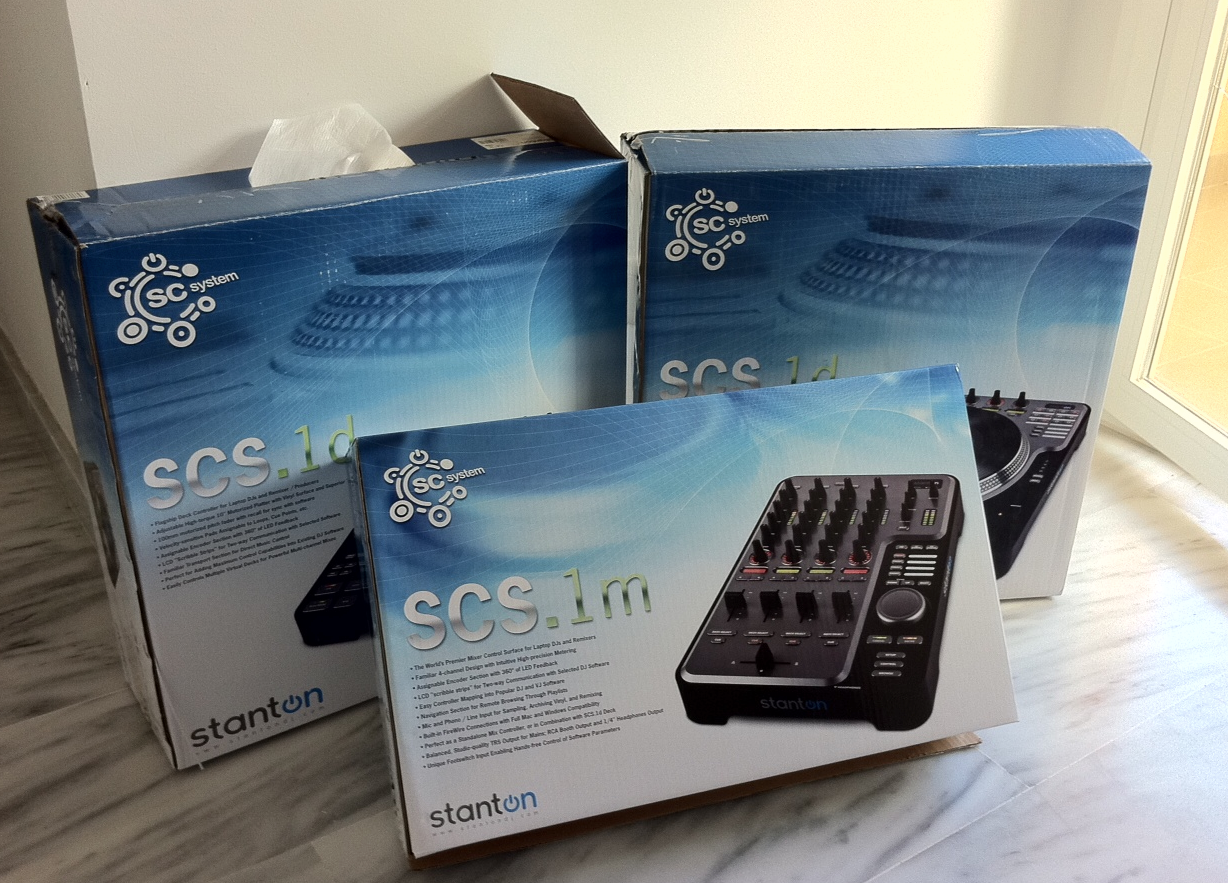
The SCS.1 system is substantial. To start with it’s obviously all separates. The two decks are pretty similar in size to normal turntables, and not far off the same weight. That’s not surprising as they’re basically 10″ high torque direct drive turntables with aluminium platters, plus a bucketload of digital goodness attached. I’ve never seen so many buttons and knobs on a turntable before.
The Midi mixer is made to match and while not heavy (indeed, it feels rather plasticky and light), once you’ve unboxed all three units, waded through the plastic, polystyrene and various boxes and bags of leads, adaptors, instructions and so on, unpacked the slipmats and vinyl (these units have both of these things, just like real turntables), and found three power supply sources (each unit plugs into the mains individually via rather large supplied transformers/cables), your studio is certainly going to know the Stanton set-up has arrived! From unboxing to proper, fully set-up mixing took me a full morning.
It’s FireWire, not USB
The first thing to note is that this is a FireWire, not a USB, setup. You’ll need a FireWire port on your laptop or PC to use it. This probably felt like a forward-thinking decision to Stanton’s designers a few years ago when the first incarnation of this system was released, but now it seems idiosyncratic, especially with Apple’s recent launch of Thunderbolt as its “new” hardware data protocol.
The bottom line is this: you need to have FireWire on your computer, and you need to make sure that specifically, it’s an old-style FireWire port. If not, and you, in fact, have a 4-pin Firewire port (more common on PCs), there’s an adaptor provided. But if you have any modern Mac laptop with a square Firewire port (that’s assuming your Mac laptop has one at all – MacBook Air doesn’t, for example), you’re going to need an adaptor. That lead should definitely be in the box, Stanton.
We could debate the pros and cons of using FireWire. It’s not as common as USB, and as you’ve seen, not as straightforward either. Arguably it has performance benefits (some high-end equipment and sound interfaces, especially, feature it for that reason), but the performance of say a Vestax VCI-300, tightly mapped as it is to Serato ITCH, is superlative, and that is via USB, so it’s not cut and dried that FireWire will solve latency/performance issues.
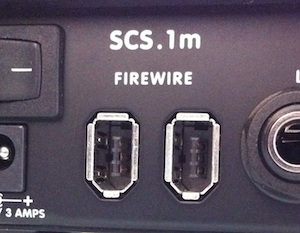
However, Stanton is where it is with this system, and presumably, a USB relaunch was not on the cards. (I used it with a six-year-old and underpowered Sony Vaio and had no performance issues with the latency set low.)
Anyway, wiring the system up involves FireWiring everything together (you chain the decks into the mixer and then one Firewire cable goes off to the computer). Before actually connecting the computer you need to hit the web and download Stanton’s DaRouter software which runs in the background while you’re using the system.
If you’re a Windows user you also need ASIO drivers that are available from their site and which I needed to install separately, despite the manual assuring me they’d be installed automatically with DaRouter. (By the way, the website mentioned in the manual doesn’t exist – you have to go and find this stuff on the main Stanton site.)
I found it less than straightforward to complete this process, not least because there are conflicting methods for set-up presented in the stapled paper manual that came with my mixer unit. Presumably, this is something to do with it being a review unit and it will be updated (the manual seemed quite old). Having said that, I worked it out, and to be fair, the supplied manual was detailed if a bit inconsistent, and it does implore you in multiple places to ring through for technical support if help if needed.
Next, you need to load the Traktor Pro mapping, set the audio configurations and so on. Stanton recommends you to click the “?” by the chosen configuration in DaRouter for full HTML guidance, and true to their word, there is a big, helpful document there that talks you through all the presets. It’ll be a cinch to anyone who’s set up controllers with Traktor before, and it will appear convoluted to anyone who hasn’t (as Traktor always does to first-timers) – but either way, a few minutes and you’re there.
So once set up, I had a full-sized DJ system that frankly harked back to the days of owning real decks, as it sat there on our lab desk, imploring me to load up some music and give it a go. I plugged my headphones in (bizarrely, the headphone socket is right underneath the mixer, with a small extension cable to let you easily add/remove headphones without lifting the unit up), and got mixing…
In use

Missing vinyl in your digital life? Yes? Well, in short, you’re going to love this. Because the turntables are real, high torque decks, just like the real thing. They really do feel exactly the same as real decks. Forget the fact that they’re 10″ instead of 12″ – you really don’t notice that a bit (in fact, you don’t notice it on the Numark NS7 and its 7″ decks either – it turns out that platter circumference is not a vital ingredient in “genuine”-feeling vinyl mixing).
As mentioned earlier, sitting atop the platters are a felt-style slipmat and a real 10″ piece of vinyl. Removing the slipmat and vinyl reveals how it all works – inside the platter is a smaller rotating control disc, controlled by the vinyl which has three notches in it to engage tightly. The effect is to give you near perfect feel when controlling your digital music files. (Even more fun: When you start and stop the music using other controls, the platter “plays along”, like those pianos that play themselves. Little things…)
OK, so far so good. But it’s not just about the look and feel, it’s about sound and responsiveness. More good news here – it sounds fantastic. None of that old style digital harshness when you alter the pitch by scratching, spinning and generally abusing the vinyl surface. It sounds just as it should. (The sound card “goes” to 24-bit/96kHz but I don’t judge on numbers – I put a decent 320kbps MP3 on and cranked it up on the M-Audios and in my headphones. All sounded sweet.)
And the responsiveness? Perfect. I honestly couldn’t notice any difference between this, a VCI-300 with Serato ITCH (my current standard for tight jogwheel control), or real vinyl as far as control tightness goes.
You can adjust the sensitivity settings in DaRouter for scratch engage and release, and I recommend you do because the way it comes out of the box there’s a small delay sometimes between what your hand does and what you hear. Likewise, the default vinyl release isn’t quite right (for me anyway) – again, you can adjust the setting. I made the engage more sensitive and the release less so. Watch the accompanying video for a demo of the scratch tightness.
Bottom line: It’s immensely fun to DJ using these virtual vinyl surfaces. They feel natural and expressive, and I believe even battle/scratching DJs would get along just fine with it.
Rest of the deck controls
To start with there are the usual transport controls as you’d find on any controller or on a CDJ – scrub, nudge, play/pause, cue, sync. Somehow it feels weird to have a full set of CDJ-style controls AND a real turntable in one unit, but of course, it makes sense. We’ve recently seen practically all of Traktor’s functionality crammed into a controller the size of a paperback book (the excellent Faderfox DJ3), so there are no prizes by default to Stanton for getting a set-up this big do the same thing, but nonetheless, the unit does it all in some style.
Particularly good is the way it can remember what you’re adjusting when you press something else in certain areas, so you can make a quick tweak to a parameter while you’re affecting another and once you’re done with the latter it jumps back to the former. Hard to explain, but intuitive in use.
One clever feature makes use of the motorised pitch controls. While these are great for controlling more than one deck with just the one platter (as the unit remembers where the deck you’re returning to was set pitch-wise and adjusts the slider automatically accordingly upon your return), they also treble up as key and filter adjusters, just by touching a button to switch their function. Having the filter on a big fader is fun.

There are big buttons on the left-hand side of the decks to switch between vinyl mode, where you’ll normally live; browse mode, allowing you to use the platters to quickly browse your library; and control mode, using the vinyl for very fast scrubbing. (Library functions can also be handled by the small wheel/very big button bottom right on the mixer section, which also doubles up as a one-size-fits-all jogwheel – more on this in the Mixer section).
The big round porthole-style windows top right on the decks tell you which deck each is currently assigned to. The panel of small buttons top right on the decks include assignment buttons for the function of the big pads under the platters (used mainly for cueing and looping) and they also toggle the Traktor display mode.
Effects (daisychained and simple, as per Traktor’s features) are handled by the infinite rotaries (lit with a circle of LEDs similar to Novation gear so you can see where they’re set), which also double up as buttons, as they click on pushing.
The four big rectangular trigger pads at the bottom of each deck are of course naturally good as cues and can be easily switched between eight cue points per channel. They are also switchable to used for beat jumps and looping. They are high quality in a stiff rubber finish but don’t give much tactile feedback. This is purer personal preference and if you’re a beat juggler/cue point demon, I recommend you try for yourself to see if they suit you.
Unsurprisingly, there are plenty of spare buttons for your custom functions – you’ve only got to look at the unit to work that out! There are thin white strips against some of the more generic/modal controls, presumably to allow you to write on (in non-permanent pen or pencil) what they’re assigned to.
The mixer controls
The mixer isn’t really a mixer – it’s a Midi control surface with a built-in sound card. It does have one external input for a CD or record deck (only one), but this doesn’t automatically route through the mixer in any kind of standalone manner like the external sources do on the recently reviewed Denon DN-MC6000, for instance (which doesn’t even need a laptop plugged in). Stanton says it is useful for ripping vinyl, grabbing samples for live use and so on.
Just like SCS.3, it’s possible to control the decks from the mixer unit too (this unit could control four decks of Traktor happily without your even buying any decks) and indeed you could choose to control any of the decks using any combination of both physical decks and mixer by simply assigning the focus where you want it.

That means you could be DJing “normally” with two decks but use the transport functions on the mixer to control loops on the further decks, just as an example. This modularity seems an integral part of Stanton’s take on how digital DJ equipment should operate, and harks back to the ambition I mentioned earlier – there’s a sense of vision going on here that is absent in much of today’s identikit DJ equipment.
The small jogwheel bottom right thus can be used modally, most commonly as either a deck jogwheel (in which case the cancel and enter buttons become play/pause and cue buttons) or – its default use – as a library browser. In this mode, clicking the big button loads the track onto the deck that’s currently in focus.
As far as the lines go, the unit is pretty much as you’d expect. They’re well spaced, and it’s good, of course, to have four lines (instead of two and a switch) because it makes four-deck control easier. All faders feel good – very little resistance. Notable features include pan controls for all decks, a cue mix knob (but no split cue), differentiation between deck assign and cue, and a one-touch “record button”, the idea of which I really liked.
The mixer has a separate booth (they call it “zone”) output as well as the master, and as mentioned earlier, excellent VU metering. Round the back is 1/4″ TRS master out jacks as well as RCA jacks for the booth output, trim controls for the single line/phono-in and the microphone, a socket for the mic and a footswitch control, the latter being a nice touch. there are two FireWire jacks for daisychaining in the decks and connecting to the laptop.
Conclusion
It’s fair to say that Stanton has ironed out the glitches with this DJ system, and I’m pleased to report that it now works well with Traktor Pro. It’s solid, responsive and capable. As I keep saying, it is also ambitious, offering a myriad choice of workflows for the creative DJ.
As such, I can see it working well in situations where a DJ is an integral, creative part of something bigger – like in a band, for instance. Any touring set-up, where this is lugged around as part of a bigger show, would be a prime place for a system like this to shine.
You can “perform” on this in a way you can’t on smaller digital DJ gear. It’s the first full-sized four-deck digital DJ setup that simply feels like using real records. Digital DJs wanting the best of both worlds – solid vinyl performance and feel but a complete plethora of Midi buttons, knobs and pads, will thus find much to like here.
Its nearest competitor would be the Numark NS7, or two V7s and an X5, but these are closed systems with Serato ITCH and don’t even offer four-deck control – so are technically limited in comparison, despite being rock solid in performance.
If you’re looking for the ultimate home DJ system, this could well be it, too – as long as you have space. You’ll certainly never outgrow the range of control options available to you here, and while I haven’t had the chance to test the Ableton mapping, if it lives up to the Traktor mapping, it will be intuitive and well thought out.

This is not a system that will end up installed in many clubs. It doesn’t have enough external inputs, and the mixer can’t be used as a standalone device. Having said that, most digital systems aren’t really club-ready, because of course DVS is still hanging in there and many DJs, especially in Europe, are happily taking the Pioneer route. I don’t think Stanton expects this system to start challenging Pioneer in that particular field. Until someone cracks a club standard digital system, most pro DJs will continue to maybe play with digital away from the clubs, but revert to CDJs or DVS in them.
Vinyl is the decider
So as a digital DJ, whether or not you’re interested in this will come down to how important vinyl emulation is to you. If it’s important, then you need to seriously consider this system, alongside the Numark offerings. If not, a Traktor S4 will do the same at less than half the price, and you can (just about) throw it in a bag and take it with you to set it up in the DJ booth reasonably happily at your gigs.
Also, the price will dictate its success, and it’s always felt a little overpriced: at a street price of US$699 per deck and US$599 for the mixer, it really isn’t cheap. The decks I can stomach, but while they say the Midi mixer has got a great chassis and uses high-quality components, it just doesn’t feel substantial enough somehow, for the money.
Stanton obviously has a forward-thinking team of developers behind this and has implemented some innovative ideas alongside generally solid workmanship. Nothing else offers this range of control or this complete a turntable emulation (the motorised pitch controls are genius), so in its niche, it’s unmatched.
Whether the relaunched SCS.1 system ultimately succeeds in a crowded and fast-moving market remains to be seen, and the lack of USB may be an issue for an increasing number of DJs over time, but it’s definitely a blast to use. Just don’t expect to move it easily once you’ve set it up!
Would you consider buying this controller? Did you buy one originally and if so, has the upgrade fixed any issues you had with it? Please let us know your thoughts in the comments.