Review: 5 Mobile Apps That Turn Listener Into DJ
Some of you may actually remember the days when you casually strolled into your local record shop and bought a CD to, you know, listen to. Everything was pretty simple back then. If an artist wanted to get more creative and showcase more than just their music, they maybe released a CD-R with video content. There may have been a bit of web-based interaction too, but it was fairly basic stuff.
But with the rise of the mobile device and the inevitable draw of Apple’s app store, musicians and record labels have nowadays identified apps as a means to let their fans get more involved in the act of playing back the music.
There are now plenty of artist-linked apps in the app store of varying quality and imagination, allowing the audience to “play” the music in varying ways and blurring the lines between listening to it and performing, or “DJing”, it. Today we’ll take a look at just five of the current crop. (You can jump straight to each mini-review using the links.)
1. Mashbox by Beatport
2. Remiix Dubfire by Liine
3. Synse & Synse THAG
4. Toast by Moldover on RJDJ
5. Biophilia by Björk
Mashbox by Beatport
Apps which allow the user to either remix or mash up tracks based on loops and samples are quite popular at the moment. These are unlikely to draw in new fans for an artist, but are appealing for existing fans.
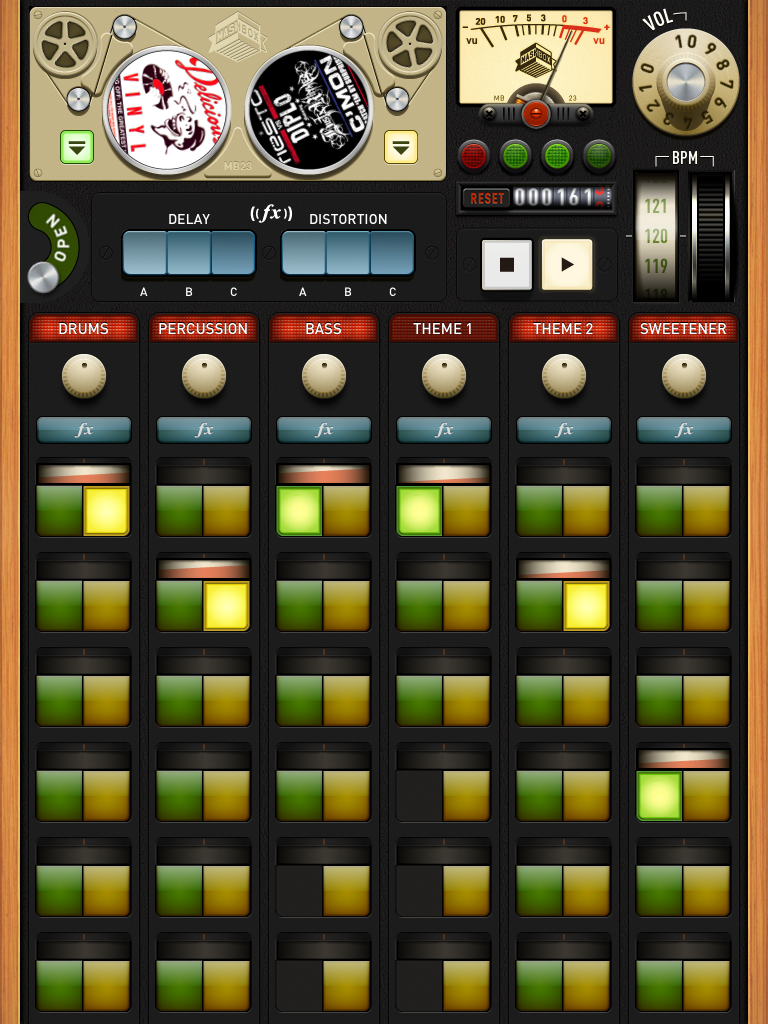
Mashbox is quite good fun although perhaps limited in its use at the current version. It comes bundled with three tracks. When you load a track into the old school reel-to-reel unit at the top, six columns of loops become available, each row of each column representing a different loop or single sample (for the purpose of this article, I’ll refer to them as loops). Each column groups loops by type: Drums, percussion, bass, theme 1, theme 2 and “sweetener”.
You can adjust the volume and also apply some basic effects to each column in turn. To trigger a loop, you press the button of the column that you want played.
Only one loop will be fired per column (so a maximum of six loops can be played at any point). This allows you to instantly rearrange key sections of a track, so it works best with tracks that are mainly loop-based; the Tone Loc Funky Cold Medina free track which is included is an odd choice as the lyrics have been split and I’m sure some are missing.
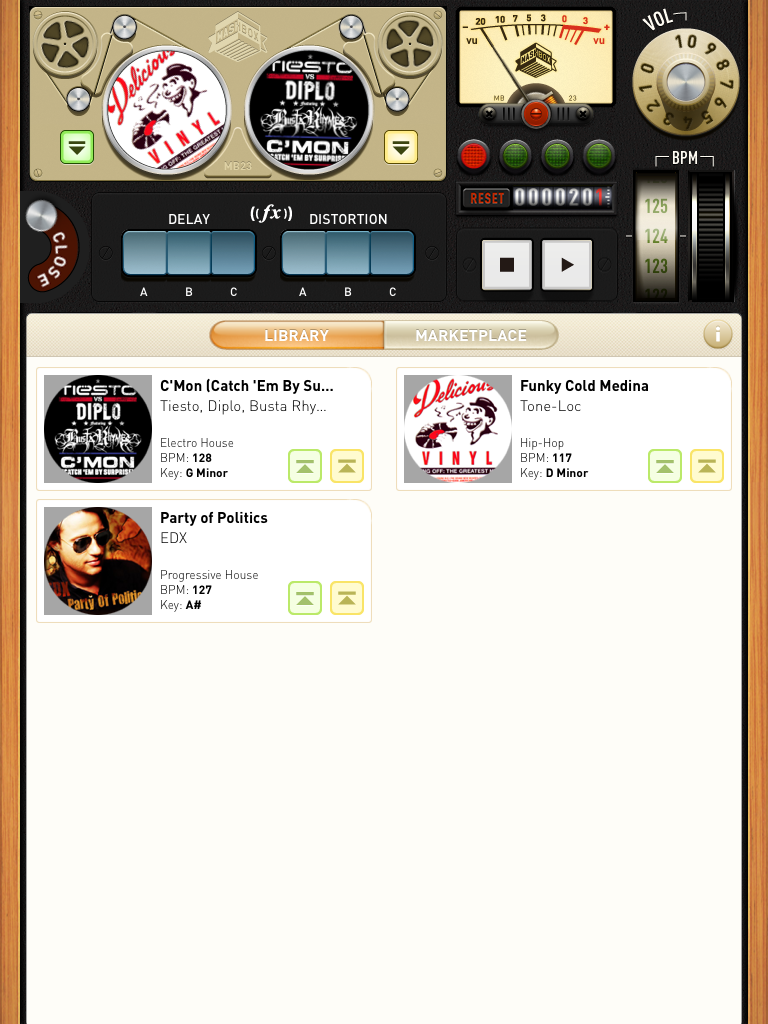
You can also load a second track into the other slot in the reel-to-reel, which then allows you to fire a drum loop from track A with the bassline from track B, instantly mashing up the two. Rather neatly, the developers have realised the importance of BPM and key, which are both present in the track selection screen, so you should be able to ensure that your choice tracks are complementary to each other. You can adjust the BPM using another retro-looking dial on the right.
Triggering loops is all quantised, so it’s pretty much impossible to miss a beat and cause a trainwreck. I found the audio a little glitchy at times on my first-generation iPad during multiple loop swaps, so probably not something I’d like to try in a live environment – at least not on my device!
Although this app is great fun, its limitation (as with some of the other apps in this article) is the library of tracks to choose from and the price you would pay for them. You need to buy tracks via in-app purchases at US$1.99 each. Currently the choice here is very limited. It would be great to see a wider range of tracks, artists and genres, however I suspect that this is a testbed and if successful it would be broadened.
You may have noticed that the development team behind this app are Beatport, who are behind beatport.com (an online MP3 store). The prices of tracks in the app are about a third more expensive than the same tracks listed on their main website. However perhaps over time this may change as the number of tracks available for the app increases.
The interface is very intuitive and slick in presentation, however it would be great to see in-app recording as a feature so you could use your mashups in one of the many DJ apps available.
Price: US$0.99 | App store link | Website

Remiix Dubfire by Liine
This is another loop-based remix app, however rather than purchasing releases via a marketplace you purchase a different flavour of the same underlying app for each artist. This suite of apps has been developed by Liine, a company with a rich pedigree in music and touch-based interfaces (Ritchie Hawtin is among the founders and Axel Balley is a collaborator – he was the lead developer for JazzMutant Lemur).
As such, the Remiix series of apps work well. I gave the Remiix Dubfire app a run through recently (during a limited discount period!), although as mentioned all Remiix apps operate on a very similar basis. They take quality source loops / single shots from a number of tracks by a given artist and present them in a structured, intuitive and uncluttered format for the user to re-arrange on the fly.
In a similar way to Mashbox, Remiix groups loops in columns: Kick & Bass, Percussion Sounds, Toms / Synths, and FX hits & loops. Fewer columns means fewer sounds playing at once, which isn’t an issue with the style of music involved since it tends to be fairly minimal house / techno. This also allows the interface a little more space and so it feels much easier and quicker to flick between loops.
Rather helpfully, all loops are clearly labelled (eg Crash1, KickBass, TomRise etc) so you have a decent idea of what you’re about to play as you’re scrolling through them.
As loops are playing, their progress is shown by the circular rotation at the underneath the column. You can quickly mute the column loop by pressing the progress loop, and as with Mashbox, all loops are fired in a quantised manner so it’s impossible to trigger anything out of sync. You can adjust the volume for each column as well as apply an EQ filter, reverb and delay using the text links at the bottom of the screen.

You can also adjust the BPM (using the text link at the top of the screen); this displays a BPM slider across the page.
All the graphics and sliders used in the app have a certain feel of quality about them, which is unsurprising given the involvement of the JazzMutant Lemur developers. In fact, Liine has also just released Lemur for iPad, which is a very exciting controller proposition (however, outside the scope of this article!).
The neat trick with this app is that you have a number of tracks to play with (listed on the right of the screen) across the four columns. On selecting a track you can then load loops from that track into any one of the columns. If you’re feeling creative you could end up with all four columns with loops from four different tracks.
The major advantage on this app is that it provides in-app recording, so you can record your remix attempts. In fact, with a number of different tracks by the same artist you can create your own mini-mix. The Remiix apps are from the likes of Plastikman, Joris Voorn, Oliver Huntemann, John Acquaviva & Olivier Giacomotto, International Feel, Luna and Minus.
Price: US$2.99 each | App store | Website

Synse & Synse THAG
Triggering loops and samples to remix / rearrange a track is fun, but it soon loses its lustre. In a move away from the conformity of buttons and pads acting as triggers, Christian Sander has developed Synse, a neat app which triggers video clips as well as audio to great effect.
Synse is a brilliant combination of instant audio and visual triggering. The screen is split into several virtual segments (a grid can be displayed temporarily if you are unsure of where the triggers are).
On pressing a section of the screen a piece of looped music is fired along with the corresponding video clip. It is difficult to describe; however, if you saw the recent advert on TV for Givenchy Play (featuring Justin Timberlake in Paris switching lights on and off to the music) you’re quite close.
Synse features three audio / visual sets:
- Paris (Christian Sander) – a street scene where building lights, traffic lights and street lights pulsate with different elements of the track
- Fluid (Gerrit Kress) – featuring oils and water mixing in different colour schemes
- Lifetime (Christian Sander) – a cartoon-style graphic display
The most effective of these is Paris, as the other aspects of the video continue in the background, like cars and pedestrians walking past in the night.
If you want to, you can use a basic sequencer (with anything from eight to 64 steps) to create a more formal order to the video and then play back your adjusted sequence… but this is much less fun than playing with the video live.
It really is good fun, but leaves you wishing more music and more video clips were available, or possibly even some Midi capability for the more talented user! Synse THAG is a similar app from the same developer. This time it has one scene and one track only. The footage is from video artist Anne Lucht.

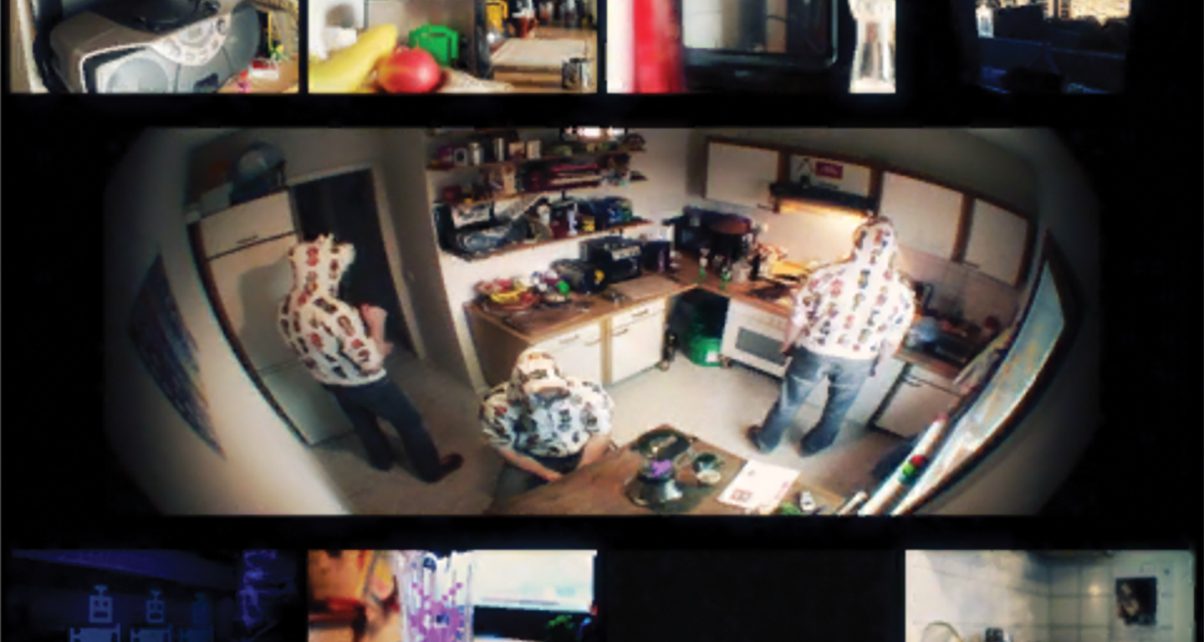
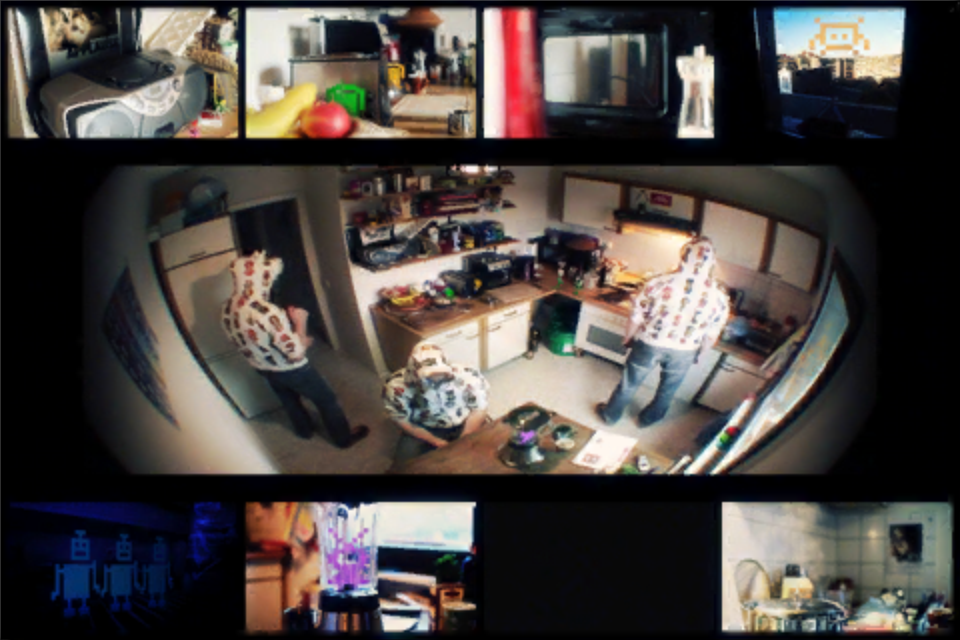
It features a series of computer game-styled aliens popping up around a kitchen with some hooded characters nodding their heads to an electro-style track called Telephone Helicopter Applause Gunshot by Lorenz Rhode. The app was inspired by the official video to the track filmed by the same video artist. It’s nice to see that this app has an iPad version (where the original Synse app didn’t).
Rather than viewing the Synse apps as music-making tools, they should probably be best thought of as another way to experience the music in a wider capacity than just playback of audio.
Synse – Price: US$1.99 | App Store | Synse website
Synse THAG – Price US$0.99 | App Store (iPhone) | App Store (iPad)

Toast by Moldover on RJDJ
In addition to triggering loops and samples with effects, apps are now being developed to introduce a more interactive element to the music, through use of background data such as movement and ambient noise. RJDJ and RJDJ Voyager are examples of this.
The RJDJ app has been around for some time and is quite unusual, in fact the RJDJ tag line is: “We don’t do apps, we craft sonic experiences!” It provides a platform within iOS for experiencing music in a few different ways:
- Soundtrips – This is where music played within the app incorporates sounds from the built-in mic, meaning that you are totally immersed in a hypnotic blend of music and real-world sounds (a bit like a living, breathing Orb track!)
- Moovz – A neat way of remixing a track on the fly with the track split into “scenes” and four buttons which can affect each component of the scene (such as getting drums to stutter or mute through touch and movement)
- Interactive – Different kinds of music interactive experiences; this is where Moldover’s Toast is available
In a similar way to Mashbox, you install the RJDJ app and then purchase artist-based content within it. The Toast scene has been developed by London-based Reactify Music, who have also developed RJDJ and RJ Voyager (another artist music remix-style app) scenes for other artists.
Moldover is a controllerist, so it is logical that any app bearing his name should follow that theme. The Toast scene in RJDJ gives you a simple layout featuring four large arcade-style buttons, with a crossfader at the bottom and a slider control on the right.
The four buttons trigger different sorts of effects. The blue button (top left) is echo and works in conjunction with tilt; the top-right white button is reverse; the black button (bottom left) triggers an additional drum loop; and the white button (bottom right) is a filter, which again works in conjunction with tilting the device.

The touchstrip on the right slows down or speeds up the pitch of the track, and the crossfader controls the mix of elements in the track. You can use more than one control at a time, and with the tilt mechanism affecting a few of the button controls you can end up really twisting the track. If you turn the device upside-down, the built-in mic incorporates surrounding sound elements into the mix as well! If you want, you can also record your efforts within the app.
While the Toast scene is good fun to play with for a while, it is fairly limited in its use and application as you’re only dealing with a single track. However, RJDJ (and also RJ Voyager) are both interesting ways to immerse yourself in music in a different way to the regular “buy and listen” approach.
If you’re interested in the “Soundtrips” aspect of RJDJ, then you may want to check out RJDJ’s new “Dimensions” app which incorporates music and data from your surroundings (time of day, movement and mic input) and game play.
Price: RJDJ – Free; Toast – US$0.99 (in-app purchase)
App store | RJDJ website | Toast page

Biophilia by Björk
Getting back to my main point on how iOS apps are now being developed as a means to distribute music to a wider audience and give the audience a feeling of involvement at the same time, our final app encompasses all of the above and more.
So you may not be a lifelong fan of Björk and indeed you may even unfamiliar with her music, however you have probably heard much media discussion about her latest album Biophilia, released in October 2011. The album was partly recorded using iPad apps, and as well as seeing a standard CD release and a plush “Ultimate Edition” physical release, it was released as a free app with in-app purchases to unlock individual tracks. (Before you rush to download and install, it is a hefty 726Mb in size. It took ages to download at home, and must be one of the largest footprint apps I’ve got installed!)
Each track within the app can be played in its entirety, and you can view the score and the lyrics, but more interestingly there’s an element of interaction with each song. While the music may not be my usual listen, the whole experience is undeniably hypnotising. As the app opens, you’re greeted into the cosmos with a soothing introduction by Sir David Attenborough – a sure sign of quality! There is an alternate introduction by Björk which can be unlocked through one of the songs (I haven’t found out how just yet).
Each of the tracks within the app can be accessed by navigating around the 3D galaxy; however, you can quickly skip to a main menu by pressing the app icon at the top left of the page. As mentioned, each song has a different interactive element to it. Some are quite good fun, like the game play nature of Crystalline (you have to navigate your way using the tilt mechanism through a labyrinth of space tunnels collecting crystals along the way), or Dark Matter, where you need to play notes in a given order – an updated version of the old “Simon” music memory game of the 1970s!

I found a few of the interactive elements to be something I would come back to. The Thunderbolt song allows you to trigger electric blue bolts across the screen and fire arpeggios at the same time. Sacrifice is also addictive: You are presented with 26 pads, each triggering a different sound sample. You can attempt to playback the song using the pads or simply rework it into something entirely different. The arrangement could then be played out as a sequence and also get stored.
Others are just plain odd, like pushing the tectonic plates of Natural Core to play different chords, or tapping enzymes in Hollow to fire different time signature bits of music. The song Viras got me rattling inner cells around to trigger different sounds. Very bizarre, but strangely pleasant at the same time.
Finally, if you’re a musician you may be interested to hear that the app sends Midi out messages via the Camera Connection Kit (CCK) or via WiFi to drive your own instruments.
Price: Free, tracks in-app US$1.99 each, all for US$9.99
App Store | Website
Product Summary
Quite often the music producing world and related media spend their time wringing their hands and worrying about the future of recorded music and (more importantly to the business) how to make money from the process.
The innovative apps described above are just a small sample of how music can be distributed and consumed in different ways beyond what is considered “traditional format”. They ultimately lead to an immersive, interactive relationship between the audience and the music. There will of course always still be a market for the traditional playback of music, but for artists wanting to engage in new and exciting ways with the audience, mobile apps feel like an exciting way forward.
These apps just may be pointing the way towards the kind of interfaces DJs, and everyone else, will use in the future to interact more immersively with the music they play.
Have you tried any of these apps? Have you come across any weird and wonderful ways to move “beyond the play button” either on the internet or in apps? Please let us know in the comments.