Digital DJ Tips

How to DJ properly with portable digital DJ gear

7 Deadly Sins of Record Collecting (And How to Avoid Making Them)

7 deadly sins of record collecting

Are your records leading you astray? Repent while you can!

As a digital DJ, your tunes are the tools of your trade. They’re not a collection! “Collection” implies a quest for completion. It implies looking at rather than using. It implies that the act of collecting is the whole point – like collecting stamps or fridge magnets.

As a DJ I used to be pretty brutal with my records – they were already “tools of the trade”for me. I’d put them in white sleeves if the originals were flimsy, and throw the originals way; lend and borrow them; buy them again when they wore out. But I knew people who were plastic-sleeves-and-all-in-alphabetical-order types too – lots of people like that.


If you’re going to give it up, give it up!
When I was DJing with my digital gear the other night, I was speaking to a guy who came over to look at what I was using. He said: “You know, I have all my music digitised too. But I can’t bear the idea of not actually having a physical CD, so I buy the CDs, immediately rip them to iTunes, then put them on the shelf in the right place – where they stay.”

He said … I buy the CDs, immediately rip them to iTunes, then put them on the shelf in the right place – where they stay.

That was a pretty ridiculous thing to say, and it got me thinking about how profoundly different having a digital music collection is to having a physical collection of albums and singles, especially for the jobbing DJ who has to play music out and about for a living.

I realised that many digital DJs still cling on to some pretty outdated ideas about how to collect and organise their music.

So in the spirit of opening a debate, here are my seven deadly sins of record collecting, and how to avoid making them with your digital collection:
7 deadly sins of record collecting

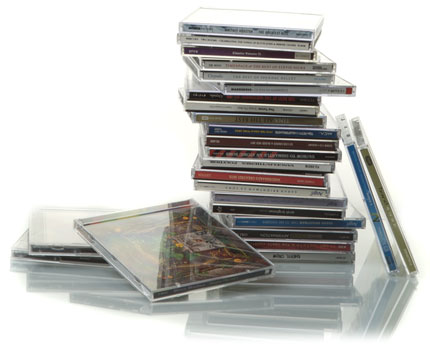
CD cases were always rubbish, weren't they? Always breaking at the hinges...

#1. Having a physical copy of the music as well

Duh! As above, don’t do it. If you rip your records or CDs, sell them afterwards. Go find the sleeves on Google Images or somewhere if you want to attach them to your MP3s, but get that junk out of your house. It’s clutter.

What to do instead: The really, really crucial thing to remember here is to make a backup, and then make another backup, and keep doing it. If you have a hard disk at work with all your tunes on and another one on top of the wardrobe, your tunes are safer than any physical record collection.

#2. Naming every file in a certain way

I used to do this. Don’t waste a chunk of your life bothering, like I did. For me, “artist name-song title.mp3″ was the preferred method. Just felt right to catalogue everything as I ripped it, especially because I was ripping my old vinyl and needing to name the files. I then insisted on doing it for all music from all sources. Thankfully, eventually I thought: “Why?!”

What to do instead: The thing is, with digital music and good library software (come on, that means iTunes), you only have to ensure the ID3 tags are good, and the filename really doesn’t matter. It could be “cmaDuCH4.mp3″ but as long as the ID3′s say “Robin S”, “Show Me Love”, “1993″ etc, who cares? You need never see the filenames of your tunes.

7 deadly sins of record collecting - itunes

Let iTunes make your tunes all nice and tidy for you. What's not to like?

#3. Organising your music meticulously to a system

“No, I like to keep separate folders for albums, and twelve inches, and ripped vinyl, and, and, and…”. Shut. Up.

Just like you never need to see the filename of your tunes, neither do you need to know where they’re saved on your computer. Let iTunes get them all in one place for you. It’s like your mum tidying up your records, except she also knows where any of them are again, instantly. Letting iTunes organise things makes it easier to do backups; iTunes is happier; and, er, there are no downsides.

What to do instead: Just click that little button, and watch your collection get pulled into the 21st century.

#4. Collecting every remix

Again I used to do this. I was so used to having 12″s and albums, I couldn’t bear to just buy one of two 12″s of a release, or only take one sheet of a three-sheet vinyl pack with me DJing. But the thing is, you can stream whole albums to listen to them any time you want on Spotify and the like, and these MP3s are your DJ tools, not some “must-be-completed-or-else!” record collection. Buy what you want, leave the rest. It’ll keep your focus clearer and your wallet fuller.

I couldn’t bear to just buy one of two 12″s of a release, or only take one sheet of a three-sheet vinyl pack with me DJing.

What to do instead: Make sure the ID3 tag for “Album” is filled in. That way you know where the track came from so if you end up loving a track you got from somewhere and want to go and get the album or single release that it came from, you can do so later.
7 deadly sins of record collecting

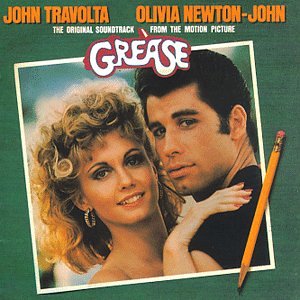
Grease is just as musically valid as DFA - as Phil Oakey once sang, 'we'll always be together in electric dreams'.

#5. Insisting on keeping your collection separate from someone else’s

I know, you don’t want your LCD Soundsystem / !!! / Hot Chip limited remixes rubbing up against evidence of your girlfriend’s predilection for REO Speedwagon or Madonna or whatever. But with digital, that doesn’t matter – your computer won’t hold it against you!

What to do instead: Tag your tunes (in iTunes, using the “Grouping” ID3 field). So you could quite simply tag all DJ tunes as “DJ”. Or if you play a club and a bar set regularly, tag them “Bar” and “Club” (you can separate tags with commas if you want to multi-tag). Then, set up smart playlists that filter in the tunes with your tags only. Done! Your tunes are separate from any one else’s who uses the computer.

#6. Never throwing a record away

Look, when I left my home country to travel and settle abroad, I had a room literally full of records – and I’d been pretty brutal over the years trying to cut that collection down to size, too. It wasn’t coming with me, that’s for sure. So I spent a whole summer ripping all the vinyl I could. Thing is, I only ripped the best 20% of it, and I had to make some pretty big decisions on what to keep a copy of.


If a professional DJ can ditch 80% of his music collection and never miss a tune, there’s nothing wrong with you ditching stuff you bought by mistake, you really have never liked, you have now got better versions of, or you own for any reason other than you like it and want it available for DJing / listening to.

If a professional DJ can ditch 80% of his music collection and never miss a tune, there’s nothing wrong with you ditching stuff you bought by mistake.

What to do instead: Ditch any crap! In the unlikely chance that one day in 10 years’ time you wake up in a cold sweat really missing some crappy Lady Gaga mashup you ditched, you can always go find it on a download site – no big deal.

Still want to keep it just in case? Then remove its tag (see point 5): Then it disappears into your girlfriend etc’s collection instead. Job done! She’ll probably love it.
7 deadly sins of record collecting bored

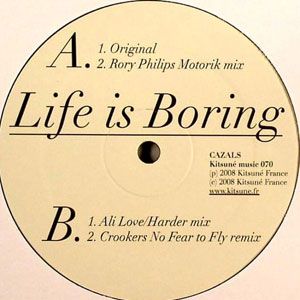
Life can be boring, but your digital record collection doesn't have to be.

#7. Being bored with your collection

I remember so clearly when I was younger having hundreds of records but “nothing to listen to”. Thing is, unless we’re careful, we always approach our record or MP3 collections in the same way.

If you find yourself aimlessly flicking through the covers on iTunes or your iPod, you’re committing the digital equivalent of this sin. And even if you think you’re bored with your collection, it has hidden joys you haven’t discovered yet – I guarantee it.

What to do instead: Use the iTunes DJ function to play tunes at random to you. Use Genius to give you more intelligent selections depending on your mood. Play your most rated. Play your least rated. Sort by “never heard” – I bet you’ve never heard more than half of your collection. Search your genres and play one you never normally listen to. Play only the final track of every album (because then you’ll get to hear the hidden tracks too).

Whatever – but don’t say you’re bored of your collection. Because with digital music, this is next to impossible.

What do you think? Are you struggling to wean yourself off CDs or records? Do you treat your MP3′s like you used to treat your physical music collection? Does all of this anger the collector in you? Or are you a complete digital convert? Let us know!

Now go to:
5 Reasons Why Digital DJing Beats Vinyl
How Not to Move a Houseful of Vinyl
Why Packing a Good Box of Tunes is More Important Than Ever
What Extra Software Do I Need For Digital DJing?


Look! How To Digital DJ Fast - Video Course

From Digital DJ Tips, four hours of online video to get you from beginner to first gig in just four weeks. Join the 1000s of DJs who've already benefited from this training. Click here!


Learn to DJ Free - email course plus bonus PDF book
Sign up for our weekly email course for beginners now...

Trouble choosing a controller? Get your free 162-page guide!
Grab "DJ Controllers: The Ultimate Buyer's Guide" at our Facebook Page.

Come and meet other DJs just like you!
The long-awaited Digital DJ Tips forums are now open. Come and chat!


Tags: , , , ,


Creative Commons License

22 Responses to “7 Deadly Sins of Record Collecting (And How to Avoid Making Them)”
  1. Boney Collins says:

    This is really true, i think the most important is to get rid of old musik, i had over 10,000 songs wich i never play anymore, they take so much hard disk space, i probably about 100 – 200 would play them again in a good oldies night. With so much music everyday, its really important to know how to let go tracks.

    [ link ]
  2. Ducky says:

    Crazy, a pro DJ who recommends iTunes!

    I’ve been telling everyone to use iTunes for ages, it makes keeping everything sorted so much easier.

    There are a few downsides though, if you don’t keep the Compilation tag ticked for all your compilations, the files will be sorted on the HDD in Artist->Album folders.
    If you want to share your music you have to select it album by album through iTunes to get it out. (If you’ve heard of a script that does it, it’d save everyone a lot of time!)

    I also like how I can find something in iTunes in about 1-2 seconds vs my friend going “HANG ON, IT’S IN MY GOOD MUSIC FOLDER, I CAN’T REMEMBER THE ARTIST THOUGH?!”

    [ link ]
    • Ben Grimm says:

      Whenever I want to share music with someone this way, I just create a new playlist in iTunes, and then drag and drop that to a folder on my desktop. So, even if the files were located in a dozen different folders, they will all copy right into that folder on my desktop, leaving the originals where they were, and I never have to dig thru my music folder because iTunes already organized it for me.

      For folks with large collections of music with little to no ID3 tagging, and no access to a program that helps ID songs though, they face a lot more challenges even with iTunes helping them. I have a friend who DJs a lot of underground bass music, and regularly is managing a huge stack of tracks sent to him by other artists, which are often straight bounces out of their DAW of choice, and may not contain any ID3 tags at all, so for him, having a good file name is the only way to recognize which tracks are which.

      [ link ]
      • Chris Crossland says:

        Your friend needs to bounce to flac or alac and tag these files.important to know that alac can’t do higher sample rates than 16bit 44.1kHz.

        [ link ]
  3. Dimitris says:

    This is a great post!
    We all have thoughts about how to deal with our collection growing and growing and the decision about deleting tracks is inevitable…
    One more thought: When i really like a track of an artist i used to download the whole album or the whole discography in some cases but i end up playing my favorites, so all these tracks remain there and take space… i wonder if its more useful just to get the tracks i want and not bother collecting all the rest… what is your opoinion on that?

    Thanks, and please excuse my english :)

    [ link ]
  4. Xarish says:

    Gotta agree with everything you said above. It’s pretty easy to over collect digital tracks as hard drives can store many more of them than you could put onto shelves in your house.

    Started to check out what was on my hard drives a couple of weeks back, so in the process of deleting and backing up stuff at the moment. Can’t believe how much stuff I had that was good at the time, but I’d never really find the place for in one of my current sets.

    ID3 tags are useful (seeing as each download tends to have their own system for naming files), but I’ve found myself needing to rename any WAV/AIFF files (Mixed In Key is really useful for those).

    [ link ]
  5. Chris says:

    BOLD, BOLD statements, but mostly true.

    [ link ]
  6. One other suggestion I’d make for sorting/ditching music is to rate it using iTunes. I make sure EVERY song (eventually) gets a rating of 1-5 stars. I delete the 1 star tracks every week, and occasionally go over the 2 star tunes and delete those whose self life have expired (these are the tracks that just won’t stand the test of time). It also makes it much easier to do some auto-playlists for genres you may not play much but occasionally have to—you know you can rely on your 4/5 star picks.
    Another thing to keep in mind is that even if you want to get rid of your physical CDs/records, you may at some point be asked by some authority to prove that you are the legal owner of the MP3s. In the US, you are allowed to make infinite copies of something you have bought, but it may be difficult to prove you bought it without a physical copy.

    [ link ]
    • Phil Morse says:

      Excellent idea as long as you are using your stars for rating (and not for “energy level” as some DJs do). Fair point re copyright – but what if you download tunes from legal blogs? How can you prove you “own the original” then?

      [ link ]
  7. StrangeMatter says:

    Oh god! I’m a nightmare for #2 & #3!

    [ link ]
  8. D-Jam says:

    Great stuff. The only physical copies of anything I hold on to are the records I’ve bought in the past and originally used as vinyl itself before digitizing. Eventually though I’ll part with what I think isn’t “timeless”, but some of that classic house is irreplaceable and thus I’d rather keep them in storage.

    I still rename all my files, and I like it. It’s become much easier now thanks to software like MP3Tag. The rationale of why I rename is because not every track will be somewhere that easily reads ID3 tags. Lord knows when I want to dig through archive data DVDs, it’s a lot easier for me when things are properly named. Not to mention I’ll clean up the ID3 tags of the useless clutter many toss into their MP3s.

    I agree on using iTunes or a similar program to organize your music. I know when it’s time to clean out my hard drive, it’s much easier to be on iTunes and simply hit delete. Plus the beauty is when I want to put a handful of tunes aside for a new mix or a gig, I don’t have to move files around. I can just make a playlist and the DVS will see it.

    I don’t keep all remixes either. I used to be in that bad habit. Now I simply keep what I would play.

    I very much agree with #6. Lord knows before digital I would get promos from pools and others…but would never really play them. Yeah it was nice someone gave you this, but if it’s never going to see the needle, then it’s pointless to keep. Might as well donate it to a thrift shop or some artist who makes bowls out of them.

    Thankfully I never get bored with my collection, but I do delete files I know I’ll never play. Easiest thing is to burn data DVDs of those MP3s and put them in a book. You have them if you need to dig it up one day, but they’re not cluttering your hard drive.

    Great article.

    [ link ]
  9. Tom D says:

    Re: #5, “Insisting on keeping your collection separate from someone else’s”, I don’t think this is such a bad thing to do – iTunes allows you to have multiple libraries (hold down Alt while it’s loading), and I find this really useful so I’ve got one library for DJ music, one for all the music on my laptop, and one for all the music on my laptop plus all the music on my external HD.

    The main benefit is probably when it comes to using the iTunes library in Traktor – it’s quicker to load up as the library is smaller, and it’s easier to browse through (although I guess you could achieve the same with tags/smart folders as you say). Also, I know that all the music in Traktor is on my laptop, whereas if I had one library for everything and didn’t have my external HD with me (which I never do when playing out), I might find the perfect tune, only to discover that for some reason it’s only on my external HD.

    Each to their own though :)

    [ link ]
  10. Phil Morse says:

    To Tom D: My problem with this is defining “DJ music”. sometimes a bit of the g/f’s Madonna is just what the party needs! I guess I just like to have ALL available records with me, EVERYWHERE. Just in case, you know. :)

    Plus I am 35% full on my internal HD so no need for an external just yet…

    [ link ]
    • Chris Argueta says:

      Phil,
      I keep my music on an external, portable (requires no power) hard drive. I regular sync this drive to a larger external hard drive at home.

      I had always read that it was preferable to have your media in a different drive than the same one where your software was located (usually the same drive as your OS).

      The reasoning being that this helped in avoiding audio drop outs and glitches.

      Do you not agree with this reasoning?

      [ link ]
      • Phil Morse says:

        If you’re having issues, sure, but I have all my music on the internal drive with no issues.

        [ link ]
  11. Nicol says:

    Most of this seems fair enough, but I think he’s massively underestimated the value in having a physical record/cd. As in point 1.

    I mean, I come from a wholly digital generation (first mp3 player had a 12 song capacity) and I have always got the majority of my music online but I still completely value holding a record in my hands.

    I buy vinyl, and often rip it for use with traktor scratch. I reckon having the physical item (especially vinyl) connects you to that song/album/artist a lot deeper than mp3 shopping, you read the cover, look at the artwork and after ripping it you already know more about that record than half of the stuff you buy on a weekly juno binge.

    I’m just saying, there’s something to be gotten from buying physical formats that’s more psychological than practical. And I disagree, this feeling is not ‘outdated’.

    [ link ]
  12. DjCl.ear says:

    This article belongs purely to this time-frame… and most possibly to no other.
    Yes, it assumes that today’s 85 to 95 dB S/N is going to remain there and so when higher resolution will be needed, losy mp3s is all you are going to need.
    It also forgets that on the long term, you may switch or evolve your DJing music style and so those tracks and styles you don’t use today wont be needed on the future.
    Plus, separations do happen as moving houses, try separating files then. Ditch CDs or physical copies and next you’ll expect the hardrive to either last forever or… keep updating the back ups every time you acquire new music (here you’ll need other classification), or worst you’ll need THE CLOUD.
    Again seeing from perspective we know that its wise to “Think globally and act locally” is a hard earn lesson; use the net, focus on what you actually use,etc… but at the same time build YOUR base. It’ll be your node and it needs to be flexible, versatile, safe enough and unique. At least if you want to keep DJing for long.
    Ask mature DJs and you’ll find extensive music collections.

    In sum, if the article list has any merit, is about focusing on your music to be an articulated Dj now… but if you want to stay and evolve thru the years, then you better invest -also now- some energy and that means acting quite the opposite to most of the list points. Where it is very wrong is when it qualifies as “Deadly sins” actions that will actually help some of us.

    [ link ]
  13. Tim says:

    After reading postings of others I would do other DJs allow individuals to request songs during their sets. I have learned allowing people to request songs and I put them in the mix is a win-win situation. The only down side to this is I have to carry two or three hundred thousand songs to every gig, which I don’t mind because the music fits on two 2TB harddrives. Fellow DJs, how do you handle requests from the croud at your gigs?

    [ link ]
    • Phil Morse says:

      We’ve actually written a lot about this, Google our site name and “requests”…

      [ link ]
  14. ace says:

    If you rip vinyl, you have to do some typing to fill out the id3 tag, so it’s actually easier to name the file correctly and let tagging software get the tags from filename. Then you have both filenames & tags done properly.
    This article is based on the assumption that everyone uses itunes.
    There are plenty of us that don’t use it for whatever the reasons are.
    If you have a large collection (sorry, I’m not deleting 3/4 of my collection that I seldom play) chances are good that there are some tunes that haven’t been tagged correctly or missing some info, that just creates havoc in itunes.
    Yet you say we shouldn’t bother naming the files correctly??
    I’m also surprised that you are encouraging the minimizing of our collections.
    For mobile dj’s you never know what track will requested, deleting tracks that don’t appeal to you is rather narrow minded, considering that everyone has different tastes. The fact is that when you are getting paid to play, you are playing for the crowd and not just for yourself. Getting rid of the originals, be it cd or vinyl, I just don’t understand. Heaven forbid something happens to your laptop & back up drives – It can & does happen!
    Sorry to say, but some of this I really disagree with.
    Digital dj or not, It’s all about the music!!! – Archive it, don’t delete it.

    [ link ]
    • Phil Morse says:

      Yup, we recommend DJs use iTunes. If you don’t want to, some of the advice doesn’t apply. You’re missing a trick in our view, but each to their own. Regarding mobile DJs, you’re quite right – there is a need to have more tunes than DJ/artist types. Point taken.

      [ link ]
  15. Brett says:

    Re: #1

    Don’t know about other countries but in Australia there are two organisations which require DJs to hold a license for “format shifting”. Basically, if you purchase a physical CD then rip it to iTunes for the purpose of commercial DJing then you are meant to pay a license fee per song to change the format of the song.

    ARIA (Australian Record Industry Association)can audit licence holders at any time and you must be able to prove that you own the song (by showing them the CD or a receipt from iTunes if you downloaded the song). If you sell the physical CD then you are giving up the right to own that track and must (in theory) delete the track from your collection.

    So for me to get rid of my physical CD collection I would have to re-purchase all the songs I want to keep. Having said that, I have not yet found a DJ who holds such a licence and I have never heard of it being enforced.

    Copyright laws are always difficult to get your head around (particularly with all the technology around us) and it is not always easy to know if you are doing the right thing or not (btw in Australia there are three separate organisations that hold copyright in a single track!!). I just make sure I can prove that I “own” every track in my collection.

    [ link ]

Leave a Reply

Enter your details:

Or connect with:


Be constructive, be polite. Full guidelines here. Asking a question? Use the forum instead. Comment that don't meet our posting standards won't be published.


DJ software: MixedInKey.com
New to Digital DJ Tips? | Latest DJ Industry News | What DJ controller? | Learn to DJ | Testimonials and Feedback