


The Lowdown
The XDJ-AN is AlphaTheta’s new entry-level two-channel standalone, replacing the long-serving XDJ-RR and clearly aimed at the aspiring DJ who wants club-adjacent workflow without a laptop. At £999 it leans hard into streaming and cloud music, and it works with the DJM-REC app for recording and streaming, a first for an all-in-one of this type. It’s a lot of fun to use, but the cloud side still needs improvement, and a few things I’d expect on a modern unit are missing.
Video Review
First Impressions / Setting up
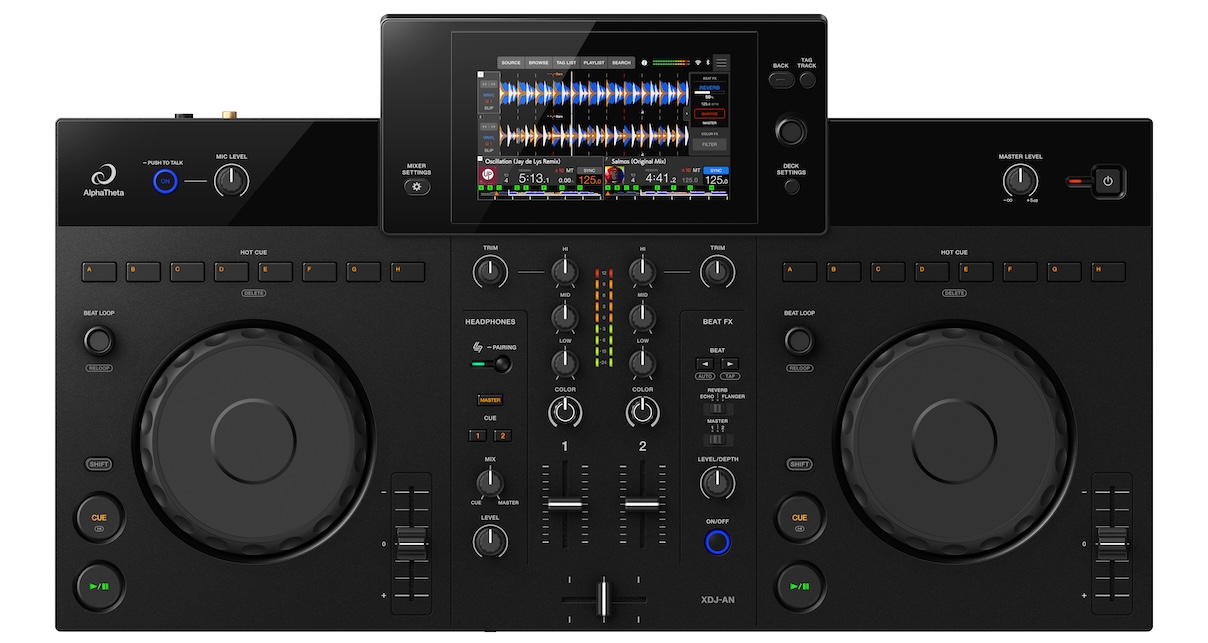
A useful way to think about the XDJ-AN, especially when you see how much it has broken with the design of the more obvious club-inspired XDJ-RR which it replaces, is believe it or not as a standalone version of the DDJ-FLX4. The build quality, the jogwheels, the short-throw pitch control and the mixer layout are all close cousins to that controller, which is no bad thing given how popular and how good the FLX4 is. This is very much a consumer device, and it looks and feels like one, in the nicest sense.
It gets a screen, of course, and it’s a bright, clear one. It’s also slightly raised, which is more than most of the competition manage at this level, where flat screens are the norm. It’s a small screen though, a little smaller than the Numark Mixstream units, and you’ll be using it a lot, because a great deal of the unit’s functionality lives behind the touchscreen rather than on dedicated buttons. It attracts fingerprints easily, both on the jogwheels and the gloss strip across the top, though that strip still looks good.
Inputs & outputs
Round the back you get three USB-C sockets. One is for power (AlphaTheta supply a brick, though any decent USB power supply will do), one is for a computer, tablet or phone, and one is for a USB stick if you want to work the old way. I like the move to USB-C throughout, but I think the USB-C media socket is a little vulnerable sticking out of the back like that. I don’t know why they didn’t put it on top of the unit, or tucked underneath the back of the screen, where there’s plenty of room and it would have been far more secure.
Outputs are balanced XLR and unbalanced RCA, plus a single balanced TRS microphone input on a 1/4″ jack. There’s no aux or line input at all, which is to be expected although disappointing, and the only other input is Bluetooth. Setup starts with the Rekordbox Cloud login, and if you’re a new user without a rekordbox account you’re walked through connecting up via a QR code and linking your streaming accounts from there. A 30-day “stay logged in” saves you re-entering credentials every time you power up, which is a sensible touch for a home unit.
In Use
Let me start with the good, because there’s a lot of it. This is a fun unit to DJ on. It’s smooth, it’s familiar if you’ve used any AlphaTheta or Pioneer DJ standalone gear before, and it does the core job of mixing two tracks together really well. For the pure usability of getting in and playing, I think it’s great.
Loading a track takes a moment to get used to, because there are no physical load buttons for decks one and two. You select the track with the encoder, browsing by artist, album, track, key, playlist, history or matching tracks, then click in and turn the knob left or right to load to the deck you want. I initially thought there was no hardware way to load at all, but once you know the knob trick it’s fine. There’s touch preview too, so you can listen in your headphones before committing a track, and a track filter to narrow the collection by BPM, key or tag. You can also apparently create, edit and delete playlists directly on the unit, and those sync to the cloud when it all works, which does make sense for a device built around this idea.
Included effects
The effects are what you’d expect from this platform and no worse for it. Six colour effects (filter as the default, plus noise, sweep, crush for that lo-fi sound, and space and dub echo for reverb and echo variations) and three beat effects (echo, reverb and flanger), routable to the master or to decks one and two, with control over the beat cycle length. There’s plenty here for most DJs for a lifetime of use.

Metering is via physical meters down the middle for per-channel levels with a master meter on the screen, which is a nice touch so you can check you’re not pushing into the red further down the chain. The pitch controls are short-throw but accurate to within about a tenth of a BPM.
Now the cloud, which is where my reservations start. The idea is a good one: your library living in Dropbox or Google Drive, syncing between your phone, your laptop and your standalone unit. I really want it to work. But AlphaTheta’s CloudDirectPlay is not well loved, and for good reason – it’s confusing and unreliable. As it stands it’s a brave DJ who relies on CloudDirectPlay at this stage of its development. I’ve made my thoughts on this clear elsewhere, so I hope that (especially with how central they are making cloud to their hardware) they continue to refine and smooth out the rough edges of this experience.
Lots of input choices
However, that’s not the full picture. The flexibility is bigger than that. You can use the XDJ-AN as a controller for a laptop running Rekordbox or Serato (Serato DJ Lite is unlocked out of the box, with Pro or Suite needing a subscription), or for an iPhone or iPad running the Rekordbox app or Algoriddim djay, wired (another first). When you’re driving DJ software this way, the pads give you all the normal pad modes on screen, including things like key shift and slicer, so you’re not limited to what the standalone offers. In standalone mode, though, the pads only do hot cues and loops.
One caveat worth flagging: the Rekordbox mobile picture favours Apple: DJM-REC is Apple only, and while you can access a Rekordbox library over Wi-Fi on both Android and iOS, the wired connection on Android isn’t there. It’s a shame because of course most people don’t own Apple phones – although I guess it’s likely most people who can afford this unit do!
What’s missing
There are some real omissions for a modern unit. There’s no key sync, and therefore no manual key change and no fuzzy keymixing, which I think is a shame. The people most likely to want this unit are the sort who’ll be doing Instagram mashups and reels, changing the key to make tracks fit, and not having that is limiting. There are no stems and no sampler either, so it lacks a few things you might expect from the current software feature set.
Additionally, while the hot cue pads double as loop slots, and while a saved loop shows orange on screen and a cue shows green, the pads themselves are always lit orange, so you can’t tell at a glance whether the pad you’re about to hit is a cue or a loop. A dual-colour LED would have solved that and surely wouldn’t have been too much to ask.
Sign up to our newsletter
 Free every Tuesday
 Your weekly digest of the latest training, gear reviews, industry news, and exclusive tips and tricks to help you stay ahead in your DJing.
We collect, use and protect your data in accordance with our Privacy Policy.
The output arrangement is the other niggle. Despite two sets of outputs on the back, the XLRs and the RCAs are both just master, sharing one volume control. There’s no booth output. It’s not a deal breaker, because you can run the XLRs to a PA and the RCAs to local speakers, as long as those speakers have their own volume control, but a proper booth or record out would have been nice.
On the DJM-REC front, you can record and livestream, but only from your own music, not the streaming services. That’s a licensing thing and we all know why, but it’ll disappoint people who assume streaming will be part of the deal, and it means recording the old-fashioned way, straight to the USB stick, if you’re on Android or otherwise can’t use the app.
There’s a Bluetooth input you can route to either channel, and you can run your effects across it, which is a nice bonus. There’s also a Bluetooth output, which is no use for DJing because of the latency, but fine for playing a playlist as background music.
My overall feeling in use is that the hardware is lovely and the standalone experience is solid and enjoyable, but there’s an over-reliance on the touchscreen, and the software and cloud side is where AlphaTheta needs to work harder, especially on a beginner unit like this. If a beginner gets stuck, and they will, that’s exactly the wrong audience to be leaving to grapple with rough edges.
Conclusion
If you want a Rekordbox unit that works with Rekordbox in every way you can imagine, and you’re prepared to be patient with the cloud while it improves, the XDJ-AN is pretty compelling. It’s cheaper than AlphaTheta’s higher-end gear, it’s enjoyable to play, and once you settle on the way you want to use it – whether that’s USB sticks, a laptop, a phone or the cloud – most of it works just fine. You’ll find limitations and niggles, and they cluster around the cloud and the software rather than the hardware, but the core of it is a good, fun standalone.
Alternative choices
Who should look elsewhere? If you want maximum features for your money, the Engine DJ world offers more. The Mixstream Pro Go (from around £655) and Mixstream Pro+ (from around £569) give you stems, a sampler, key shifting and built-in speakers for a lot less, though you don’t get the through-line to pro club gear that the Rekordbox ecosystem gives you.
Denon DJ’s SC Live 4 (from around £922) is four full channels with more features and streets-ahead software, and it doesn’t cost much more, while the two-channel SC Live 2 is an even close match but hard to find new these days.
Within AlphaTheta’s own range, the Omnis Duo (from around £1,369) is the better-built step-up and includes a battery, but it’s a professional second unit aimed at mobile and event DJs, not the same thing at all. And of course if you don’t need standalone, the DDJ-FLX4 (from around £299) is the laptop-tethered version of much the same experience for a fraction of the price.
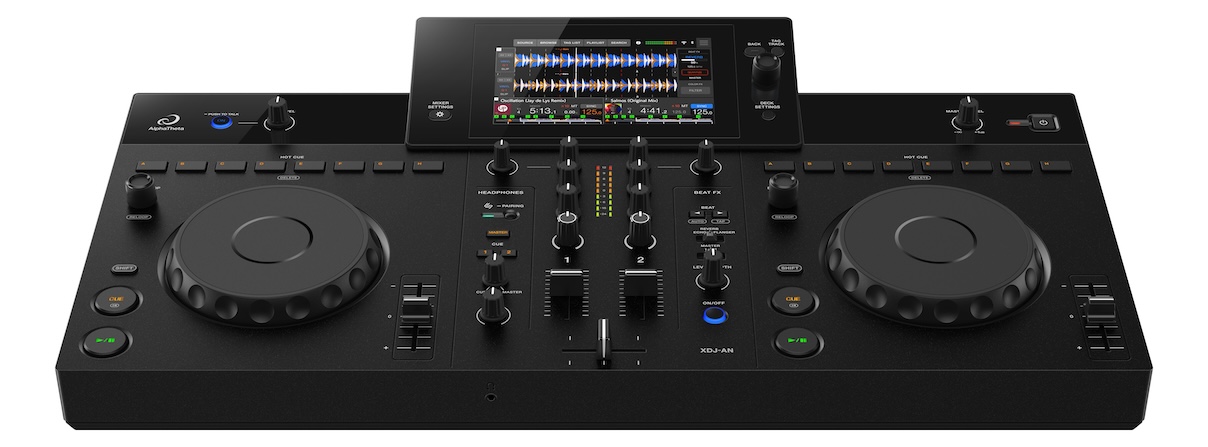
I actually expected the Omnis-Duo that this in some ways borrows from to sell better than it did, and I hope this one finds its audience, because I like it. It looks and feels a bit like the Denon SC Live units, with that same slightly sloped screen and a “just what you need” vibe that doesn’t scare beginners off. Overall, the XDJ-AN is a fun, capable standalone, and should Rekordbox’s cloud library come of age, it’s well positioned to capitalise on that.

