

The Lowdown
The Arc On Ear is a standalone hardware device that corrects your headphones’ frequency response and simulates mixing on studio monitors and other types of speakers in a proper room. At $250 (intro price), it aims to solve the age-old problem of mixing on headphones by calibrating hundreds of headphone models and placing you in a virtual studio space. It works with any audio source – your DAW, Spotify, even analogue gear – making it more versatile than plugin alternatives.
Don’t have our latest DJ gear guide? Click here to grab your free copy
Video Review
First Impressions / Setting up
If you are serious about listening to music properly from a laptop, then you probably already know that plugging any old headphones into the laptop’s headphone output is really not the best idea. Not only is it impractical – literally stopping the speakers working for other non-music things – but you’re also relying on the internal audio interface, which isn’t very good on any laptop. (And let’s not get started on wireless earbuds and Bluetooth headphones – they’re strictly for consumers.)
No, the truth is, when it comes to properly listening to and producing music, pros need a decent quality separate audio interface and wired headphones to pair with it.
Assuming that you already know all this, you won’t need any introduction to the concept of the computer audio interface/headphone amp. These plug into your laptop via USB and have their own audio interface built-in that’s invariably far better than the one in your computer. They can convert any music from your laptop into an analogue signal, match it to the headphones you plugged into it, and give you decent quality audio on those headphones.
Indeed, many electronic producers already have an audio interface for both input to and output from computers.
The problem with producing on headphones
Ask practically any music producer or DJ who is serious about making edits if they are happy to do so on headphones, and you’ll get a resounding “no”. But why? In short, it’s because even good wired headphones driven by a decent audio interface offer (at best) a very artificial representation of what you would hear through monitors in a real studio.
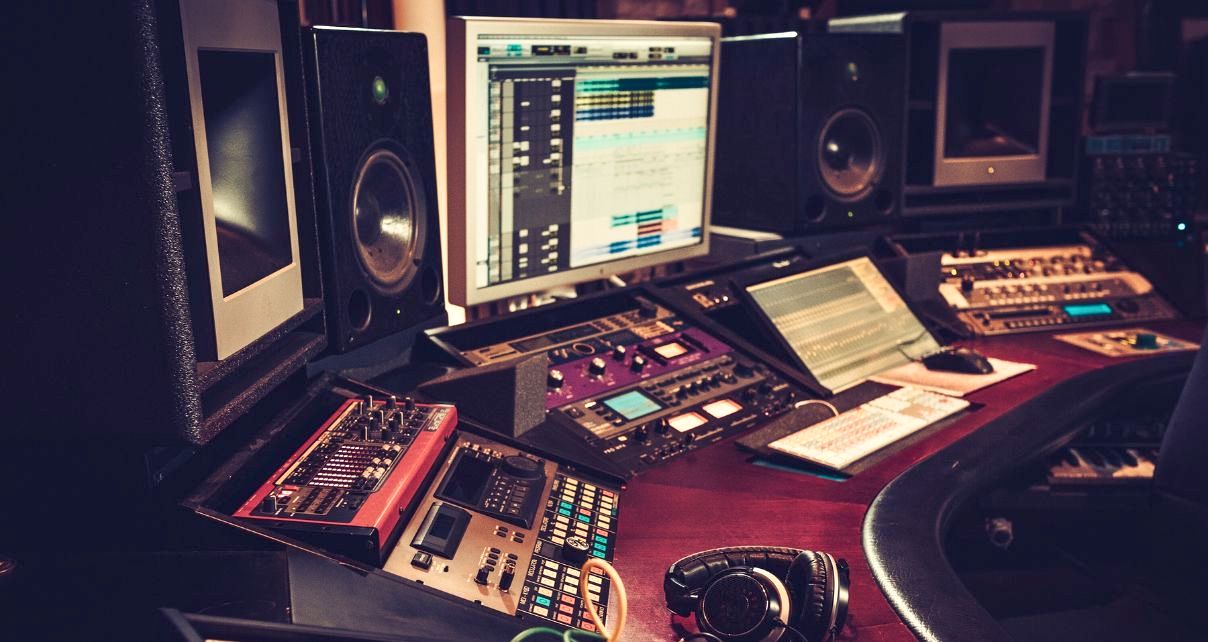
Let’s start with the obvious: headphones separate the sound between left and right far too much. If you pan a sound to the left 100% in your DAW, with headphones you only hear it in your left ear, which, if you think about it, would never happen in a studio with proper monitors set up – you’d still hear a hard-panned sound in both ears to an extent, just quieter in your right ear (in this case). To put it simply, you’re not getting an accurate “soundstage” in headphones.
Read this next: 5 Tips For A Great-Sounding DJ/Producer Home Studio
Headphones also struggle to give you the same frequency response you get from good loudspeakers, not least because the headphone maker doesn’t know the type of audio interface/headphone amp you’re using (and especially the impedance of your gear’s output), so they cannot “tune” a pair of headphones anything other than – literally – averagely.
And lastly, if you’ve ever researched why good recording studios have, say, three sets of speakers instead of one, you’ll know it’s so the producer can audition a track on different types of speakers to get a sense of how the general public will hear their music on all kinds of devices. Obviously, headphones can’t give you that option – they’re just headphones.
But with its new Arc On-Ear headphone correction and virtual monitoring system, IK Multimedia thinks it has come up with a solution, making music production, editing, and general audio work possible on a wide range of headphones. It does this by addressing each of these problems in turn.
Sign up to Tuesday Tips
 Free newsletter
Your weekly digest of the latest training, gear reviews, industry news, and exclusive tips and tricks to help you stay ahead in your DJing.
We collect, use and protect your data in accordance with our Privacy Policy.
First Impressions
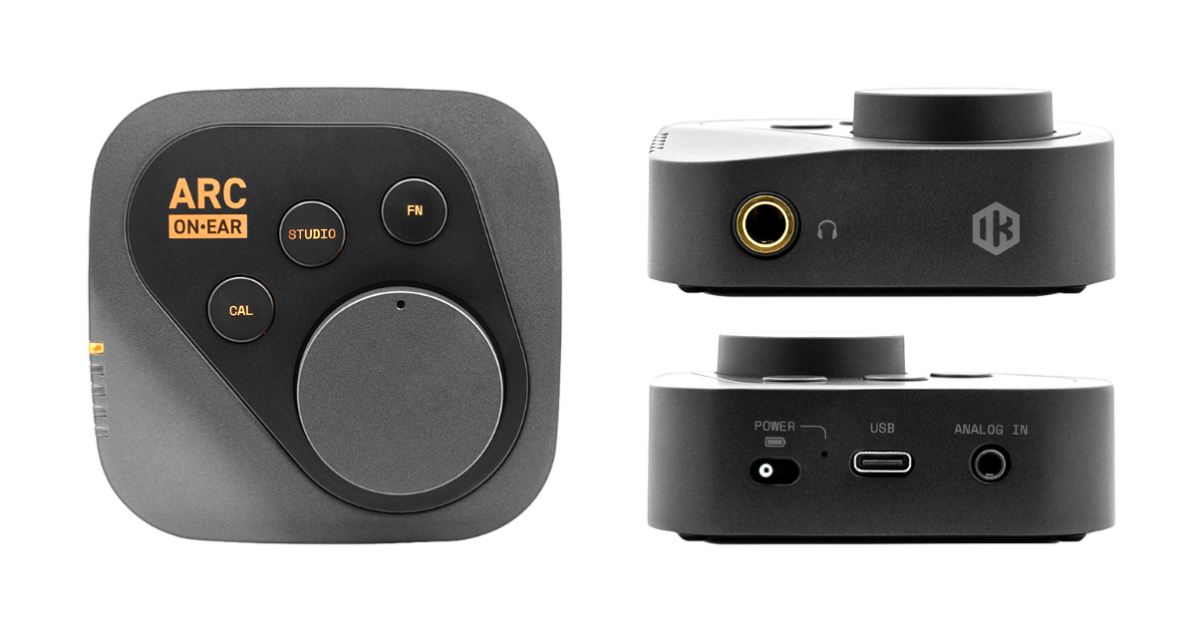
This is a palm-sized black metal box, a bit smaller than an Apple TV box, with a grippy rubber ring on its base to hold it steady on your desk. It has a large metal volume control on the top, three buttons, a line of yellow LEDs down the side, and a smart little on/off button on the back where you’ll also find a USB-C socket and a 1/8″ minijack input socket for an analogue source. On the front is a small IK logo plus a 1/4″ jack for your headphones.
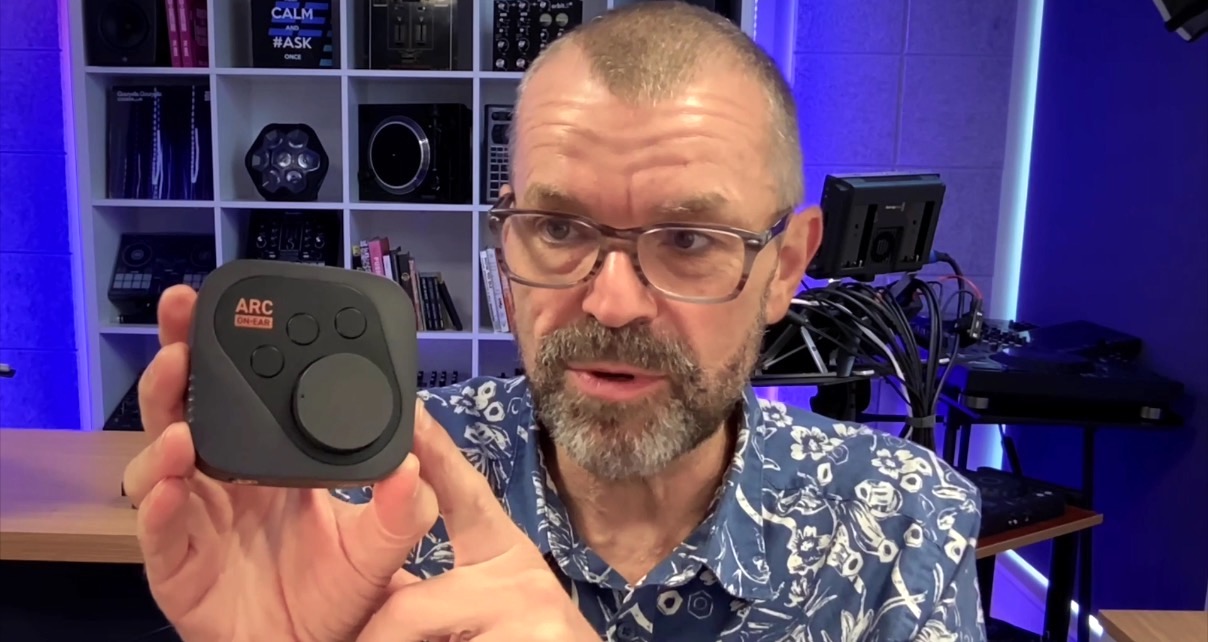
It has a built-in battery (for analogue use away from the USB power of your computer), giving it a pleasing weight. Overall, it’s a highly pro-feeling little box of tricks that will sit nicely on your desk – on the base of your monitor stand, for instance.
You’ll first register it with IK Multimedia to download the calibration software, which you’ll need for initial setup, although it’s important to state that once you have set the unit up, it can work completely independently of that software. You’ll never have to open it again unless you want to make changes to it.
Using the computer software
On launching the software, your first job is to select the make and model of headphones that you will be monitoring with. There are hundreds to choose from. In my case, I selected the Sennheiser HD25s. Once you’ve done that, the software dials in the changes to the frequency necessary to give you the truest response on those headphones. You can audition this upon setting up by clicking a toggle switch in the top left of the software.
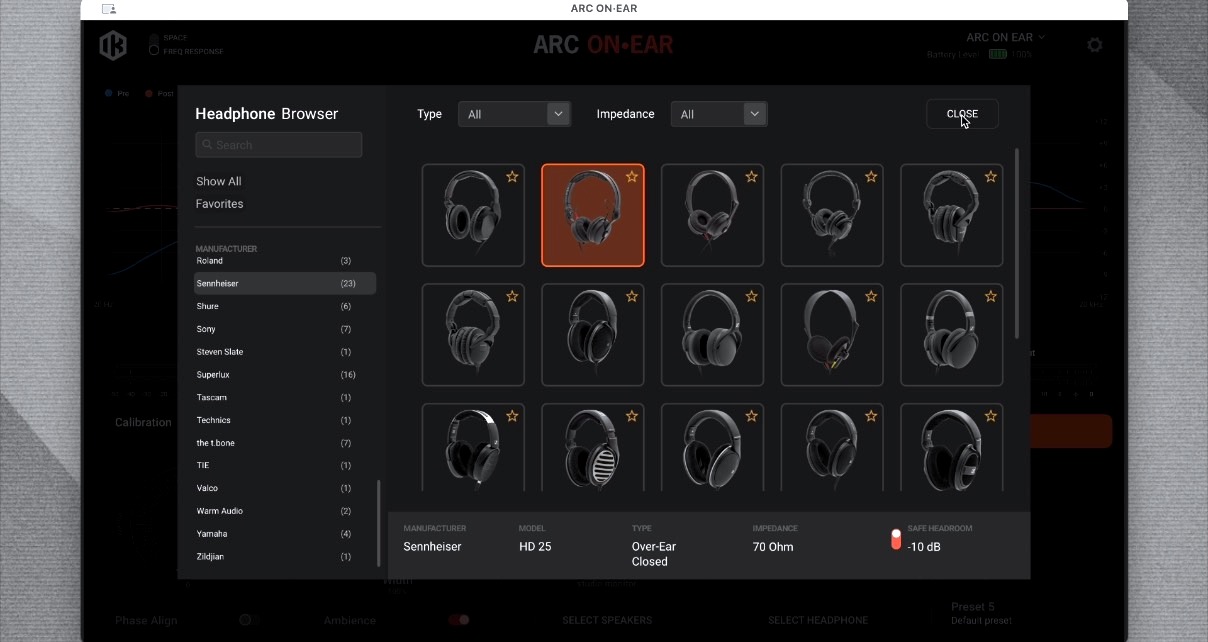
You can fine-tune the headphone calibration in the software and also monitor the level of the input, although the LEDs will flash on the unit itself should you play too hot into the Arc On-Ear once the software is closed/disconnected too.
Next, you can set up your “studio”. The unit will simulate the layout of a typical recording studio, so what you hear in your headphones is more spatially realistic, such as fixing that “panning” issue we discussed earlier, alongside many other nuances. You get to choose the position of the virtual “speakers”, the idea being to set this up so that the virtual speakers are where you’d expect them to be in a real studio.
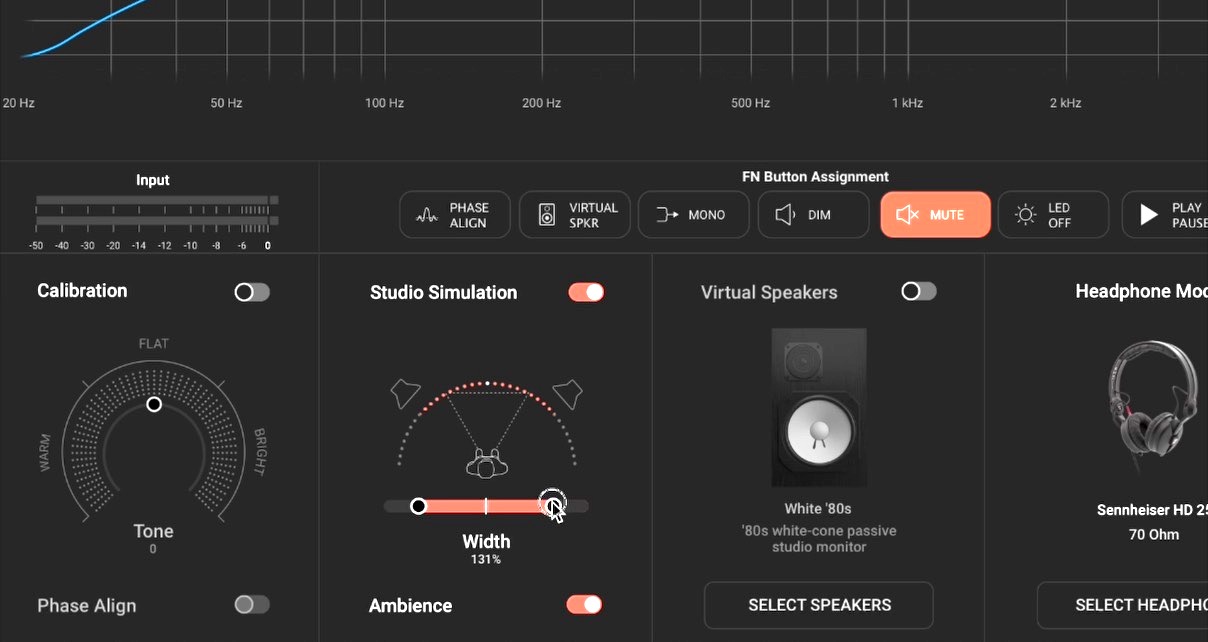
Speaking of those, you can choose the speakers you’d like your “headphones studio” to be fitted out with. You don’t have to, but you can choose anything from the best and biggest studio speakers to instantly recognisable brands of DJ/producer home studio speakers, all the way down to multimedia speakers and smartphones. Yes, you can have your headphones sound like a smartphone to check how your sub-bass will really sound to everyone hearing it on TikTok!
You can set up to five presets here should you want to audition with different speakers or different headphones even, which can again all be selected from the hardware once they’re set up. Once all this is done, you’re ready to use the device.
In Use
At this stage, and especially if you’re already any kind of serious music producer, you may be thinking, “But there are software packages and DAW plugins that can do this.” And to an extent, you’d be right. But the two things that struck me over a few weeks of using this hardware solution were that it is very simple to use, and it works with any music source.
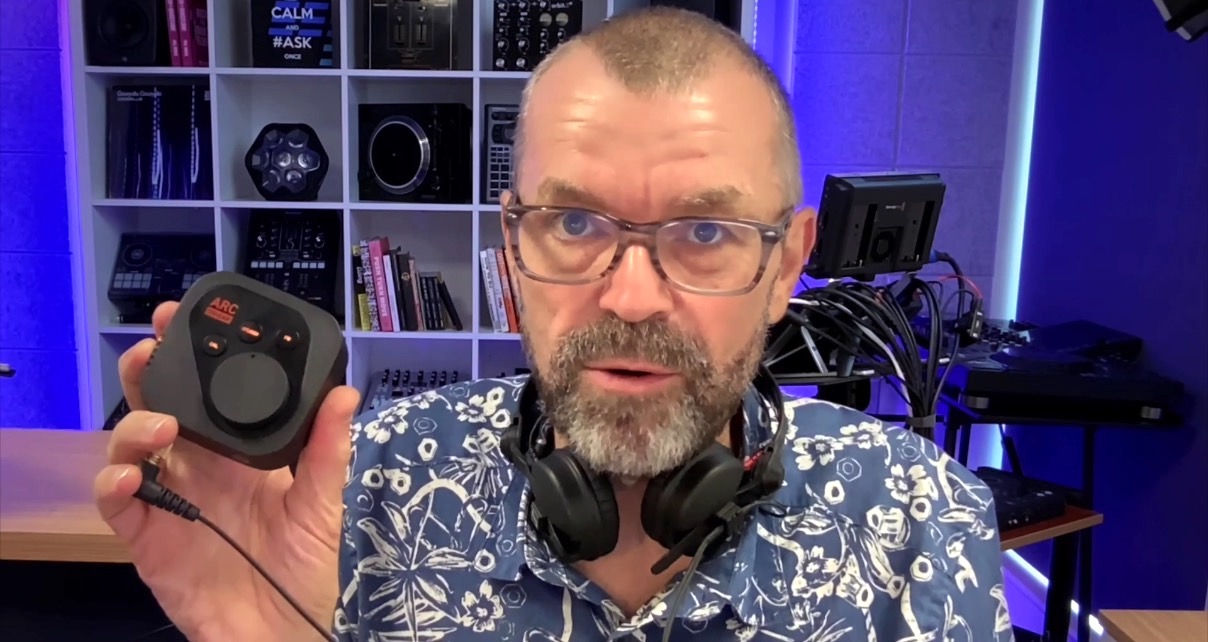
As I mentioned, you don’t need the software open at all. In fact, you don’t need any software open, which is one of the great strengths of this set-up. It means that you can play any audio from your computer by selecting the Arc On-Ear as the output device (which could be general listening, YouTube, Spotify, whatever, as well as your DAW or audio editor) and benefit from the improvements. More importantly, you could switch between a reference track on Spotify, for instance, and the track you’re producing to compare/contrast.
Also, because the unit has an analogue input, you don’t need it plugged into a computer at all. You could plug the unit (with its charged battery) directly into the output of a mixing desk and feed all kinds of things through it. Analogue, digital, YouTube, reference tracks – whatever.
Dialling in the improvements
When it comes to day-to-day use of the Arc On-Ear, the three buttons by the volume control knob let you switch on or off the three big improvements we’ve spoken of:
- Calibration – what the software is doing to correct your headphones and make them sound more neutral
- Studio – places you into a neutral, reliable studio space with properly positioned speakers for confident mixing
- Function – can be assigned to a number of things, but I had it toggling a smartphone emulation on and off (it actually mutes the audio in the standard mapping)
It is possible to set it up so you can switch through several speaker emulations, and the lights down the side show you where you’re at with this.
And last but definitely not least, the big volume knob is pleasing to turn and quite useful to have – much better than using function keys for headphone volume.
A word about the battery: We didn’t test this with an analogue input for long enough to tell you how long the battery lasted for in real life, but they say four hours (your ears will be getting tired from serious audio mixing work long before then, I’d guess), and it can be recharged just by plugging it into a USB charger when in use, if need be.
Sign up to Tuesday Tips
Free newsletter
Your weekly digest of the latest training, gear reviews, industry news, and exclusive tips and tricks to help you stay ahead in your DJing.
We collect, use and protect your data in accordance with our Privacy Policy.
The difference it made
To be clear: I do not produce music. The most I do is the odd mashup, re-edit or bootleg, usually as part of teaching DJs to do this. So whether or not your average producer would find this makes headphone production bearable, even fun, I cannot answer.
However, I can answer this: It makes audio editing and general listening on headphones a lot of fun. I edit several videos, podcasts, tutorials, and other audiovisual presentations every week, and tend to do so in headphones, not least because my desk is too small for decent monitors here in our cramped production studio, and I don’t trust the Apple Studio Display speakers, for obvious reasons – they’re not up to that type of task.

Using my Sennheiser HD25s, I immediately get a more expansive soundstage that I’m really learning to trust; I get a much more revealing (and less forgiving) frequency response that I feel I can rely on fully when EQing microphone recordings, and being able to switch to a smartphone simulation (I do this mainly for vocal volume comparisons) is great.
Oh, and did I mention having a big volume control knob? That pleases me every time I use it.
Conclusion
Just listening to music through headphones? You simply don’t need anything like this. Even if you’re serious about hi-fi sound, any half-decent audio interface with a built-in headphones amp (nearly all of them have this, of course) will work with any decent pair of wired headphones for a good to great result.
But if you’re serious about headphone monitoring when making your own music or making mashups, re-edits, bootlegs, and so on, this is a compelling and unique product. The features on offer here – namely, calibrating your headphones so you can trust what they sound like, placing you into a reliable studio environment, and fixing the spatial error of headphone mixing – are a godsend.
Get the skills: Laidback Luke’s Bootlegs, Mashups & Re-edits Course
While there are plugins available for DAWs that can do a lot of this, you are then tied to using your DAW, and that’s another strength of this unit – it will work with anything you send its way, even analogue, even away from the laptop entirely thanks to its built-in battery.
Headphones are still headphones

Look, the truth is: headphones are still headphones. You’re never going to get the same experience as being in a nice loud studio with big studio monitors with this (or any other) box. However, it gets you a lot closer to it.
So no, you’re not going to feel the bass thumping away in your tummy, and no, you’re not going to be able to walk around noticing the stereo placement subtly changing as you do. But against what’s possible with headphones, what this box does is pretty amazing.
In short, if you’re an audio creator and you (correctly) decide you need an audio interface and headphone amp to bring your wired headphones up to scratch, this should be top of your list to take a closer look at.