

The Traktor Kontrol S4 is the most popular DJ controller with Digital DJ Tips readers as voted for in your 2011 Reader’s Survey, but until now we’ve not carried a full review of the unit.
However, the initial months since its launch have given us the chance to really get to grips with it, and with the recent arrival of the Traktor Pro 2 software, we felt it was high time publish a full assessment. So here it is: the full Digital DJ Tips Traktor Kontrol S4 review.
One thing that’s always held digital DJing back is the lack of seamless integration between hardware and software. While many manufacturers have over the past five or so years waded in with digital DJ controllers (which after all, are just Midi control units, not too different to any Midi controller), later adding sound cards as they realised most DJs don’t want to carry around a separate sound interface, most of the time these units have relied on other people’s software to make them work.
So we’ve seen controllers for Traktor (mainly) but also for Virtual DJ, MixVibes, Deckadance and so on. All of these programs are good, but none of them were made specifically for the controllers that made use of to use them. Thus mapping files were provided (either by the software manufacturers to make their software more attractive, or by the hardware manufacturers to make their software more compatible) in order to define how the myriad different controllers and the software communicated with each other.
Midi mapping is actually one of the new skills of DJing brought about by controllerism, but the flip-side of all the configurability that creative, geeky controllerists take full advantage of is that things can seem over-complicated for people considering digital DJing who just wanted to plug and play.

What’s more, almost invariably until recently, the software provided was always “LE” or “light edition” – cut-down, get-past-go versions of the full packages that needed to be upgraded to get the full functionality, at extra cost to the consumer of course. (see out Bundled DJ Controller Software: Facts & Myths article for more on this). This was done in order to keep headline prices low, but didn’t provide an ideal situation for those wanting to just pay their cash and get DJing, with a minimum of fuss and extra expense.
Various companies had a go at providing a full solution. Serato with ITCH achieved “it just works” functionality by licensing DJ controllers made by third parties (such as the Vestax VCI-300) that its software simply recognised when plugged in. Indeed, Serato ITCH only works with such products. No re-mappings, no need to tweak anything.
The Torq Xponent DJ controller does the same thing with Torq software, although that software has recently been opened for control by other devices. And Mixvibes has the same thing with its U-Mix Control DJ controller and Cross DJ software, although again the architecture is open.
Indeed, Traktor has itself always featured in the guise of “Traktor ready” and “Traktor certified” badges on third-party products; but it was clear with the launch of the Kontrol X1 that Native Instruments was eyeing a closer integration of hardware and software, more akin to that of some of the above; the X1 (Native’s first DJ controller) had its own configuration page in the Traktor software, which when accessed via an easy wizard, took care of all the settings for you. And so, with the launch of the Kontrol S4, the company’s first full-strength DJ controller, Native Instruments took this thinking to the point where it finally provided its own tightly integrated DJ controller, made in the image of its software.
Now, the company had a DJ controller that with one simple click upon set-up in the software, recognised and configured everything accordingly, without the need for any further set-up by the digital DJ. Plug in and start playing. What’s more, the software (Traktor Pro S4) contained features that had specially been designed for the S4 to take advantage of.
So, you see why the Kontrol S4 was such a significant product not just for Native Instruments, but for digital DJing as a whole. Now, with Traktor Pro 2 (a free upgrade for existing users too), it is potentially even better. The question is, has it reached the point where it is throwing other DJ set-ups behind it as it marches forward? Let’s find out…
First impressions/setting up

The trendy, full-colour box has lots of hooks for the digital DJ: A flight deck-style picture of the controller on the front, with a top-down view on the back highlighting its main features and describing the software, which as it points out is a full version – none of this buy-now-and-pay-to-upgrade-later stuff. There’s a free Beatport gift card inside, and the box also shows a picture of the unit in the dedicated Traktor Kontrol S4 hard flight case. It all paints a very high-end and professional picture.
Inside, as well as the aforementioned gift card, are a perfect-bound colour set-up guide, a mains adaptor with regional attachments, a USB cable, the installation disc, a box-sized crib sheet with every control outlined on it, some Traktor and Native Instruments stickers, and a fold-out keyboard shortcuts reference sheet for German and US keyboards. (Unlike, say, Serato ITCH, it is perfectly possible to DJ using just the Traktor software and your laptop – although I doubt many S4 owners will be doing that for quite a while having purchasing an advanced hardware controller!)
The unit itself has two polystyrene end-pieces holding it in place. Many people use their product boxes at least at first to carry DJ controllers around while they’re considering their options as far as a trolley, shoulder bag or hard case goes; the best product boxes I’ve seen for carrying controllers to and from gigs have fixed plastic innards so you can slot the unit in and out quickly (I’m thinking of the Vestax VCI-300 and Xone:DX packaging), and while the S4’s isn’t as convenient as that, it’ll certainly be OK as a temporary measure, especially as the box has a secure plastic carry handle.
Native Instruments has recently announced a trolley bag for the unit made in collaboration with pro bag maker UDG (although it is too big for hand luggage on some budget airlines); there is already a traditional-style hard case available (definitely don’t try that one in hand luggage!); and various third-party manufacturers including Mono, Magma, DJ Tech Tools and Novation have bags that are either specifically designed for it or that it will happily fit into.
So, once you’re unboxed with your Kontrol S4 sat in front of you, the first impressions of the unit are that it is serious-looking, large and light in weight. Serious-looking because it is covered in buttons, knobs, faders and wheels, and comes in sober, we-mean-business black with a big TRAKTOR logo on the front and motifs on the jogwheels; large, because apart from the new Pioneer DJ controllers it’s the widest of its type on the market (and only the Xone:DX is deeper); and light, just because it looks like it should weigh more.

The latter point isn’t necessarily a bad thing; it is clearly well made, and is rigid enough, which indicates a quality chassis, especially tasking into account its size; everything on the first touch feels high quality and turns, moves and spins well. It is simply made with lightweight materials – mainly plastic with rubber feet and some brushed metal on the fascia.
Plugging in
The first thing you’ll do is install the software. The unit we had came with the S4 version of Traktor Pro; we’ve since upgraded to Traktor Pro 2, but new versions will obviously have Traktor Pro 2 in the box from the off. You pop the disc in your computer, click “Traktor Kontrol S4” in a list of install options, and let the computer install it as normal.
You next need to register with Native Instruments. It takes a bit of time, but it’s not hard – you need to access the activation area in order to enter the serial number provided against the product online, and provide an email address. At this point updates can be downloaded and clicked on to install. The end result will be an activated, fully up-to-date version of the software.
Next, you’ll plug the unit itself into mains power (it can work with bus power, but the lights are much dimmer). The plug comes with four regional adaptors, so you’ll fit the correct one first. Then it’s just a case of attaching the USB cable, and turning the Kontrol S4 on by pushing the on/off button on its rear.
If you’re on a Windows system, the computer will then complete the device driver installation. With the unit powered up and connected to your PC, you plug your headphones in, attach your powered speakers or amp/speaker set-up, and start the software – and that’s it.
This will be music to the ears of mere mortal DJs who’ve ever tried to set up a digital DJ system, especially one with a DJ controller, third-party software and a separate sound interface – because at this point, you variously may need to import mapping files, set up your audio device and inputs/outputs, select your controller, and troubleshoot.
But with the Kontrol S4, it is all simply working, there and then. It’s how all digital DJ systems should work; indeed, since the Kontrol S4, Pioneer has launched a Traktor controller with much the same functionality, working alongside Native Instruments to improve the user experience, and expect more in the future as the industry matures and moves past insanely complicated configurations just to get some sound coming out of the speakers.
Hardware details
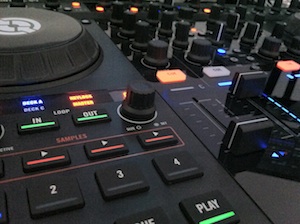
The first thing I did before even playing a song was press buttons, flick faders and turn knobs to see what everything felt like and what changed on the unit’s lights and readouts and on the software onscreen.
By and large, the software out of the box doesn’t replicate the controls on the hardware’s control surface where not necessary – hurray! When you have tightly integrated hardware and software, the screen should show you stuff you don’t have in the unit and vice versa. Why have a crossfader and volume knobs and so on onscreen when you can see how they’re all set by looking at the hardware?
(Having said that, the looping, tempo and transport functions have onscreen indicators. It would have been better to use the space for the effects parameters in the “essential” view – one of the two non-library browser software views you’ll be likely to use, the other being “extended” – because that would mean you’d maybe never have to leave this view. However, this is software stuff, and more on this can be found in our Traktor Pro 2 review).
Visual feedback
The reason that the software can afford to give you the option not to see so many of the controls of the Kontrol S4 at all is that the hardware itself has more feedback than most.
The lights – stylish in royal blue, light orange and white – give you more than just on/off feedback: There is a number readout to show you loop lengths, from 1/32nd to 32 beats; an ON AIR light for each deck that indicates whether the selected channel is present in the master output; visual feedback for keylock, master tempo, samples and selected deck; and dozens of the aforementioned on/off indicators for things like effects assignment, snap/master/quantize and record/playback. Finally, there are individual seven-bar VU meters for each channel (six blue and one orange for peak) and a five-bar master stereo level VU.
The best feedback I’ve seen on a digital DJ controller is on the Stanton SCS.1 system, which has advanced LCD readouts to show you things like the exact effects selected. While the S4 isn’t as sophisticated as that, it’s nonetheless good.
The controls
The non-replaceable crossfader is loose enough but does have some resistance, though not as much as the other faders. The rubberised knobs feel solid and can’t be pulled off, and those that click upon turning also click on pushing, and go round forever; the rest have centre-click and turn from seven through to five o’clock; obviously, they’re matched to their tasks accordingly.
The jogwheels are completely silent in use, except the top plate, which has a mechanical click upon pushing, a little like some Pioneer CDJs; Native Instruments has chosen not to go for the capacitive touch-sensitive metal surface as preferred by many manufacturers in favour of this mechanical design. It works fine, although you’re advised to calibrate its sensitivity using a wizard in the configuration.

The wheels only spin for a fraction of a second after you take your hands away from them, no matter how fast you spin them; therefore they differ from the feel of real turntables more than jogwheels from some other manufacturers in this respect.
The front edge has small volume controls for the cue volume, cue mix and microphone volume (although the microphone jack is round the back), and these knobs click into the unit when pushed, to become almost flush with the panel, for protection; a nice touch.
Native Instruments has made a design statement by pushing the jogwheels back on the unit like they are on the Torq Xponent, and by putting looping and sample controls and hot-cue buttons front-of-controller; in reality, the jogs feel perfectly accessible where they are, and controllerists will appreciate the easy access to big, clear buttons they can push away at. A win-win.
Apart from this obvious nod towards controllerism, everything else is pretty much as you’d expect – channel-assignable FX, control over both of Traktor’s FX sections, the nowadays pretty standard controls for library browsing, deck switching, loading, cueing, sync etc. Of the standard-type features, the biggest wow factor for me was a big, chunky filter knob under the line EQs for each channel, so four in total; great fun for four-channel, sync-locked house and techno mixes.
Round the back
There are proper DIN-style Midi in/outs, two extra input channels for line/phono sources; the aforementioned microphone input (just a 1/4″ mono balanced TRS, not an XLR) with its own gain; a foot switch 1/4″ jack; the outputs (again no XLRs, instead confined to twin RCA and twin 1/4″ balanced TRS); plus a Kensington lock hole. Oh, and an earth pin for your Technics, if you’re still in the dark ages. 😉
A point about the Kontrol S4’s size: Many DJs, and not only DVS DJs, have taken warmly to the Kontrol X1 because in its little soft case, it is nicely portable and can accompany a laptop and allow house or techno DJs control over Traktor in the most cramped of DJ boxes; two of these diminutive units let loop-loving DJs go to town over four decks with a tiny footprint.
Obviously, the Kontrol S4 isn’t going to give you that due to its size, and therefore you’ll struggle to fit it into some DJ booths where smaller controllers wouldn’t be a problem. Bear this in mind if you think you’ll be playing in cramped conditions.
In use
I set the unit up on our test bench with a pair of M-Audio monitors, a MacBook Pro 13″, and some Allen & Heath Xone XD-40 headphones, and proceeded to start playing…
Browsing and loading
There are two browsing modes, one which lets you quickly load a tune, and another that allows you to free up most of the screen space for your library and access further functions.

With the former, you use the browse knob to move through your collection, and you can press it to preview a track, turning it while pressed to scrub through that track. With the latter, you get additional functionality, because either set of loop knobs now lets you scroll through either your favourites (the dozen folders above the main library but below the main window) or your directory structure tree, pushing the knobs to open/close folders. The jogwheels also allow you to move quickly through lists when in this mode.
Pressing LOAD above a jogwheel or one of the sample slot buttons (more on this later) loads it to the selected channel.
As the control surface offers so much functionality, it would have been nice to have easy sort by column here: So for instance, you could select artist, or BPM, or rating and click to sort the column – this still requires reaching for the keyboard, something it’s nice to get away from when using DJ controllers if possible.
Mixing and playback
As it is a proper four-deck controller, there are four line channels, not two; many so-called four-deck controllers force you to switch two sets of controls between the four decks, which has its advantages (size, mainly) but is not as intuitive or fun to use. But with the Kontrol S4, for each virtual deck you get the full complement of EQs, volume fader, gain and filter.
Channels can be individually assigned left or right; out of the box it is set up logically, with those to the left of the crossfader assigned left and vice versa. Shift plus the FX assign buttons changes this (or switches a channel out of crossfader control entirely).
There are four cue points available per track (switchable to eight if needed via the preferences), and they work as you’d expect, with Traktor software’s quantise and snap functions allowing you to find and accurately drop cues, and holding down shift and pressing a cue button letting you delete them.
It is possible to monitor more than one source through your headphones at once as the headphone listen buttons are toggles, not either/ors.
The positioning of the tempo sliders (bottom left and right) is an anomaly; as most people use Traktor with the full gamut of sync, quantise and snap-to-grid all in place – basically because unless you’re a purist, why not get the extra help while DJing? – I can’t actually see most users ever using these controls. They’re ripe for a remapping to something more interesting!

(One use of them with the provided mapping might be to set the pitch +/- to 100% and then use them creatively to rapidly completely stop/ speed up a track.)
So we’ve looked at the parts: How do they all come together when DJing? Well, in basic mixing mode – whether using two or four decks – we found the unit to be a dream to use.
Everything feels good: it’s nicely laid out; the screen feedback especially with the new coloured waveforms of Traktor Pro 2 is satisfying; the jogs are extremely responsive and accurate; cue point juggling is fun as the four cue buttons are very responsive, meaning things happen bang on the beat as you intend; and finally, I love the filters being right there by your fingers, imploring you to tweak them as you’re coming in and out of a mix or break, or whatever.
Sound quality is spot on, and I assume its using the same sound circuitry as used in the company’s Audio 2/6/10 sound interfaces.
Effects
The effects sections are pretty standard and work well – four knobs at the top of each deck, allowing control over Traktor’s effects in either individual or daisy-chained modes as per the software; there’s the usual wet/dry control per unit, the on/off buttons double up as effects select for the slots when in daisy-chained mode and used with the shift button, and each channel can have either or both effects banks assigned to it.
One weakness of this software/hardware combination that becomes clear when you’re playing with the effects is that in Traktor’s essential view, there’s no effects strip, and no way of switching between essential and extended view using the S4; thus if you like to use this view as your standard, as I do (due to the way it lays the screen out with a bit of room left for the library), you need to use the trackpad/mouse pointer to switch views on your laptop. It would be nice to switch out the redundant effects strip from the essential view and replace it with an effects strip, as I mentioned earlier.
Of course, the new software has even more effects than before in an already crowded FX area; there’s much to keep you happy looking for weird and wonderful new ways to get interesting sounds out of the unit here, especially in daisy chain mode.
Looping
Traktor’s looping functionality is controlled by two knobs and manual in/out buttons per physical deck; because of the loop length numbers on the Kontrol S4 and other feedback lights plus infinite rotaries, the system recalls seamlessly where you’re set on individual decks as you switch between them.
You can move a set loop, alter loop length on the fly from 1/32nd of a beat to 32 beats, and also drop manual loop in/out points. As I say it’s the standard Traktor stuff, done well but with no surprises. However, one nice touch is that you can store a loop as a hot cue by simply setting it up and then pressing an empty hot cue slot; the slot then lights green instead of blue to indicate this (incidentally, loops can also be assigned to sample decks here; more on sample decks below).
Advanced features
So far, so good. In either two or four-deck mode in Traktor, the Kontrol S4 shines, giving intuitive, clean, clear and fun control, with lots of nice touches. However, there are two sections we’ve got staring us in the face that Native Instruments knows mark its product out from the crowd, because as of the time of writing, nobody else’s hardware has control over them in the way that the Kontrol S4 does.
The features I’m referring to are the sample decks and loop recorder. So let’s take a closer look at both.
Sample decks

With the sample decks selected in the software’s preferences panel (it’s the default), you see four small waveforms under each of the main deck sections. What we’ve got here is basically Traktor set up as a normal two-deck DJ system (decks A and B), with the third and fourth channels (C and D, or the outer two lines on the mixer part of the controller) given over to these eight sample slots.
The sample slots can accept samples up to 32 beats / 48 seconds each in length, from the current track or from the library or other sources (more later). Once a sample is loaded into a sample deck, it can be set for one-shot or looping (but you have to use the mouse to do this, there’s no button to do it on the Kontrol S4). Then, pressing its button triggers it, pressing it again mutes it but it carries on playing, and pressing and holding it for a second stops it entirely and re-cues it for subsequent re-triggering.
A powerful feature of these sample decks is that provided snap is switched on, they stay in time with the music, taking the repeat cue from the current loop length set in the software (and displayed on the numeric readout on the Kontrol S4). Each four-sample sample deck is, of course, assigned to either the left or right “spare” deck (that is, C or D) and thus the line controls of C and D affect each bank of four samples as a whole – filter, EQs, volume etc. Thus you can build up a beatsynched groove and treat it just like another track for mixing purposes.
All of the above works independent of deck assignment, but you get some pretty mind-blowing functionality in addition if you explicitly switch to deck C or D. For instance, you can then use the hot cue buttons to instant trigger samples like cue points, for intensely rhythmic effects (so basically you’re able to play the samples as you would on a pad controller); you can nudge and scratch just like with a normal track, hitting “sync” to realign the phase afterwards.
The loop in/out buttons will half/double sample length respectively; you can alter the filter and volume setting of all the samples together or individually using the loop move/size knobs with combinations of shift and individual hot cue buttons; and you can even load samples from elsewhere on your S4, for example the library.
The power you have here across two sample decks is impressive; you can basically produce music on the fly, and the filters and volume controls let you do some advanced stuff across eight loops or shots with the ability to scratch, nudge, re-sync and so on – plus of course, you can use your effects like normal by assigning them to the sample decks for further overall manipulation.
It’s not all good news; one shortcoming is that the sample decks don’t remember key locking, so for instance if you’re DJing at -6% pitch but keylocked and you sample a deck using the sample player, once you play that loop back, it loses the key processing and plays back a semitone lower than the musical bed, obviously sounding correspondingly off-key.
You can always use the loop recorder to record your key-shifted, effected output and then transfer this to a channel in the sample deck (more on the loop recorder below), but it feels like a workaround. It’s something Native Instruments informs us has already been addressed and will come in the next free software update.
Loop recorder

Speaking of the loop recorder: This is meant to allow you to record new things on the fly, rather than play around with existing audio as the sample decks do.
On the Kontrol S4 unit, the loop recorder’s controls appear right in the centre of the mixer, below the library browse knob and map/master/ quantize buttons. You’ll need to be in Extended view on the software to see the controls for this, and you can’t get away with not doing so as there’s not enough feedback information on the Kontrol S4 unit itself for you to be able to use the loop recorder without referring to the screen.
The first thing to do is select the input you wish to record, which you have to do in the software. This is a shame; a simple shift-toggle could have been implemented to allow you to cycle through the options on the Kontrol S4 itself. Anyway, it’s a small thing as you’re likely to “set and forget”.
Your choices are the main output, the cue channels (i.e. any channel whose cue light is on), the input FX send or the aux channel – typically the microphone.
Next, you’ll select the length of the loop to record by cycling through the available options from four beats to 32 beats, i.e. one to eight bars), using the “size” button on the unit; it’s synched to the master tempo deck. Then you press the REC button to record a loop of the length chosen, which will automatically loop when finished (unless you press the PLAY button while it’s recording) and which can be mixed with the master output using the wet/dry button. It’s simple to overdub your loop and also simple to undo the previously added layer if you don’t like it.
I loved using the loop recorder. It’s down and dirty, immediate and simple, and that suits DJs who want to do something creative, fast, while performing. If you come up with something you like you can always transfer it to the sample decks for posterity (the sample decks will automatically record the loops you make with them).
Being able to plug your headphones into the back of the thing and use them as a makeshift microphone to scream into then loop back over the music, as DJ Shiftee did in an S4 promo video, brings a new layer of fun to DJing, and I also found it useful to loop a simple part of a track with a high pass filter on it, and then bring the main track back in over the top unfiltered for effect – there’s loads you could potentially do with it and as I say, it’s the simplicity and immediacy that make it appealing.
External inputs
As briefly touched on at the start of this review, the unit has the ability to take inputs from CD or record players, and a microphone, although the microphone uses one of the input channels reserved for CDs or record decks (the Kontrol S4 can also work with timecode vinyl/CDs due to a just-available extra recent upgrade). While of course the jogwheels and transport controls won’t work with external audio, you can route the external inputs through channels C and D and use the effects, filters and so on.
Also, you can set one of the inputs (D) to work as a “thru” input, which would typically be used as a back-up in case of any technical issues. In this case, the signal bypasses all the channels and is simply controlled in volume by the gain control next to the input socket on the back of the unit.
Conclusion
As a flagship product from the software company that makes the most popular DJ software, the Kontrol S4 is something that Native Instruments had a lot riding on. What was most important was that they didn’t drop any balls. And I can report that there’s nothing at all done badly here; the controller ticks most boxes well.
Firstly, it’s plainly a serious piece of gear, and one that isn’t going to make you look like you’re playing with a toy; you’ll feel like a real DJ when you use it in public. I don’t think this can be understated – first impressions count, and especially with DJ controllers, many people feel self-conscious with tiny, brightly lit toy-like micro controllers.
But once you scratch the surface and get past the Kontrol S4’s fundamentally pleasing form factor, it’s clear that this is one of the most innovative DJ controllers on the market right now.
The sample decks are a great idea, and they’re well implemented. There is endless fun to be had pulling tracks apart into sections and loading them into the sample decks for manipulation, and the way you can scratch and pitch-bend samples is how you’d want that element of The Bridge to work when Ableton and Serato finally manage to bring it to ITCH and therefore to controllerism. Native Instruments is there already as far as that usability angle goes, and it’s a scream to use.

The loop recorder is a different beast; equally innovative in its own way, not because what it does is particularly difficult or mind-blowing, but just because it’s there. Being able to grab eight bars out of the track that’s playing, loop them, then literally clear the decks to do something new while the music continues to flow is great.
You could have a bongo pattern on the loop recorder and have it underpinning a whole set, beginning middle and end, just bringing in a bit of colour intermittently. You could use it to drop an ident, recorded on the fly, over your set. You could perform vocals on it, as DJ Shiftee demonstrated in the aforementioned video.
The fact that Native Instruments has put these functions, along with the hot cue, loop controls and filters, right at the front of the Kontrol S4 shows that it feels DJing will develop in a direction where performers are happy to be more creative with loops and samples; and the fact that the software comes with demo loops, scratches and one-shots further reinforces this thinking.
Who it’s not ideal for
It isn’t necessarily the best fit for mobile DJs in the way that a controller with two XLR microphone inputs/talkover ducking, standalone mixer capability, XLR outs for a straight-to-PA connection and a booth-out might be (such as the Denon DN-MC6000).
Furthermore it won’t tick all the boxes for diehard turntablists looking for a digital solution, as the jogs aren’t quite as good as the best of breed (I prefer the jogs on the VCI range from Vestax for replicating the feel or turntables, plus of course the motorised jogs on the Numark V7 and Numark NS7 always appeal to such DJs).
And it’s not built as solidly as the heavy, more traditional Allen & Heath Xone:DX, a fact which may deter heavy-duty touring crews. But nonetheless, all these types of users could still get by with the Kontrol S4.
Target market
But for serious hobbyists, controllerists who DJ in clubs on their own gear, Traktor DJs wanting to dabble in live production, mashup DJs, digital scratch artists, web radio DJs, and anyone else who wants the most capable controller for Traktor that there is, the Kontrol S4 is not only perfect, it’s a joyous revelation.
While it will be interesting to see what other companies now come up with to make use of the new features in Traktor Pro 2, At the moment, for this market, this controller is unrivalled.
Did you buy a Kontrol S4 when it first came out? what are your views on it now you’ve got used to it? Are you considering buying one? Let us know your thoughts and experiences in the comments.


Phil Morse


