

Video Review
The all-singing-all-dancing Mixdeck Quad from Numark has been widely publicised since April last year at Musikmesse and that certainly feels like a long time ago! Finally, the Mixdeck Quad is in stock and shipping. But with so many CD decks, mixers and DJ controllers on the market, does having all of these functions in one product make sense? We’ve spent some quality time with a sparkly new Mixdeck Quad to find out.
First impressions
The Numark Mixdeck Quad is an updated and expanded version of the Mixdeck unit, giving you four channels of audio to play with simultaneously, coupled with a wealth of input and output options that should satisfy most types of DJ. The build quality is similar to that of the N4 and Mixtrack Pro units (consumer, but durable), with flexibility being the main selling point of the Mixdeck Quad over those.
The unit comes packaged with a copy of Serato DJ Intro, a flat-folding iPad stand, power cable and a heavy-duty 30-pin connector cable. In addition to working with Serato DJ Intro, it also has support for Virtual DJ Pro, Traktor Pro and djay by Algoriddim. As we mentioned last week in our iOS app update round-up, iOS support has now been added to the djay and vjay apps (also by Algoriddim), both of which immediately recognise the unit once connected via the supplied cable.

The unit has two jogwheel-based decks positioned either side of a four-channel mixer, with a wide array of input and output connections on the rear panel as well as two mic inputs. With this variety of options in its use, the Mixdeck Quad is nothing if not an all-rounder, ticking a lot of the necessary boxes in terms of functionality for DJs from mobile and club to bedroom.
It definitely feels like Numark has aimed the product squarely at those wanting to take their DJ rig on the road, with inset handle slots on each side and rubberised feet to keep the position of the unit rock solid during use. Lifting the Mixdeck Quad in and out of cars shouldn’t be too much effort since its weight has been kept down through use of a toughened plastic rather than a metal casing.
When powered up, the “clicky” yet tough plastic (not rubber) buttons are backlit in red, except the “Play” button which is blue. The jogwheels also get their own lighting effect; during playback, a red light chases around the base of the wheel which changes to a pattern if using one of the available FX – a little like the Pioneer DDJ-ERGO-V.
The LED displays at the top of each deck are diminutive, but show the critical information you need, such as BPM, time elapsed/remaining, current pitch change value, track title and a progress bar split into rectangular blocks (gradually disappearing as the track plays).
A point to note is that the track title length is currently limited to 12 characters, scrolling along if longer. No waveforms are shown here if you’re using the built-in CD decks or USB inputs for audio, however of course if you’re using the Mixdeck Quad in connection with Dj software on a laptop or iOS device, then your connected device will provide your main visual cues.
For those who are familiar with Numark’s N4 unit, the jogwheels look identical. They are perfectly sized for those who want to scratch, providing plenty of space for even the largest of hands to take control. They can be switched between jog mode or scratch mode. In the scratch mode, the touch sensitive top surface indicates to the controller that you are scratching. By using the sides of the wheel you can still jog the track slightly to bring it into the mix perfectly.
There are other settings on the jogwheels, to alter what scratches are heard and whether the track playback continues from where the scratched point ends or where the track would have been under normal playback.
Getting connected
The biggest strength of the Mixdeck Quad is the variety of input and output connection options. The USB drive inputs allow you to load a track into each deck, through something Numark calls “Crossplay Technology”, so if your USB drive fails you can quickly resort to an alternative without creating a panic.

This may win over some of the iPad critics who are unsure of using an iPad alone for live gigs. With the Mixdeck Quad you can at least give it a good chance, and then if the iPad doesn’t hold up under constant Midi over USB communication, you can easily switch to a backup USB drive or a tried and trusted CD selection using the same functionality without any cable messing about to deal with.
It’s worth noting that the Mixdeck Quad is the first DJ product on the market that not only can transport Midi over USB to an iOS DJ app and send the audio signal back, but also charge the iPad at the same time. No more worries about your battery life…
Don’t forget (as if you would) the “Quad” aspect of the product; you have four channels of audio available to play with at the same time. The channels on the mixer are labelled as follows;
- Channel 1: Deck 1, Mic 2, Midi USB 1
- Channel 2: Deck 1, Aux 1, Midi USB 1
- Channel 3: Deck 2, Aux 2, Midi USB 2
- Channel 4: Deck 2, Aux 3, Midi USB 2
Aux 3 is the dedicated input for use with an iOS device and Midi-compatible apps (such as djay and vjay). Although the channels are labelled in this manner on the mixer section, on each deck you can choose the audio source for the deck. You can mix and match your sources too. So, for instance, you can have one deck for USB audio with the other sending Midi out, then after you’re done with those tracks you could switch source to something different if you wanted to.
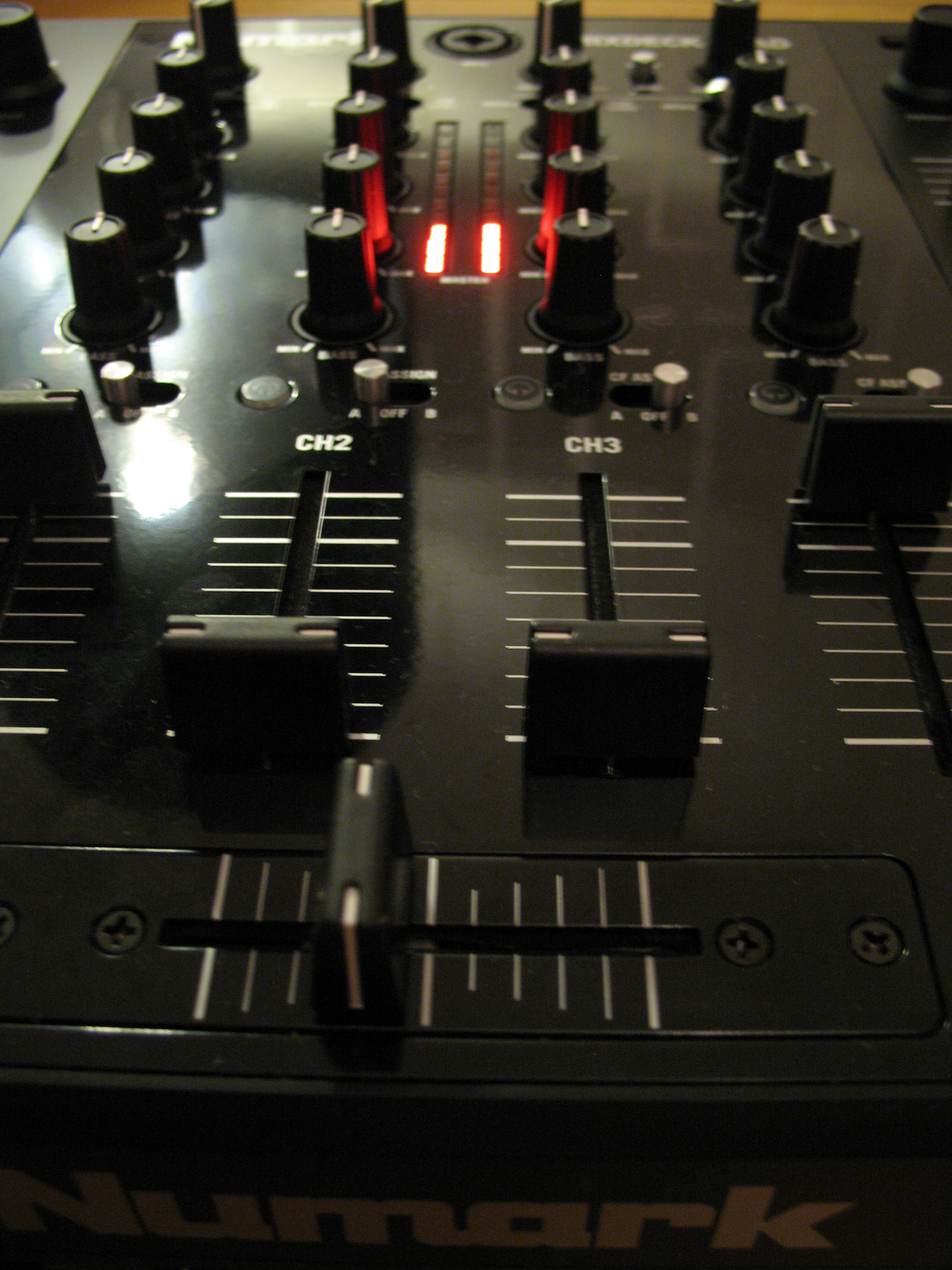
Each channel can be directed to either side of the crossfader at the bottom of the mixer or left with no setting at all (ie constantly on, regardless of the position of the crossfader). The external audio inputs don’t get any FX treatment on the Mixdeck Quad, however you can adjust the EQ, gain and volume if needed.
After some experimentation, I was feeding a twin-deck DJ app running on my iPod Touch through Aux 1 (effectively allowing me to play two tracks mixed through a single stereo channel) and doing the same with my iPad on Aux 2. This gave me four additional tracks I could overlay (through channels two and three) on top of the two tracks already playing via USB drive (through channels one and four) with the Mixdeck Quad. Six-deck mixing!
To be fair, my first attempts were chaos however I’m sure with practice and at certain times this could be amazing (and always fun!). Of course, you don’t need to use iOS devices in the Aux channels, there’s a phono/line switch so you could add a traditional turntable if you wanted.
The Mixdeck Quad also supplies two mic inputs, one situated on the front-facing panel (with gain, bass and treble control) and the other on the top of the mixer via through channel 1. The dual mic inputs would be useful for wedding DJs, allowing you to hand a mic over to the groom (or anyone else) and keeping the second mic at the booth. The audio outputs are usefully split into master, booth and record – all using RCA connectors, bit with the master also offering balanced XLR outputs.
This means you could set the Mixdeck Quad up at a venue, send the booth and master audio signals independently and also record directly out from the unit at the same time – something I wish I’d had during my days as a mobile DJ. In addition to these, you also have the ability to link audio output from each deck independent of the other (again through RCA connectors), for use with timecode CDs/vinyl.
Other features…
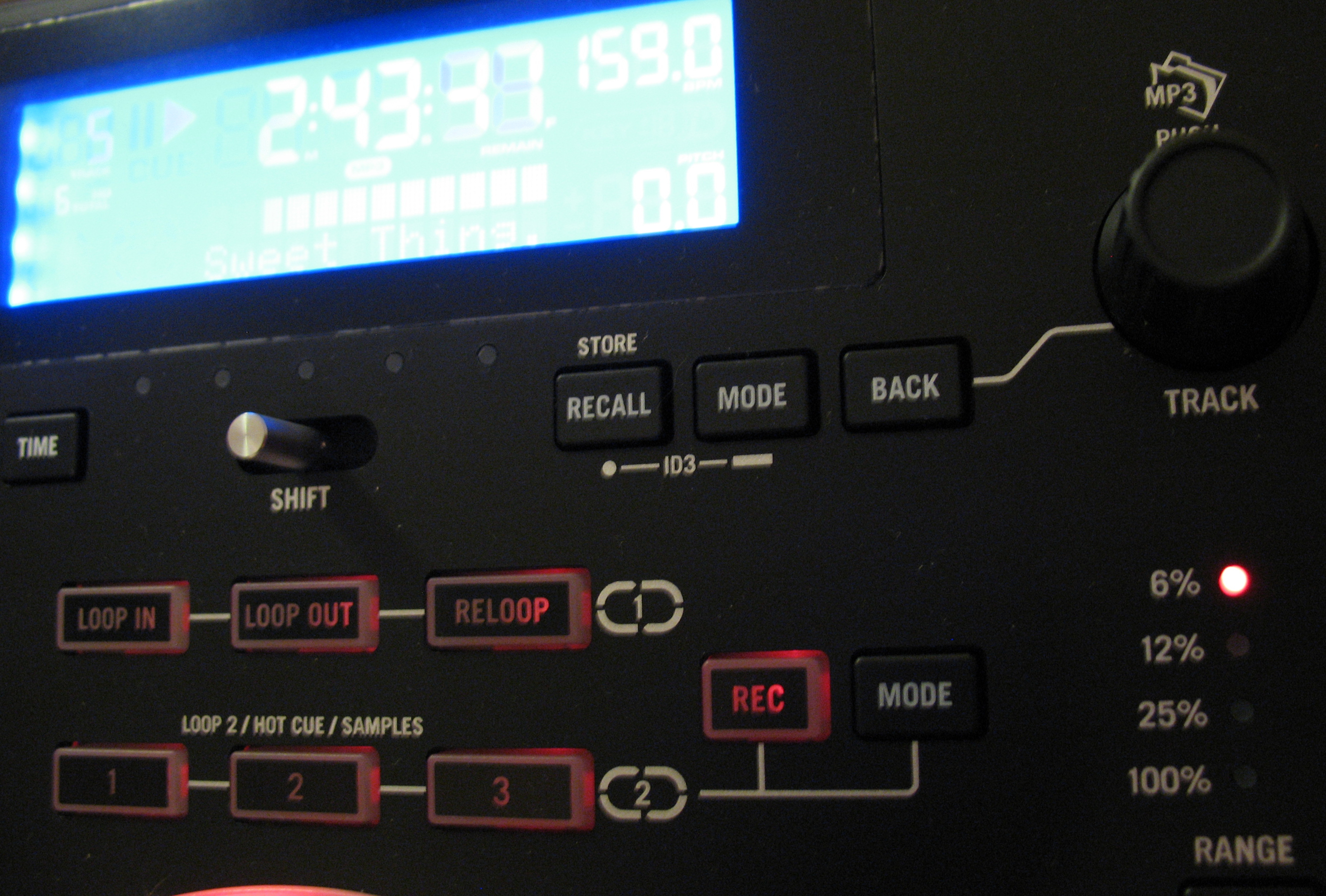
Although the Mixdeck Quad has plenty of standard features such as looping, hot cues/samples, key lock, onboard effects with a Wet/Dry slider and a “Bleep/Reverse” switch, these all feel like icing on an already large cake. That is meant in a good way though… and some of these are covered in the video review, so be sure to watch at the end.
I soon found out that I could use the Loop buttons on the Mixdeck Quad to extend the loop functionality in the vjay app beyond the four beats that the app is normally restricted to. I’d always been a little frustrated by the paltry four-beat loop limit in vjay, so this was a personal success.
In use
I thoroughly enjoyed using the Mixdeck Quad. It was a breeze to set up and instantly with one USB drive I was able to start mixing tracks. As a DJ who’s come from vinyl straight to iOS, I haven’t used jogwheels before, so it was a pleasant surprise to me that I could get scratching with good results on a smaller platter than I was used to with vinyl. Four-channel mixing is something I’d always had dismissed as being only for the specialist and way beyond my capabilities (and budget)… however with a little practice, I was becoming more confident and soon starting to contemplate how I could use track stems in a set on the Mixdeck Quad.

Sure, the buttons are hard plastic but they work perfectly, are well lit and are labelled clearly, so any initial desire for bouncy, soft-touch, rubber buttons soon faded. As for performance, I’ve included a tiny example section at the end of the video review. Admittedly these snippets were all filmed on the day and night after initial unboxing, using just a single USB for the audio source, but you get the idea.
It’s been some years since my last mobile DJ gig, but after a couple of weeks with the Mixdeck Quad, I was starting to consider how I’d start to get myself back in the game. The “all-in-one” nature of the unit does mean that if a CD drive (for example) experienced an issue that needed fixing, you’d have to take the whole unit back to get it checked out. However, the upside is that in this circumstance, if it happened during a live environment you could easily switch to another input source and carry on without anyone noticing (worthwhile if you’re booking Moby – last year he tossed a faulty CDJ out into the crowd during a gig).
Conclusion
The difficulty with assessing the Mixdeck Quad for this review is that there are very few products like it on the market for comparison (if any). There are plenty of CD decks, four-channel mixers, USB midi controllers and even a few iOS-compatible controllers, however, there’s nothing else (that I could find) that comes close to combining all of these.
However, it feels like such a useful and accommodating piece of kit that I’m surprised that the competition is not there. The Mixdeck Quad could provide the perfect fit for several different types of DJ:
- Bedroom DJ – multiple channels mean you could overlay spoken word, Acappella or other snippets into your mixtapes with ease. The USB drive inputs give you a quick way of getting tracks off your computer and into the mix.
- Mobile DJ – whether you’re a wedding DJ or covering parties, the multitude of inputs means you can easily cater to any request that comes your way. In fact, if someone passes you their iPod you could quickly plug it into an Aux channel and cue a track without much effort (mixed blessing maybe). The twin mic inputs also mean you can get your voice heard as well as someone else’s!
- Club DJ/Promoter – the split outputs (master, booth, record) will appeal to those playing at clubs. The flexibility of inputs also means your handovers between DJs should be smooth if managed carefully (for example, agreeing that every DJ will finish their set on a track from a USB drive or CD, freeing up the other channels/inputs for the incoming DJ)
In short, if you’re in the market for a new pair of CD decks, perhaps a new mixer or even considering becoming more serious about your DJing and looking for something that doesn’t restrict you to one format alone, then you should definitely be thinking about the Mixdeck Quad.
What do you think about the flexibility offered the Mixdeck Quad? Are you a mobile, club or wedding DJ who’d consider using one of these units to replace several pieces of gear? Please let us know your thoughts in the comments.


DJ Hombre


