


The Lowdown
The DJ Control T10 is Hercules’ most ambitious controller yet, built around an industry first: 10-inch motorised platters that spin real vinyl, something no other DJ controller currently offers. It’s a two-channel unit with a mixer layout that echoes the Pioneer DJ DJM-S7, clearly aimed at scratch and battle DJs, and it introduces Stem Slip mode, a feature that’s completely new to Serato. At $1,399 / £1,199 / €1,299 it comes with Serato DJ Pro’s Pitch ‘n Time licence in the box, but the price puts it up against at least one compelling alternative, so the 10″ platters need to earn their keep.
Video Review
First Impressions / Setting up
Out of the box, the T10 is a big unit, and it’s built to a budget. It’s mainly plastic with metal top plates, rather than fully metal, which keeps the weight down, but Hercules has reinforced the edges with panels that stop it feeling flimsy. Four feet flip out underneath to raise it to a comfortable height, which is a nice touch given how shallow the unit is.
The Pitch ‘n Time licence that unlocks Serato DJ Pro’s key features ships as a small piece of paper in an envelope tucked into the lid of the box. It’s easy to miss once you’re pulling out cables and instructions, and worth setting aside deliberately, since Serato won’t sell this licence separately and copies go for real money on eBay.
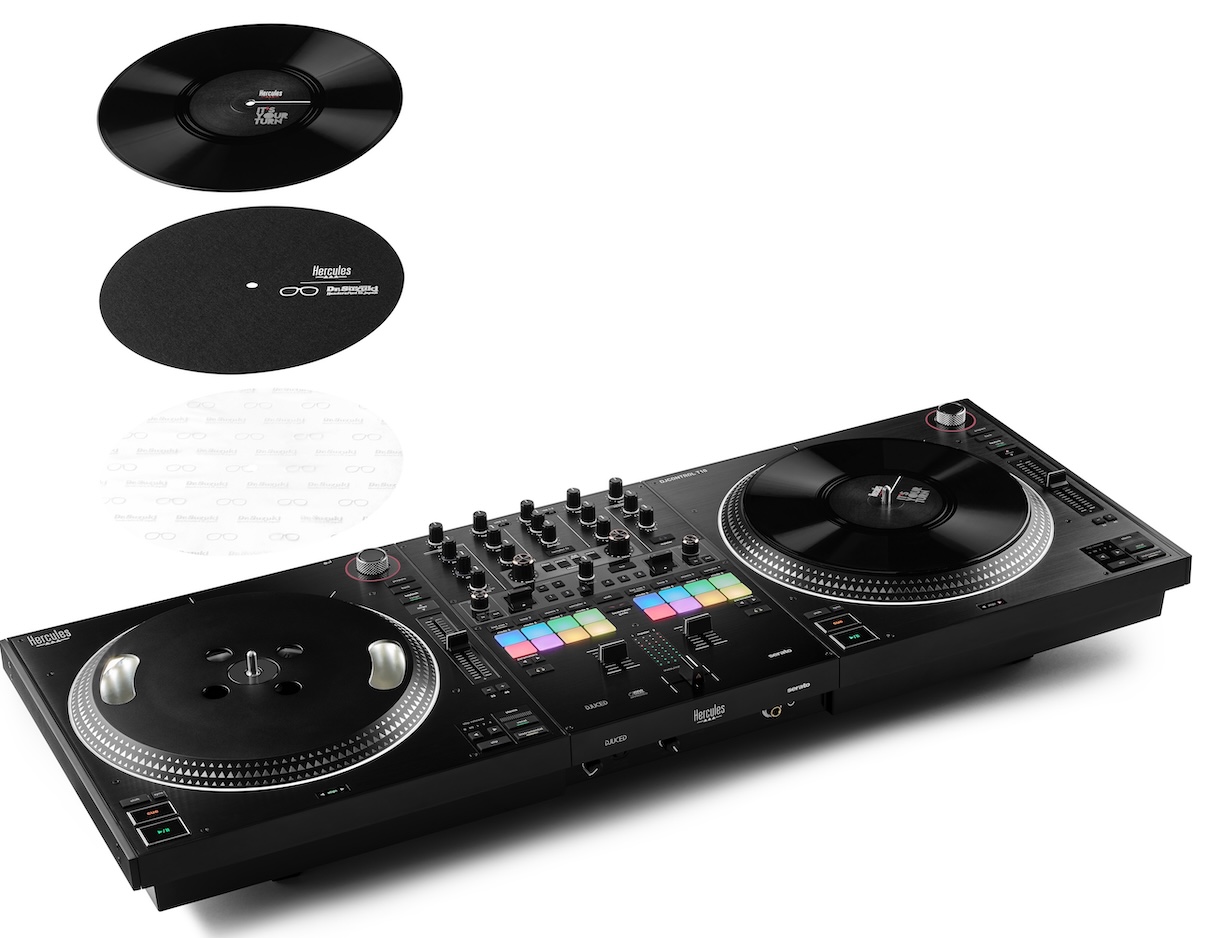
The decks are where the unboxing gets interesting. Each platter carries a piece of dummy vinyl, sitting on a Dr Suzuki slipmat from Stokyo with two different-feeling sides, plus a separate plastic sheet you can add or remove depending on the feel you want.
How it works
A spindle in the centre of the platter is what actually drives the waveform in the software. Holding the vinyl stops the spindle and stops the music, while the platter underneath keeps spinning, which is exactly how the illusion of scratching real vinyl works. Hercules used this same approach on the T7, and Numark and Rane have both used similar motorised platter systems for years, so the mechanism itself is proven even if the size is new.
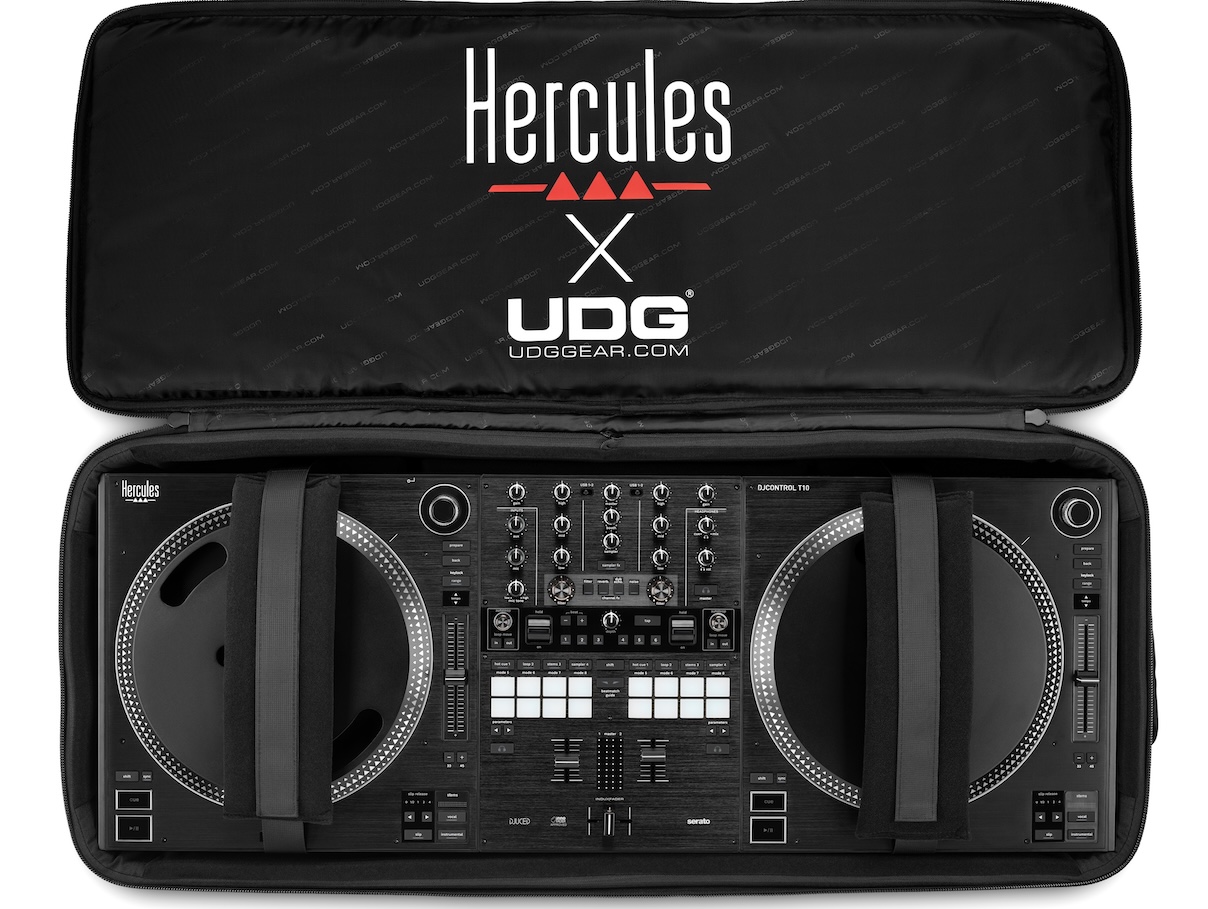
The T10 runs both Serato and Hercules’ own DJUCED software, but most buyers will set it up with Serato. A UDG-designed case is available too, and while the whole unit is a decent size, it isn’t especially heavy, so carrying it around isn’t the chore it could have been.
In Use
The crossfader is actually the first thing that stood out to me. It’s InnerFader approved, which gives it a nice feel out of the box, and there’s a manual adjuster underneath that lets you run it very tight or very loose depending on how you like to scratch. Hercules has clearly put real thought into this control, and it shows.
The platters themselves are the headline feature of course, and in my testing they largely deliver. Once you’re mixing on something this size, it feels like using 12-inch vinyl rather than a scaled-up controller jogwheel. They’re belt driven, using the same mechanism Hercules proved on the T7, which may raise a few eyebrows – but they’re fine. While I’m no scratch DJ, I’ve used turntables since I was 15 and I’d be very happy DJing on these. The throw isn’t amazing, and stopping the platter dead takes less effort than on a proper turntable, but for the price point this is a very usable deck.
There’s a fun Easter egg here too: holding shift and the beatmatch guide button lights up a colour picker that lets you change the platter rings to white, green, yellow, orange, blue or purple, with a brightness knob alongside. It doesn’t change how you DJ, but it’s a nice bit of personality.
Stem Split: something new
Stem Slip mode is the T10’s one properly new idea, and it’s the reason scratch DJs should pay attention to this unit specifically. Slip mode itself isn’t new – it lets you scratch, spin back or cue-juggle a track while the underlying music keeps time, then resumes exactly where it should the moment you let go. What Hercules and Serato have added here is the ability to apply slip mode to just the vocal or just the instrumental stems (or any other combo), holding slip and pressing the relevant stem control to isolate it.
In my testing this worked exactly as described: I could scratch the vocal while the instrumental played on underneath in perfect time, then switch and do the reverse. It’s good fun, and it isn’t on any other Serato controller. Slip Release let you set how long the deck continues playing after you lift your hand off the platter, in increments from half a beat up to four beats, which scratch DJs who actually know what they’re doing will get more out of than I did!
Hercules has also kept in the learning aids that have always been a strength of its beginner gear. Tempo lights above each platter and align lights below tell you whether to speed up or slow down a track to match it with the other deck, which is a useful crutch for anyone still learning to beatmatch manually.
If you’ve used a Pioneer DJ DJM-S7 as a scratch DJ, you’ll find your way around this mixer almost immediately, since the layout borrows heavily from it. Beginners moving up to gear like this will find the Serato pad modes exactly where they’d expect: hot cues, autoloop and beat jump, the stems pads with their effects and a sampler underneath, plus a shift layer covering key shift, manual looping and a blank user-assignable mode.
Oddly, I couldn’t find any physical key change buttons on the unit itself, which feels like a missed opportunity given how much emphasis Hercules puts on the bundled Pitch n Time licence.
You get what you pay for?
The controls on the effects section is where the T10’s budget build shows up most clearly. There are two paddle effects, and they’re small, cramped, and inconsistent – one has an extra click at the bottom that the other doesn’t, which points to a quality control issue.
They work as expected once you get past the feel of them: three effects mirroring Serato’s own effect slots, with a beats control for timing and a depth knob running from fully clean to fully wet. The filter, reverb, dub echo and noise effects sitting alongside them are more straightforward, though I couldn’t find any way to bring the volume of the noise effect down, which is a very loud effect to have no control over.
Inputs and outputs
Round the back, the T10 is a software controller only – there’s one auxiliary input for a backup source, but no way to plug turntables or CDJs in and use them through the mixer. Within that limitation, the input and output selection is generous: two USB ports for DJ swapovers, with the clever addition that whichever USB isn’t running the main show can output the unit’s audio directly, so you can plug a phone or second laptop in and record or stream your set instantly through OBS or similar software. I haven’t seen this done on another controller, and it’s a useful feature for anyone doing live sets.
You also get RCA and balanced XLR master outputs alongside a separate booth output on jack, which is more than many software-only controllers offer.
The remaining controls are sensible rather than exciting: nice adjusters on the deck edges for browsing your library or jumping to the prepare window, a keylock button that doubles as a BPM range selector when held with shift, quarter and eighth-inch headphone jacks. None of it will surprise anyone who has used Serato gear before, but it’s all present and correct. Hardware crossfader curve, cut lag and reverse buttons alongside the tension adjuster mentioned earlier are nice additions, too.
Conclusion
Taken as a whole, the Hercules DJControl T10 is an interesting piece of gear rather than just another beginner controller with a bigger badge. The platters work, the crossfader is excellent, Stem Slip mode is a real first for Serato, and the input and output selection is generous for a software-only unit. Where it falls down a little is in the details: the effects paddles feel cheap and inconsistently built, and the lightweight construction, while reinforced, doesn’t inspire the same confidence as gear built to last a decade.
The competition
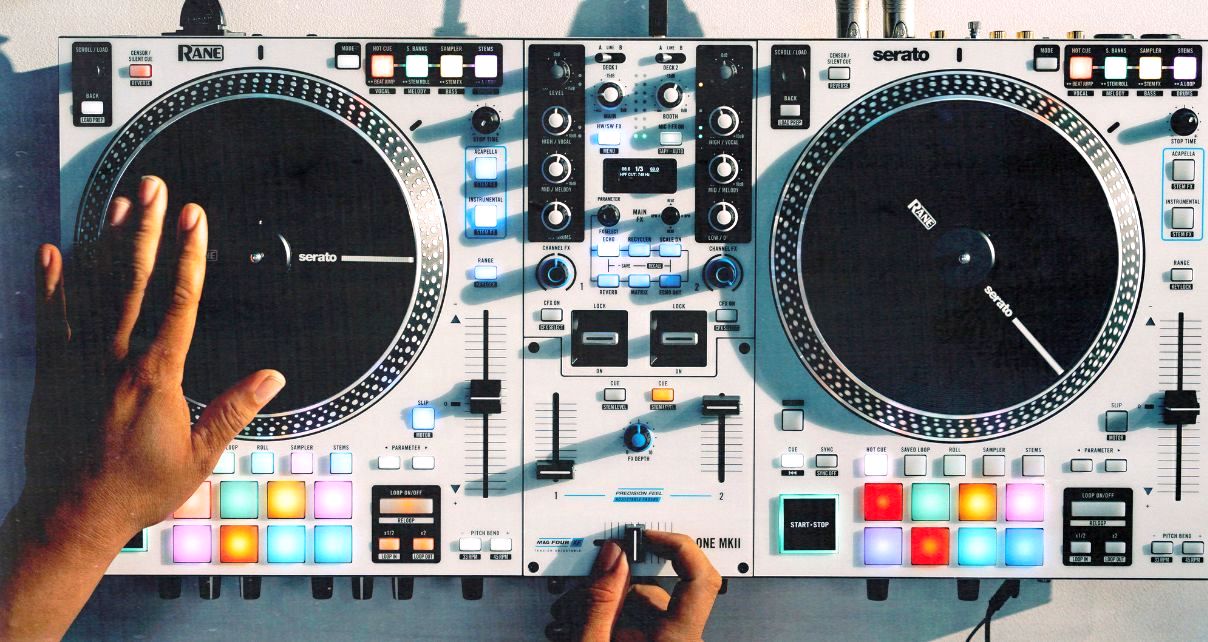
That matters because of the price. For around £100 more, you can buy a Rane One Mark II, which has no Stem Slip and only 7-inch rather than 10-inch platters, but is built to a standard that should still be working in five, six or ten years’ time. At $1,399 / £1,199 / €1,299, the T10 is a bit of a gamble, and I think Hercules would have an easier sell at a lower price point – £999 maybe?
Turntablists and performance DJs who specifically want the feel of 10-inch platters have only one option here, and the technology is proven, so that group should buy with confidence about what they’re getting, if not about how long the cheaper controls will last. I’d also point to wedding and mobile DJs who want the visual of real vinyl on real decks as a natural audience, even without the scratch ambitions.
Otherwise, you should weigh up whether those platters are worth the trade-off against a more solidly built alternative like the Rane One Mark II. In short: a novel controller offering something no rival can match, let down by some cut corners you’ll only accept if the platters themselves are what you’re paying a bit extra for.
