


Switching from a DJ controller to standalone gear? Making that leap opens up a whole new way of DJing – but there are a few things worth knowing first. At the school, we never want the gear to hold you back, so this All-Access Pass exclusive covers everything you need to know – including a few things about using standalone gear at home that tend to catch people out.
What you’ll learn
Going standalone doesn’t mean ditching the laptop completely – it’s still where you’ll prepare music and manage your library. The lesson starts there and works through everything you need to get up and running, including:
- How to get music into your standalone system, whether that’s Rekordbox or Engine DJ (plus third-party tools if switching from another platform, including Lexicon DJ and DJCU)
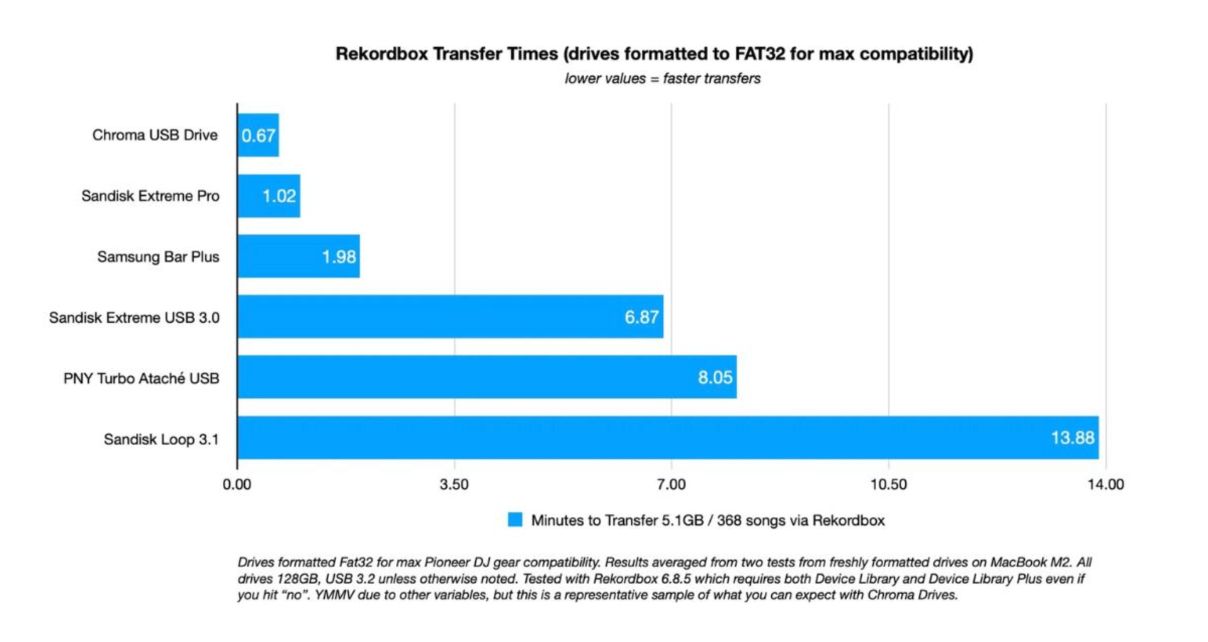
- How the USB export workflow works – and why a fast drive matters
- How to connect your standalone unit directly to your laptop over Wi-Fi, skipping the USB step entirely
- How to use standalone gear as a DJ controller when you want your laptop back in the mix
Read this next: USB Drives For DJs – 6 Crucial Tips For Trouble-Free Use
The Wi-Fi connection bit is the one most people don’t know about until someone shows them, but it’s a game-changer for home use. Both Engine DJ and Rekordbox support it, and once you’ve used it, exporting USB drives every time you add new music feels like a step back.
Finally…
The USB export workflow is completely fine if you’re gigging regularly. But if you’re mainly a hobby DJ, this lesson shows you a much more natural way to use standalone gear – one that removes most of the friction and lets you just get on with DJing.
And if you’re passionate about this hobby, grabbing an All-Access Pass gets you unlimited DJ training – everything we’ve made and will make in the future – all in one place, for life.
Have you made the switch to standalone? What’s been your biggest challenge? Let us know your thoughts below.


Phil Morse

