


Lexicon, the popular DJ library management tool, has released version 1.10 – an update that developer Christiaan Maks describes as one of the biggest yet. The headline feature is full support for Serato’s new 4.0 database format, but there’s a lot more packed in here too, including a new visual Track Timeline, play history tracking, an upgraded BPM analyser, and a complete overhaul of its Find Duplicates feature.
For those unfamiliar, Lexicon sits alongside your DJ software as a dedicated library management tool, letting you organise, clean up, and convert your music library between different DJ platforms. It’s become increasingly popular with DJs who work across multiple ecosystems or who simply want more powerful library tools than what their DJ software offers out of the box.
Sign up to Tuesday Tips
 Free newsletter
 Your weekly digest of the latest training, gear reviews, industry news, and exclusive tips and tricks to help you stay ahead in your DJing.
We collect, use and protect your data in accordance with our Privacy Policy.
The Serato 4.0 support is the big one. Serato recently moved from its legacy crate file system to a modern SQLite database, and Lexicon now handles both importing and exporting with the new format. That includes streaming track support for Spotify and Beatport inside Serato, smart crate handling, external and network drive support on both Mac and Windows, playlist colour import and export, and crate ordering preservation. If you’re a Serato user who’s been holding off on updating, this should smooth that transition considerably.
What else is new?
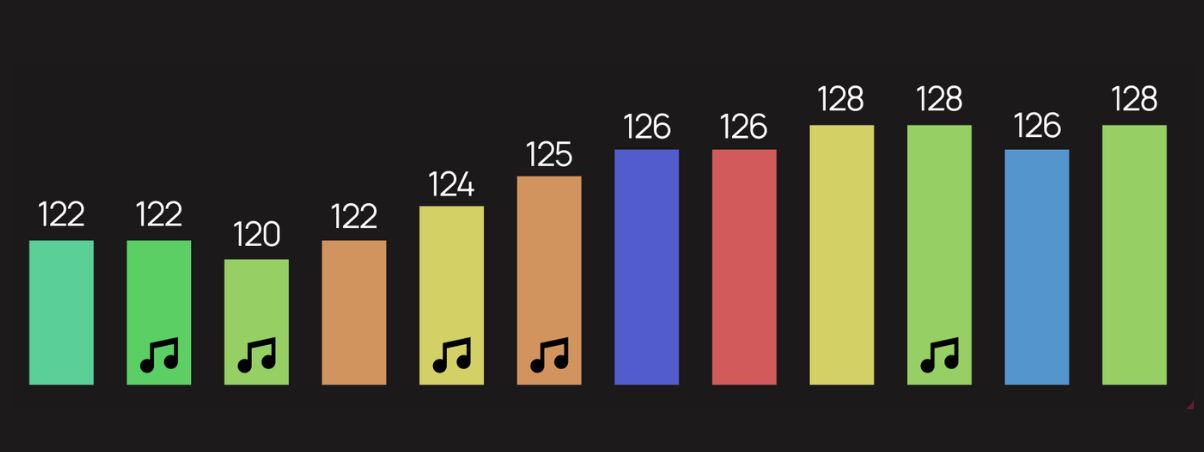
The Track Timeline is an interesting addition – it gives you a visual overview of an entire playlist, charting BPM, key, and energy across all tracks so you can spot the flow of a set at a glance. It’s interactive too, so you can select tracks directly from the timeline view. For DJs who like to plan sets visually rather than just scrolling through a list, this looks like it could be a useful tool.
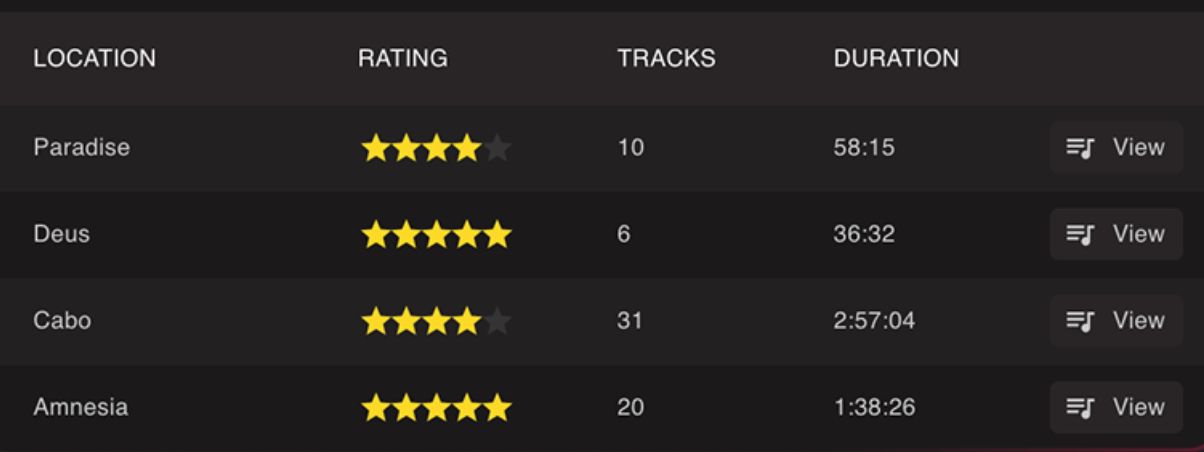
Lexicon now also imports your play history from your DJ app automatically. You can edit, rate, and delete history sessions, add locations to them, and view tracks in the order they were played. It’s something that several DJ platforms still don’t handle well natively, so having it handled at the library management level makes sense.
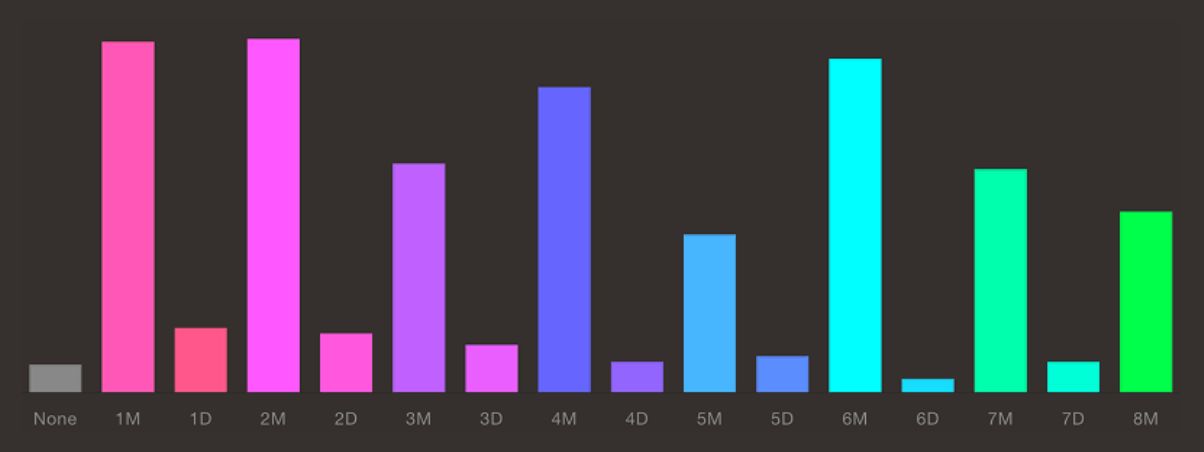
The statistics page has been completely redesigned, with all charts now clickable – so you can click on any bar or segment to instantly filter your track browser to matching tracks. There’s also custom tag distribution, most played tracks, a library health chart, and per-playlist statistics.
Under the hood
The built-in BPM and beatgrid analyser has been upgraded with a new beat detection engine, which Lexicon says delivers significantly better results, especially on tracks with complex rhythms. Whether “significantly better” holds up in practice remains to be seen, but improved beatgrid accuracy is always welcome. Of course, Djay Pro is the benchmark nowadays…
Read this next: How To Beatgrid Disco, Funk, Rock & Soul Music [Free Course]
There’s also a new integration with OpenKeyScan, a free, open-source key detection tool that uses AI to analyse musical keys. Lexicon says it delivers results comparable to industry-leading paid software ie Mixed in Key – and since it’s completely free with no subscriptions, that’s worth investigating if you’ve been relying on your DJ software’s built-in key detection. You can select it as your key detection algorithm directly in Lexicon’s analysis settings.
Find Duplicates has received a substantial overhaul too, with the ability to edit tracks directly in the results, manual duplicate merge without archiving, duration-aware scanning, and new preference options for choosing between streaming and local tracks when resolving duplicates.
Other additions worth noting: Rekordbox Memory Cue support in the cue buttons, more powerful custom tag filtering (including negation and AND operators), a refreshed music player design, new accessibility settings, and a long list of smaller quality-of-life improvements to the track browser.
First Thoughts
This is a meaty update. Lexicon has carved out a useful niche as a go-to tool for DJs who want serious library management beyond what the main DJ platforms offer, and version 1.10 looks like it’s pushing further into that territory. The Serato 4.0 support alone will be important for a lot of users, and features like the Track Timeline and play history tracking add the kind of workflow tools that dedicated library managers should be offering.
Lexicon offers a free tier for library conversion, with paid plans for the full feature set. More information is available at the Lexicon website.


Phil Morse


