

The Lowdown
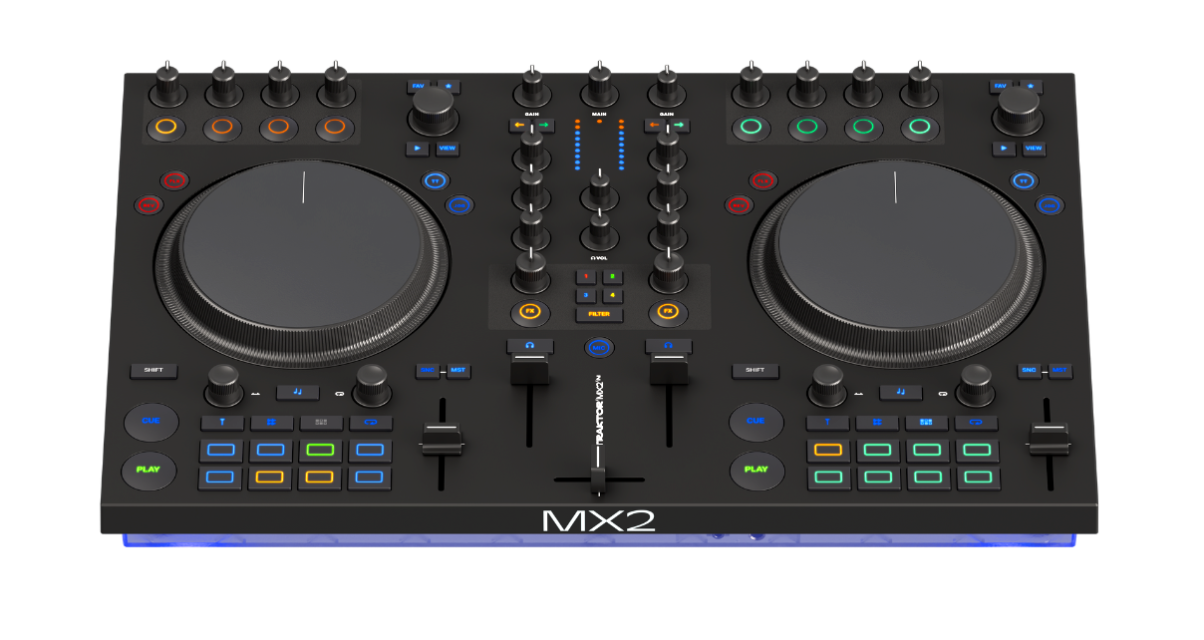
The Traktor MX2 is Native Instruments’s new entry-level controller, replacing the aging Kontrol S2 with a thoroughly updated design that matches their recent X1 and Z1 releases. At £349, it’s larger than competitors like the Pioneer DJ DDJ-FLX4, features a high-quality 24-bit sound card, and includes the full version of Traktor Pro 4 software plus a two-month Beatport streaming trial. It’s a thoughtfully designed unit that prioritises sound quality and deep Traktor integration over flashy features, making it solid value for electronic music DJs who want creative tools like stems, effects, and the Pattern Player.
Don’t have our latest DJ gear guide? Click here to grab your free copy
Video Review
First Impressions / Setting up
The Traktor MX2 is the first “full” Native Instruments DJ controller in six years, and in this review of the unit (which dropped in October 2025) we dig deep into what it is, who it’s for, and what it can do.
First impressions
Unboxing the Traktor MX2 reveals a substantial unit that’s noticeably larger than other entry-level controllers. This isn’t a bad thing – the extra real estate gives you bigger jogwheels and more breathing room between controls, which I appreciated immediately. The industrial matte plastic finish matches Native Instruments’ recent design language, with that understated aesthetic where only small circles light up on the pads rather than the entire surface illuminating. While it might look a bit dull in the video accompanying this review, in person it’s actually quite nice – purposeful and workmanlike rather than flashy.
The build quality is exactly what you’d expect at this price point. It’s plastic throughout, and the faders are noticeably scratchy when you move them. That said, it’s as good as anything else at £349, and Native Instruments haven’t cut corners where it matters. The jogwheels feel substantial, the knobs have a decent amount of resistance, and everything feels like it’ll survive bedroom use and the occasional mobile gig.
Connections and power
One surprise during set-up is that this controller requires mains power – you can’t run it off USB alone. There’s a proper power supply that connects to the back of the unit. The upside of this decision becomes clear when you start using it: the sound card is nice and loud, all the LEDs get the power they need, and there’s no compromise in audio quality. The other notable connection choice is USB-C rather than the traditional USB-B found on most DJ controllers. Until recently, only AlphaTheta had dared make this switch, but Native Instruments has now followed suit.
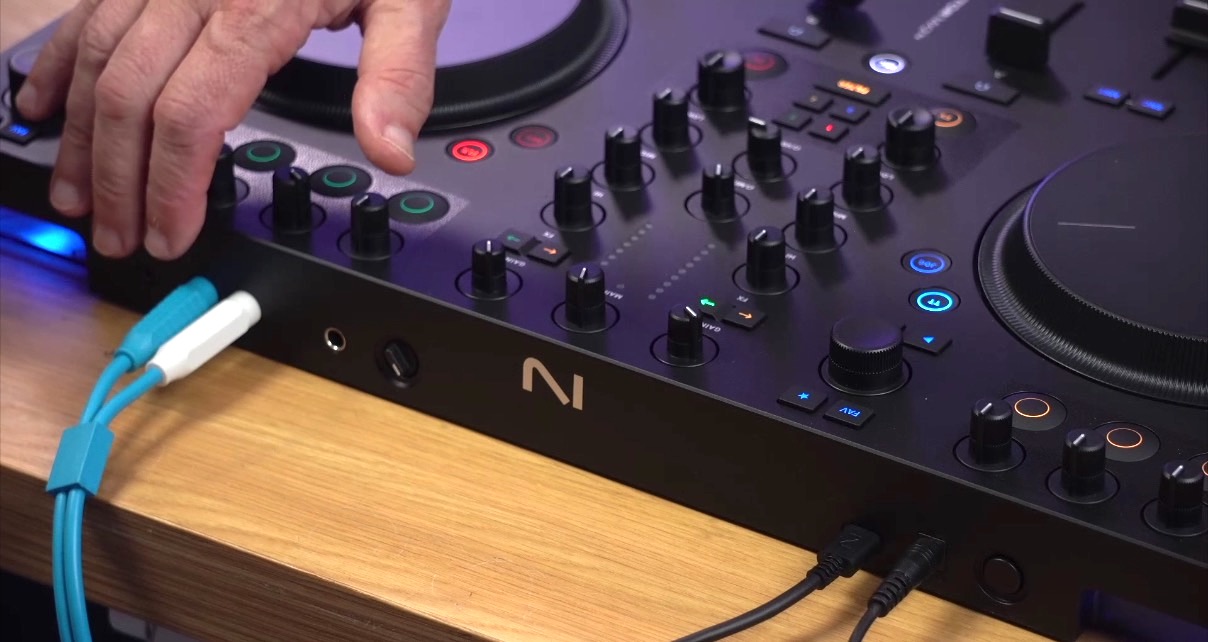
Around the back, you’ll find RCA outputs for your main speakers, but there’s also a 1/8″ minijack output. Rather than targeting professionals with XLR outputs and booth monitors, Native Instruments has acknowledged that many entry-level DJs will be connecting to consumer speakers that only have mini jack inputs (although, beware the latency on those Bluetooth speakers with line-ins, folks!). The microphone input is also round the back, with its own hardware volume control, though unusually for an entry-level controller, the mic signal is actually routed through the software itself, giving you proper control over its routing.
Setting up Traktor was straightforward as ever. The software recognised the controller immediately, and if you’re migrating from an earlier version of Traktor, it’ll offer to import your data without touching your existing installation.
Sign up to Tuesday Tips
 Free newsletter
Your weekly digest of the latest training, gear reviews, industry news, and exclusive tips and tricks to help you stay ahead in your DJing.
We collect, use and protect your data in accordance with our Privacy Policy.
In Use
I tested the MX2 over a week, both in my studio and at home, and what struck me most was how thoughtful the whole unit feels – as with previous Traktor controllers. The design decisions seem to have been made with electronic DJing in mind, putting things like looping, the Pattern Player (ie a simple sequencer), and FX front and centre.
Mixer section gets it right
Let’s start with the mixer section, which Native Instruments has absolutely nailed. The VU meters are good – they’re granular enough that you can actually see what’s happening with your levels, and each channel has its own meter so you can use them to balance when you’re mixing. There’s also a peak indicator, which saves you from accidentally overpowering things. The three-band EQ feels natural, and I particularly liked the big filter knobs at the bottom of each channel. To activate the filter, you press the effects button first, which initially feels like an extra step, but it means you’re never going to accidentally turn on a filter when you’re just reaching for a knob. You can assign different mixer effects to each channel, which is smart and unusual.
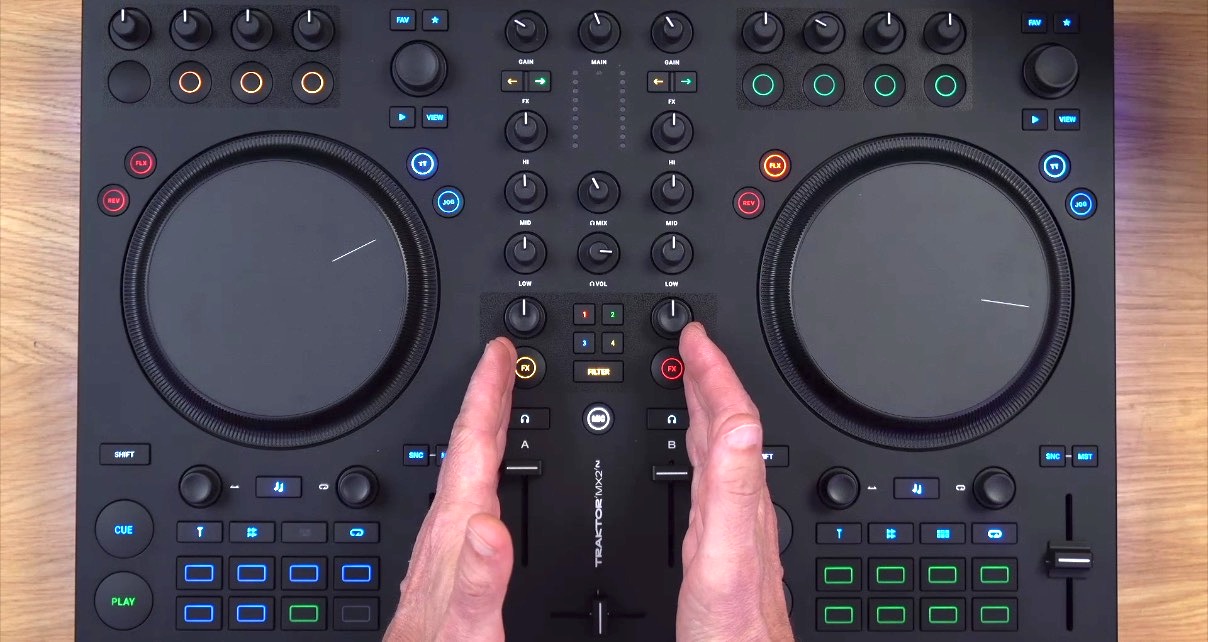
The additional effects implementation is where Traktor’s approach differs from most other controllers, and it’s either going to work brilliantly for you or feel a bit odd depending on what you’re used to. Rather than having one master effect unit, it has two separate effects units, each with their own sets of knobs and buttons. You then use the FX assign buttons in the mixer to route which channels go to which effects unit. This might sound complicated, but in practice it gives you much more flexibility. You can have completely different effects on each channel, or route both channels through the same effects unit, or even layer both effects units on a single channel.
Performance controls and looping
The jogwheels can be switched between turntable mode and jog mode using the switch at the top right. In turntable mode, touching the top of the wheel stops playback and lets you scratch, while the outer rim bends the tempo. In jog mode, the whole wheel acts like the outer rim, so you can’t accidentally stop playback by touching the top. I found myself switching between modes depending on what I was doing: turntable mode for cueing up tracks and the occasional scratch, and jog mode when I just wanted to beatmatch without worrying about accidentally stopping anything.
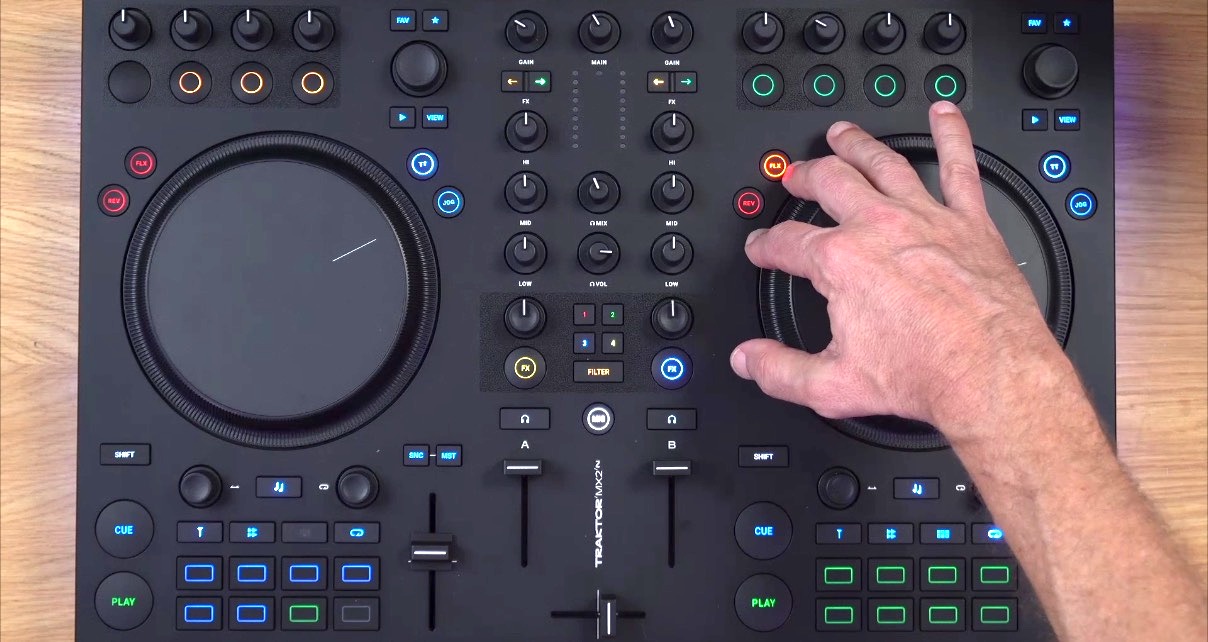
The loop and beat jump controls are well implemented. Press the loop encoder to activate a loop, turn it to halve or double the loop size, and press again to turn it off. The beat jump button moves through the track in time by whatever the loop is set to – so if you’ve got a 16-beat loop, it’ll jump by 16 beats. It sounds simple, and it is – but it’s also a lot of fun for the kind of on-the-fly looping that electronic music DJs do.
The Flux (Slip) mode works as expected: when you activate it, the track continues playing underneath whatever you’re doing, so when you finish a loop or a scratch, it jumps back to where it would have been. What’s nice though, is that the reverse button automatically engages Flux when you press it, which means you can use reverse as a performance tool without losing your place in the track.
Stems and the Pattern Player
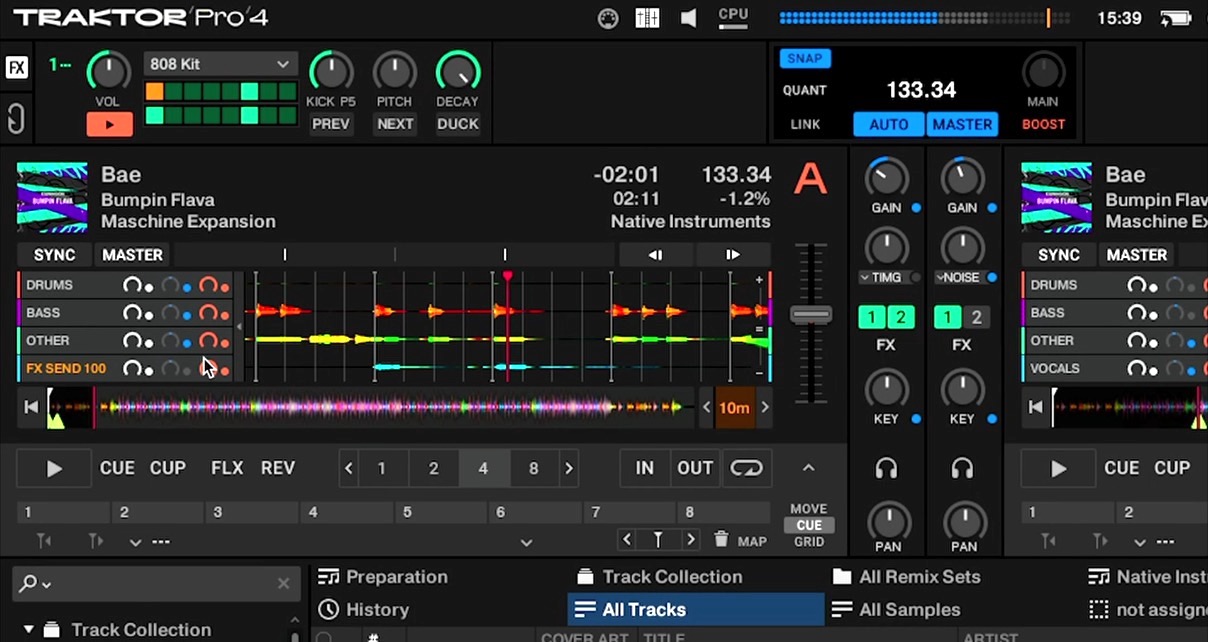
Stem control is one of Traktor Pro 4’s headline features, and the MX2 gives you reasonable hands-on control of stems. Once you’ve loaded a stems track (and yes, the software does take a while to analyse them, as we’ve covered elsewhere), pressing the stems button lights up the pads and lets you mute and unmute individual stems – drums, bass, music, and vocals. Hold down a pad and you can turn the loop and move encoders to control that stem’s volume and filter. That said, the controls in the software for this are tiny, so you’ve got to keep an eye on what you’re doing, and using stepped encoders for these controls feels slightly odd, but again, it’s a thoughtful design choice.
Read this next: Acapella & Stems – Prepare First, Or Use Real-Time Features?
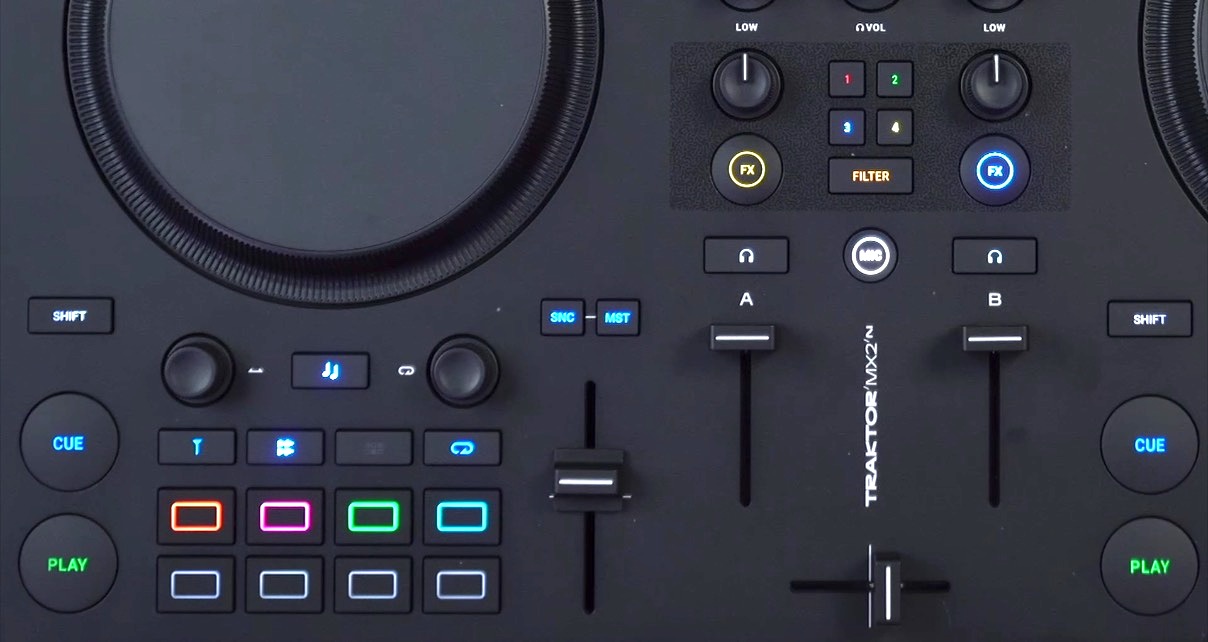
The Pattern Player is another Traktor-specific feature that’s worth mentioning. It’s essentially a step sequencer that lets you program drum patterns synced to your music. If you’ve got one of the effects units set to Pattern Player mode, the pads turn into a step sequencer where you can program patterns live. You can change the pattern density, pitch, and other parameters using the effects knobs, and it all stays locked to the beat.
It’s one of those features that differentiates Traktor from other DJ software – you’re not going to find this on Rekordbox or Serato set-ups. Whether you’ll use it depends on your style, but for electronic music DJs who like to add rhythmic elements to their sets, it’s a nice creative tool.
Lighting and customisation
In one way, the lighting is more subtle than most modern controllers, with understated in-button LEDs. But in another way, it’s totally bling – there are fat LED strips down both sides in the base that change colour based on what’s happening: Blue when the track’s playing, green when you’ve got a loop active, red when you’re out of sync, and flashing red when you’re approaching the end of the track. You can customise all of this in the software if you want different colours (or none at all), but I found the defaults worked well.
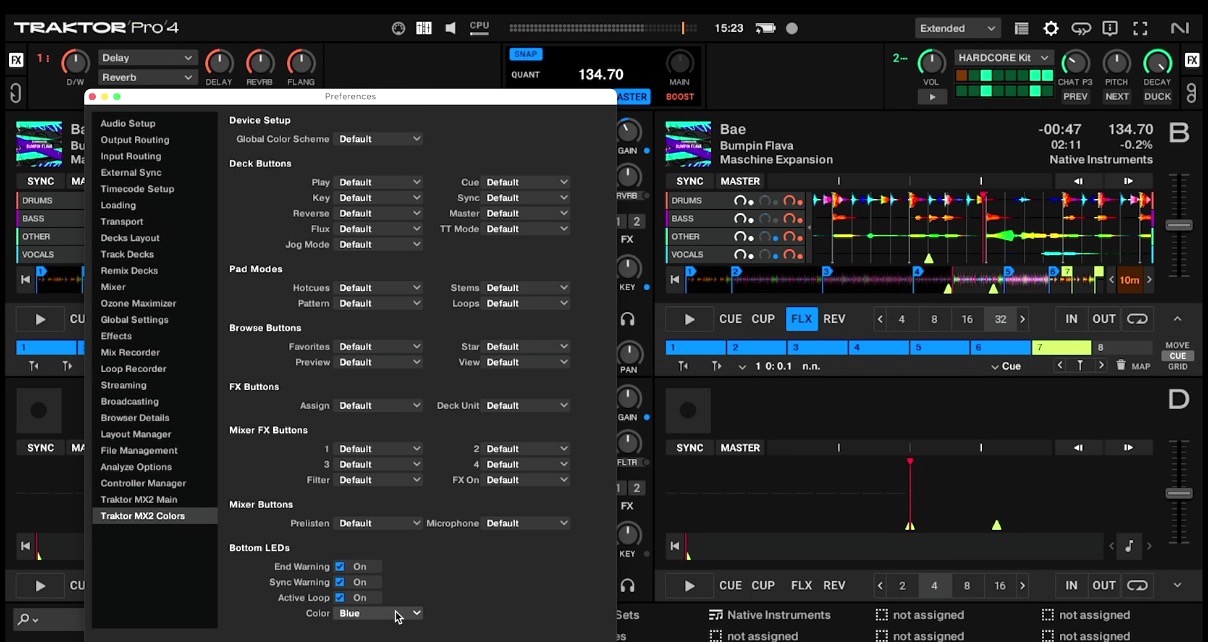
The MX2 is a two-channel controller but can control four channels in Traktor, which can be set up in the software. In fact, the software customisation options are extensive. There’s a dedicated preferences page for the MX2 where you can adjust how controls behave: whether buttons are momentary or toggle, whether the tempo faders are absolute or relative, and so on. It’s the kind of deep customisation that Traktor has always been known for, and it’s good to see it available on an entry-level controller rather than reserved for the flagship models, although it would be daunting for a beginner I’d guess.
Sound quality is very good. The 24-bit/96kHz audio interface holds up Traktor’s reputation here, and the fact that it’s mains-powered means you’re getting proper volume without any compromises; the master output is clean and loud enough for any situation you’re likely to encounter.
I did notice that the MX2 is slightly different in height from Native Instruments’ other recent controllers. When I placed it next to a Traktor X1, there was a noticeable step between them. It’s not a huge issue, but if you’re building a modular Traktor set-up, you might find yourself reaching for a shim or two to level things out.
Sign up to Tuesday Tips
Free newsletter
Your weekly digest of the latest training, gear reviews, industry news, and exclusive tips and tricks to help you stay ahead in your DJing.
We collect, use and protect your data in accordance with our Privacy Policy.
Conclusion
The Traktor MX2 succeeds at exactly what it sets out to do: provide a thoughtful, well-designed entry point into the Traktor ecosystem without compromising on the things that matter. The sound quality is excellent, the software integration is deep, and the creative tools – stems, effects, Pattern Player – are properly implemented. The high-quality 24-bit soundcard, thoughtful design throughout, and per-channel effects assignment all stand out, while the extensive customisation options mean you can tailor it to work exactly how you want.
As it comes with the full version of Traktor Pro 4, you’re also getting something that Serato and Rekordbox controllers never give you, at this price point (or any price point, sometimes) – a full, unlimited version of the software that does everything without having to spend extra. This is also to be commended and adds to the value of the unit.
Use this software like a pro: Traktor Made Easy
The decision to use mains power rather than USB power is good I think, with no compromises on audio quality or lighting. On the downside, the build quality is entry-level with scratchy faders, that mains power of course reduces portability, and the height doesn’t quite match other Native Instruments controllers if you’re building a modular set-up. Traktor software itself, while sounding fantastic and offering creative tools that other platforms don’t, still feels dated in some areas – no video support, and the interface resolution looks like it’s from 2015, still!
Who should buy this?
This controller makes sense for entry-level DJs serious about electronic music, existing Traktor users wanting a portable second controller, DJs who value creative tools like stems and effects over traditional mixing, and anyone wanting proper sound quality from an affordable controller. If you’re a mobile DJ who needs something ultra-portable or you’re committed to Rekordbox or Serato, look elsewhere. The Pioneer DJ DDJ-FLX4 (£229) is cheaper and smaller but doesn’t include the full software or match the MX2’s sound quality.

If you’re committed to Traktor but want something more substantial, look at used Traktor Kontrol S4 MK3 units (around £500-600 used). At £349, the MX2 represents solid value for money – you’re getting the full version of Traktor Pro 4 (worth £99 on its own), a high-quality audio interface, and a controller that’ll grow with you as your skills develop.
To conclude, this is a thoughtfully designed entry-level controller that prioritises sound quality and creative tools over flashy features, making it excellent value for electronic music DJs who want to grow with the Traktor ecosystem.