Got older tracks you love but can’t play because they just don’t hit hard enough on a modern dancefloor? The drums are weak, the kick doesn’t punch, and dancers don’t respond. That’s the problem a redrum solves – and with stems, you can do it live, right in your set.
In this free lesson from our How To Mix With Acapellas (& Stems) course (just one of the full suite of DJ and production courses you get with an All-Access Pass), I show you how to use stems to extract a modern, thumping beat and mix it underneath an older track – keeping that big sound going even when your music wouldn’t normally support it.
Watch the training video below, then refer back to this guide as needed.
What’s a redrum?
A redrum is a version of a song – usually an older one – where the drums have been beefed up to work better on modern dancefloors. DJs often obtain these as separate files ahead of time, but with stems you can create the same effect live: extract the drums from a track you’re already playing, then mix an older song in and out underneath that beat.
The result is that thin-sounding track from decades ago suddenly has a proper, contemporary kick driving it – and you can do it on just two decks.
Sign up to our newsletter
 Free every Tuesday
Your weekly digest of the latest training, gear reviews, industry news, and exclusive tips and tricks to help you stay ahead in your DJing.
We collect, use and protect your data in accordance with our Privacy Policy.
What you need to make it work
The most important thing – and I can’t stress this enough – is tight beatgridding. The whole technique relies on your tracks staying in sync, so if your grids aren’t accurate, everything falls apart. This is especially true with older songs, where tempos can drift. So get into the habit of properly gridding all your music – older tracks in particular.
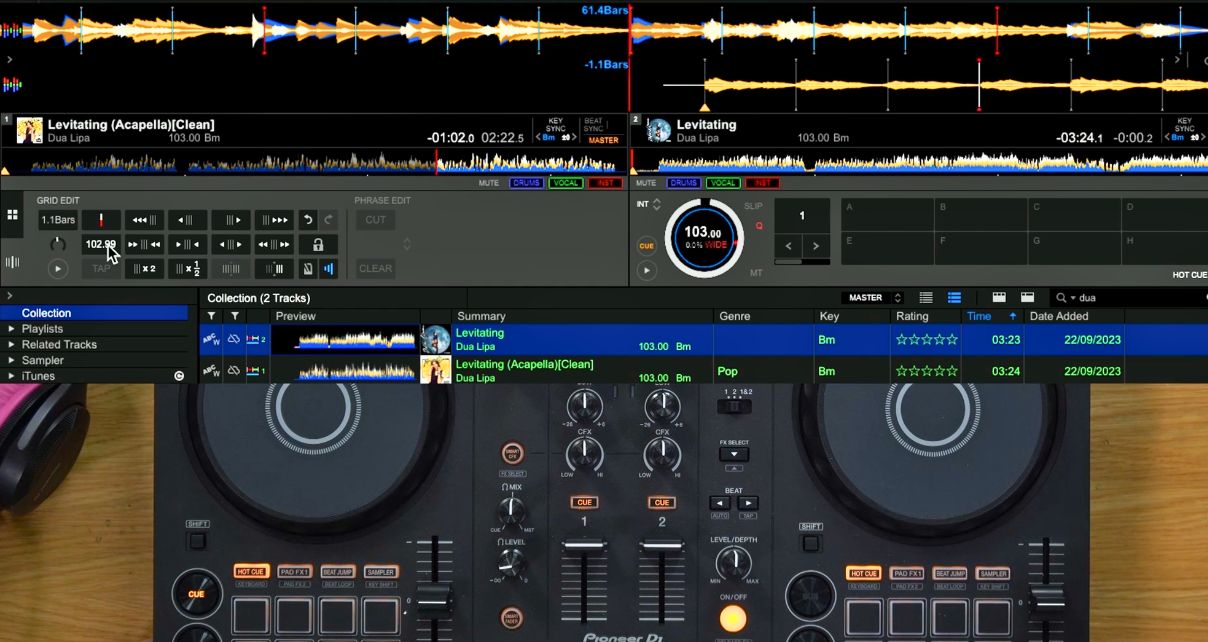
If you find it easier, the quantize button is there to help when jumping between cue points – I nudge manually out of habit from the vinyl days, but there’s nothing wrong with letting the software keep things tight for you.
In the main lesson above, the example moves from current pop and dance music into what would otherwise be a thin-sounding song from decades ago, all while keeping that modern thumping beat running throughout. The older track is also restructured – made shorter and more dancefloor-friendly – before returning to contemporary music.
Read this next: How To Beatgrid Disco, Funk, Rock & Soul Music [Free Course]
Annotated demo
After watching through the main lesson, use this annotated demo to follow along with exactly what’s happening at each stage of the mix.
Tracklist
Elton John & Britney Spears – “Hold Me Closer”
Billy Joel – “Uptown Girl”
Joel Corry – “I Wish (feat. Mabel)”
Bonus lesson
In this shorter follow-up, the same technique is applied to a singer/songwriter-style ballad – a track with no drums or bass of its own. This time we go further: we bring in a bassline with the drum stem, turning the track into something dancefloor-friendly on the fly.
Tracklist
Ashnikko – “Panic Attacks In Paradise”
Elton John & Britney Spears – “Hold Me Closer”
Next Steps
Start with tight beatgrids on your older tracks – that’s the foundation everything else depends on. Once you’ve got that sorted, have a go at the technique in a practice set: pick a current track, extract the drums with stems, and try dropping an older song underneath it. Even if you never do a full live remix, just getting familiar with how stems interact opens up a whole new set of creative options.
This lesson is from our How To Mix With Acapellas (& Stems) course, just one of the full suite of DJ and production courses available to All-Access Pass members.


Phil Morse