


The Lowdown
The DJM-A7 is AlphaTheta’s replacement for the DJM-750MK2, a four-channel mixer for small clubs, bars, restaurants, hotels and home DJs. It adds Master Texture room-tuning controls, the Split Filter, SonicLink wireless headphones and twin USB-C ports for easy computer DJ changeovers, but loses the analogue send/return, the separate mic channel, the Magvel crossfader and more than half the Beat FX. At €1,599 it sounds great and is more computer friendly than ever, but whether it’s a step up from the 750MK2 depends on what you’ll miss.
Video Review
First Impressions / Setting up
The DJM-A7 has a new look, but it’s still a very traditional layout. There’s nothing on here that’s going to trip up any DJ who has used a Pioneer mixer.
The first thing I thought when I got it out of the box was that it reminded me of my old DJM-600, and that was a long time ago. AlphaTheta isn’t daft. It knows DJs expect everything to be where it’s always been.
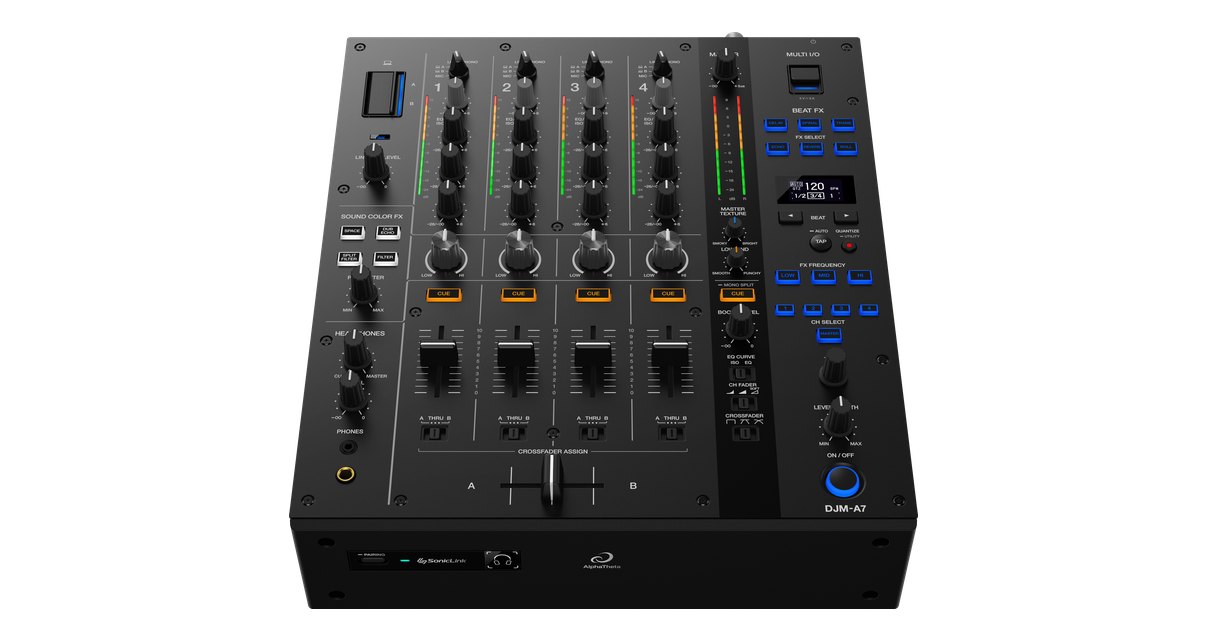
This is the replacement for the DJM-750MK2, and alongside some new features it has had a shift in direction, towards digital and towards DJs who want to use all kinds of computer setups. It has also lost some things you might expect to see on a mixer like this.
Round the back
Round the back there are no digital inputs or outputs at all. There’s only one microphone input, on a combi jack with an attenuation knob next to it, and a single Pro DJ Link port.
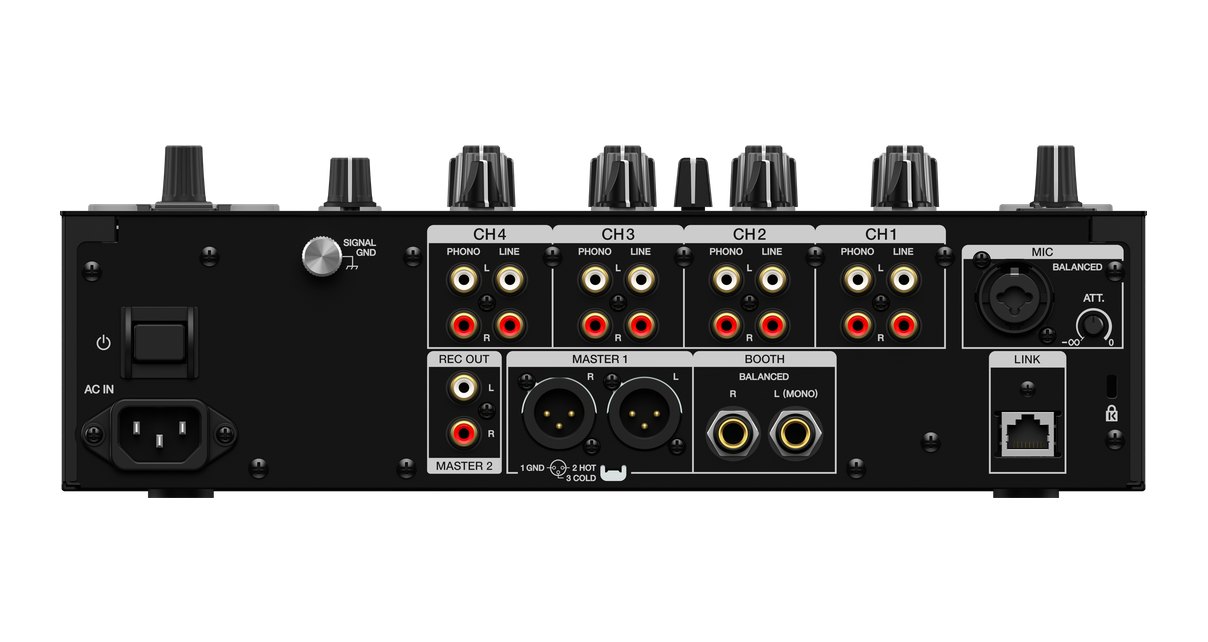
I really wish AlphaTheta would put four Ethernet ports on here and call it a hub, especially as this mixer is becoming more and more computer friendly. It would save all that faffing about with an extra box.
Twin USB and Multi I/O
On the top, borrowed from the DJM-A9, are twin USB ports. That’s part of the push towards this being more computer DJ friendly, as two DJs can be plugged in at once.
There’s also a Multi I/O USB-C port, which means you can connect directly to the DJM-REC app. That’s a well-loved way of recording your DJ sets.
In Use
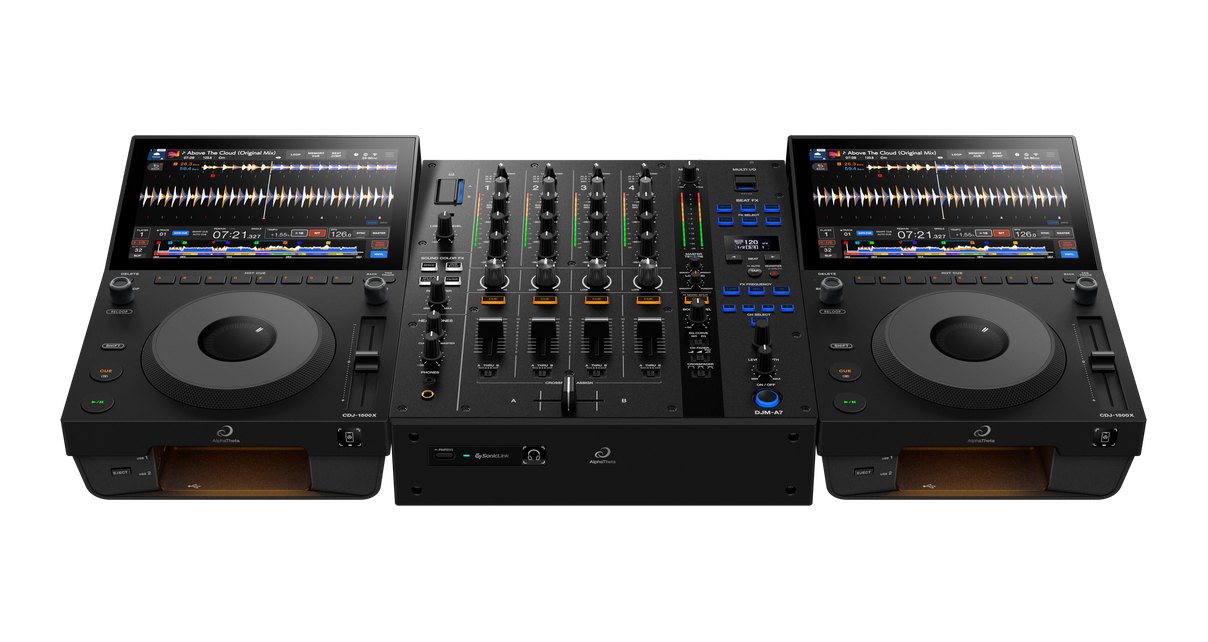
I had it set up with a pair of CDJ-1500X players on Pro DJ Link, and it’s noticeable how nicely the A7 pairs with them, both in size and in colour. The bigger A9 pairs more naturally with the CDJ-3000X.
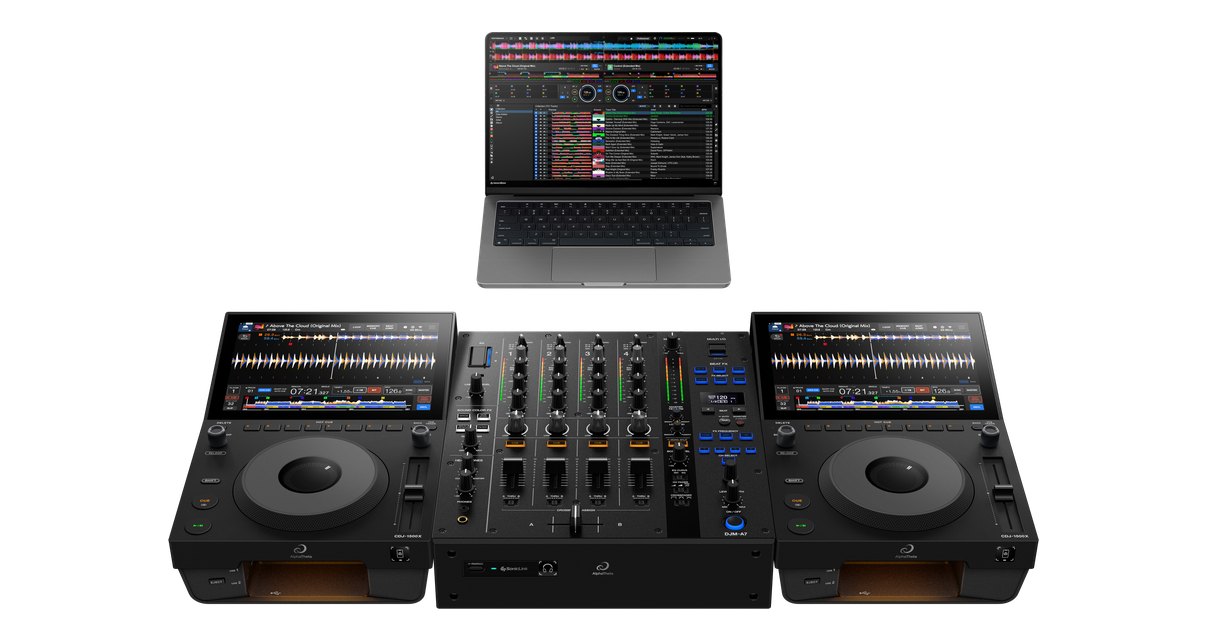
Plugged into a computer, the A7 gives you a very big way of controlling your DJ software. It works out of the box with all the big names. Virtual DJ is the only one I haven’t heard mentioned, so I’m pretty sure we’re talking about Traktor, and obviously rekordbox, Serato and djay Pro, including the iOS apps for djay Pro and rekordbox.
Set up on Pro DJ Link, you also get Link Cue, which works with touch on the CDJ screens for previewing parts of tracks ahead of time. That has been carried straight over from the A9.
Six Beat FX is stingy
The biggest change is the Beat FX. The old effect selector knob has gone, replaced by six Beat FX buttons.
AlphaTheta says these are easier to use in the dark, and I get that. The old rotary wasn’t very easy to see in a dark booth.
But it does mean that where the DJM-750MK2 had 14 Beat FX, this one has only six. There’s no flanger or phaser style effect, and the Beat FX can only loop up to eight beats. You can’t go higher to 32, which I used to love with my flangers and phasers.
Maybe they’re just going out of fashion. Maybe I’m getting old. But to me, six effects on a mixer at this level is a little bit stingy.
Master Texture
Master Texture is completely new to this mixer. It’s sold as a way of tuning the room so the audio isn’t so fatiguing.
Air takes care of the high frequencies. Turn it towards Smoky and it all becomes a little easier on the ear. Turn it towards Bright and it becomes more exciting, more club than restaurant.
Low End does the same for the kick. Turned down to Smooth, I found it gave a muddier sound, and turned up to Punchy, it gives real punch to the kick drum frequencies. It does seem to tighten up the kick drum as you go to Punchy.
Very crudely, these are a low and high EQ, but AlphaTheta is clearly selling them as a bit more than that. I quite like the names Smoky and Bright, though. Somebody did some work on those two words.
The effect is subtle. You’ll need headphones or decent speakers to hear any difference at all. It reminds me of the controls on the back of some monitor speakers that let you tune them for the room.
AlphaTheta’s idea is that the venue sets these. For a techno night with pounding kick drums, you might take a bit off to protect the speakers. In a restaurant where people are eating, you’d turn the Air down so the hi-hats aren’t harsh.
You could argue quite cogently that turning the EQ down a little would do much the same job. And I don’t see any DJ not messing around with a control put in front of them, so if these are meant to be dialled in by staff rather than the DJ, I don’t fully understand why they’re right there on the front panel.
I’d like to see a switch in the utility menu to turn these into plain bass and treble controls over the master, a bit like mini isolators, in much the same way as the bass and treble booth controls on the A9.
Split Filter
The other new arrival is the Split Filter. We’ve seen this idea before, but it’s not even on the A9, so it’s quite new down at this level. It sits alongside Filter, Dub Echo and Space in the Sound Colour FX, replacing Sweep from the 750MK2.
It lets you do something cleverer than just filtering out the low or high frequencies. Turn it to the left and you get what is normally a low-pass filter, but with some high frequencies still there.
Turn it the other way and it’s like a traditional high-pass filter, but leaving the low end in. Either way, it plays more with the mid-range, which makes it more subtle and potentially more useful than the plain filter. I’m a fan of this one, and it’s certainly useful to have alongside the standard filter.
What’s missing
The biggest omission, I think, is the analogue input and output for external effects. That has been dropped, and over the 750MK2 that’s a definite downgrade.
There’s no separate microphone channel any more either, which is a loss. You plug your mic in round the back and route it through one of the channels, and the effects on the mixer are the only ones it gets, along with everything else.
There’s no Magvel crossfader, which the 750MK2 had. And there’s no Bluetooth. I would have expected a Bluetooth input given this push towards using all kinds of sources, but it has been left off.
SonicLink
Round the front is SonicLink. If you have SonicLink headphones, such as the on-ear HDJ-F9 or the over-ear HDJ-F10, you tap them on the SonicLink sign on the front, press the button and they link up.
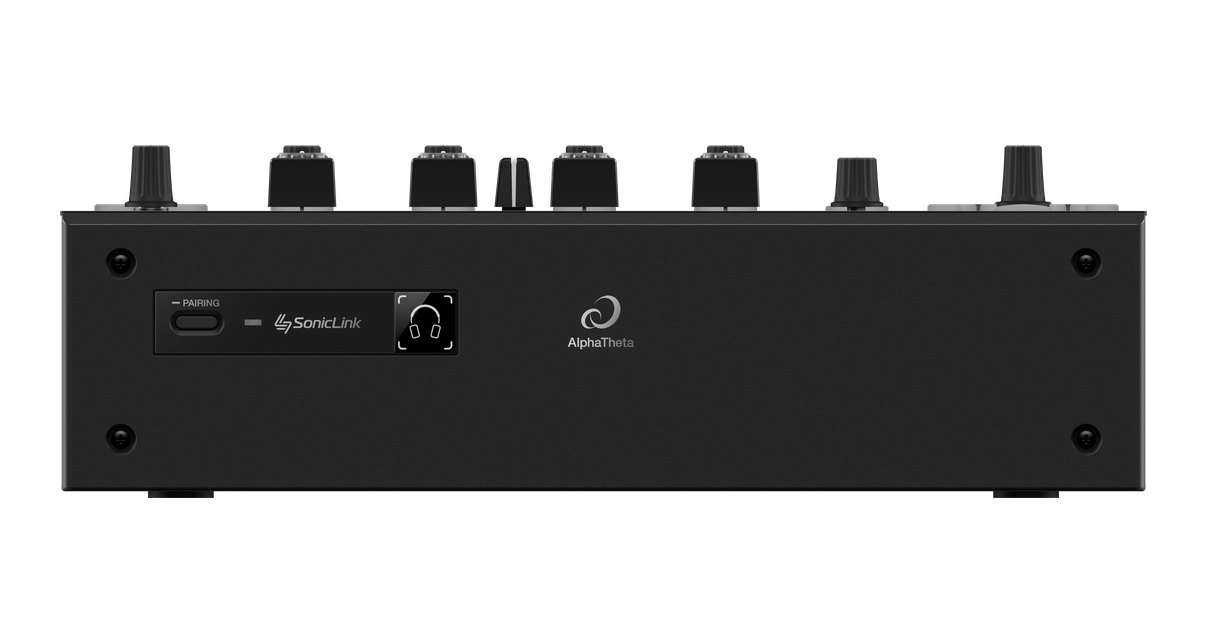
SonicLink headphones work really nicely, and they’re a good way of DJing quickly without a cable. You don’t get this on the 750MK2, because it didn’t exist back then.
The screen and the utility menu
There’s no big screen like you get on the A9, but the A9 is about double the price, so you wouldn’t expect one. This screen is good enough for what it does with the effects.
Hold down the Quantize/Utility button and you’re into the utility menu. Here you can set left/right balance, attenuate the master output, switch the peak limiter on or off, and choose mono or stereo for the master. You can also attenuate the booth and set it to mono or stereo.
You can set whether the rear RCA output is a record out or a second master output, and this one is worth knowing. Set to record, it bypasses the Master Texture controls, because the thinking is that they’re for the room in front of you, not for your recording. So if your RCAs are plugged in and the Master Texture knobs don’t seem to be doing anything, this is where you change it.
There’s also power management, SonicLink on/off for the headphones, and a mic low cut to stop boom on the microphone. It still has Midi, even though there are no dedicated Midi controls on top like the A9, so you can set the Midi channel and whether buttons are toggle or momentary. Finally there’s display brightness, brightness for the lights behind the knobs and buttons, and the firmware version.
Against the DJM-A9
Compared to the A9, this is a much less ambitious mixer, and a much more manageable size.
The effects routing is far more limited. The screen is chalk and cheese, with no X-Pad. The A9 has loads of Beat FX to choose from on its rotary, where here there are six. And on the A7 you can’t select the left or right crossfader side for the Beat FX, so if you have a couple of sources set up on the crossfader, it’s harder to put the effect across just the ones you want.
The A9 has two microphones with a full range of EQ and effects. None of that is here. There’s no centre lock on the Colour knobs either, though you wouldn’t really expect it.
There’s only one headphone cue section, where the A9 has two completely separate ones. Round the back, the A9 has analogue ins and outs, a separate record out and master output, and digital in and out, though still no Ethernet hub. I’ve been saying they should add one for a long time now.
But the A7 does have SonicLink, Master Texture and the Split Filter, none of which are on its big brother.
Sound quality
AlphaTheta tells us the phono stage has been improved. That came to us directly from the manufacturer.
Overall it inherits the sound quality of the A9, with the same 32-bit ESS converters, so arguably it’s going to sound better than the 750MK2.
Conclusion
The DJM-A7 is the replacement for the DJM-750MK2, with slightly more modern styling for an ultra-conservative product category that, as we know, doesn’t change much down the years. It sounds great, the Split Filter is a welcome addition, SonicLink is a nice modern touch and the twin USB ports make it far more computer friendly.
But a lot has been taken away. Six Beat FX is stingy, and that’s my biggest bugbear. Losing the analogue send/return, the separate mic channel and the Magvel crossfader means the extra money has gone into the computer side, and been taken from elsewhere. I see little use for Master Texture in my own DJing, though it does nothing if you leave it centred. I’d still much rather it could be switched to a standard EQ in the utilities.
This is aimed at restaurants, bars, small venues, small clubs and hotels, and at general DJs who want something manageable that does the basics well. If you need the computer connectivity going forward, it makes sense. If you rely on outboard effects, a dedicated mic channel or a big choice of Beat FX, it doesn’t.
As we film this, AlphaTheta hasn’t announced all the prices. €1,599 is confirmed, and I’m going to guess £1,299 and similar in dollars, which is about right for what it has always charged for a mixer at this level.
The alternatives
If you can still get a DJM-750MK2 and don’t need the computer inputs, it gives you the send/return, separate mic channel, Magvel crossfader and 14 Beat FX that the A7 drops.
The DJM-A9 is the bigger brother, with far more effects, routing, mic options and connections, but it costs about twice as much and is a lot heavier and bigger, with plenty that is overkill for DJs who just need the basics.
If you only need three channels, AlphaTheta’s own DJM-V5 is a more compact option that also has SonicLink.
The DJM-A7 sounds great and is more computer friendly than the mixer it replaces, but it gives away too much of what made the 750MK2 so versatile.

